
On July 15, Google shifts the goalposts for Demand Gen. Specifically, campaigns running on the Discover surface are migrating from a Cost-Per-Click (CPC) model to a Cost-Per-Thousand-Impressions (CPM) billing structure. For the uninitiated, this sounds like a back-end accounting tweak. For the practitioner managing six-figure monthly spends, it is a fundamental shift in risk.
In a CPC world, Google carries the risk of an unappealing creative. If nobody clicks, you don't pay. In a CPM world, you pay for the privilege of being seen, regardless of whether that gaze turns into a visit. If your creative fatigue has set in or your targeting has drifted, your effective cost-per-acquisition (eCPA) will spike overnight.
By the end of this guide, you will have audited your current View-Through Conversion (VTC) weight, recalculated your permissible CPM ceiling, and adjusted your bidding constraints to ensure the July 15 migration doesn't erode your margins. You will need access to your Google Ads manager, at least 90 days of historical Demand Gen performance data, and a spreadsheet for margin modeling.
TL;DR
- The Shift: Google is moving Discover-based Demand Gen campaigns to CPM billing on July 15.
- The Risk: Underperforming creative that previously cost nothing (no clicks) will now incur costs (impressions).
- The Fix: Audit your VTC-to-click conversion ratio now to set accurate tCPA guards.
- Action Item: Transition to 'Maximize Conversions' with a strict tCPA cap before the deadline to let Google's bidding engine absorb the impression-level risk.
Step 1: Audit your historical View-Through Conversion (VTC) contribution
Before you can survive a CPM environment, you must understand how much of your current 'success' is phantom. Demand Gen, by its nature, sits at the top and middle of the funnel. It often gets credit for conversions where the user saw an ad on Discover but didn't click, later converting through a brand search or direct visit.
Under CPC billing, these VTCs were a 'free' bonus. Under CPM billing, you are paying for every one of those impressions that led to a VTC. If 40% of your conversions are VTC-based, your 'true' cost of acquisition is likely higher than your dashboard suggests.
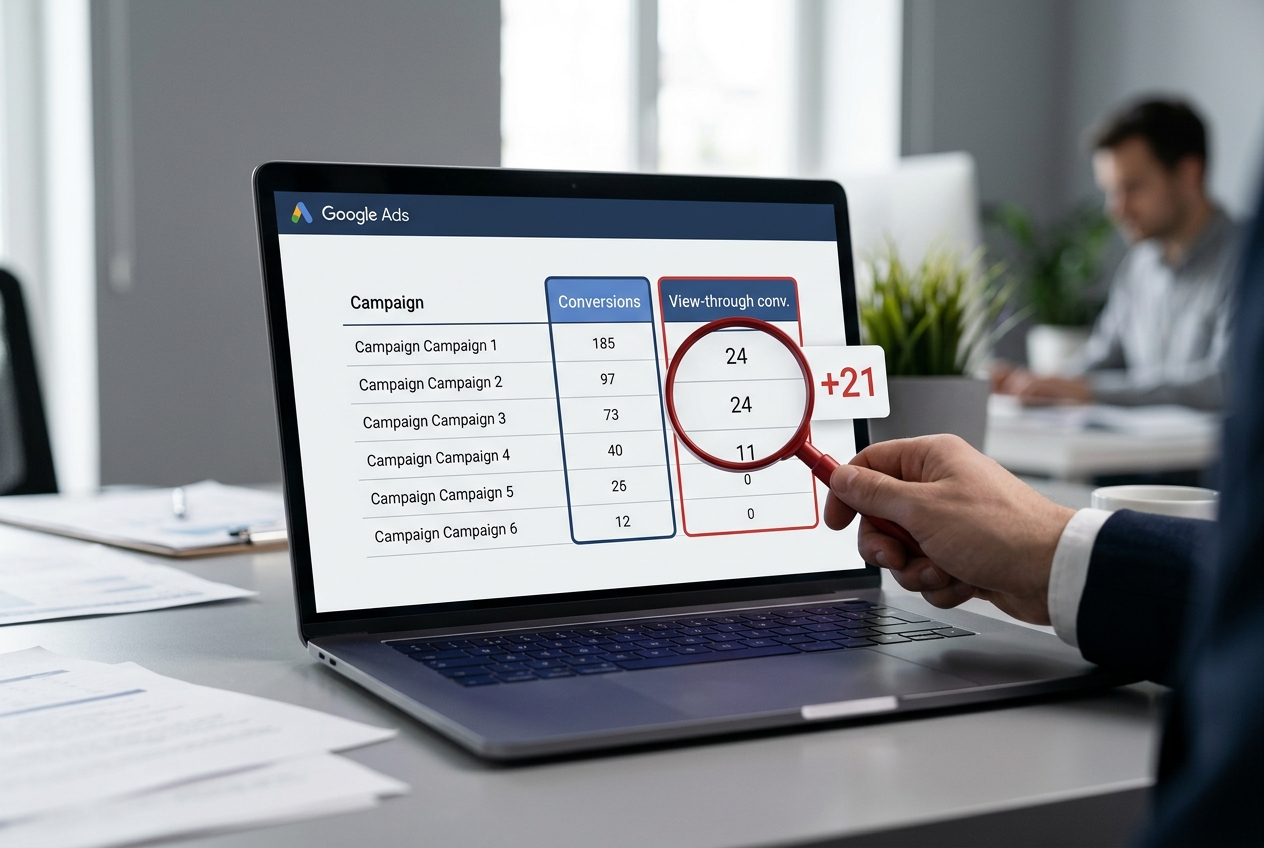
Go to your Campaigns tab, select your Demand Gen campaigns, and segment by 'Conversion Action'. Look specifically at the 'View-through conv.' column. Compare this to your 'Conversions' (click-based) column over the last 90 days. If your VTCs outweigh your click-conversions by more than 2:1, your creative is likely 'passive'—it’s building awareness but not driving immediate action. In a CPM model, passive creative is a margin killer.
Why it matters: In a CPM environment, the 'cost of curiosity' disappears. You are paying for the impression. If your ads have high VTC but low CTR, your costs will rise while your attributed revenue stays flat.
Common pitfall: Ignoring the 'Engagement' metric. Marketers often focus on the conversion, but in the transition to CPM, your Click-Through Rate (CTR) becomes a primary lever for controlling costs. A low CTR on a CPM model means you are paying a premium for every visitor.
Step 2: Recalculate your 'Break-even CPM' based on current eCPA
Since Google is forcing the move to CPM, you need to know exactly what impression price you can afford. This requires working backward from your target CPA.
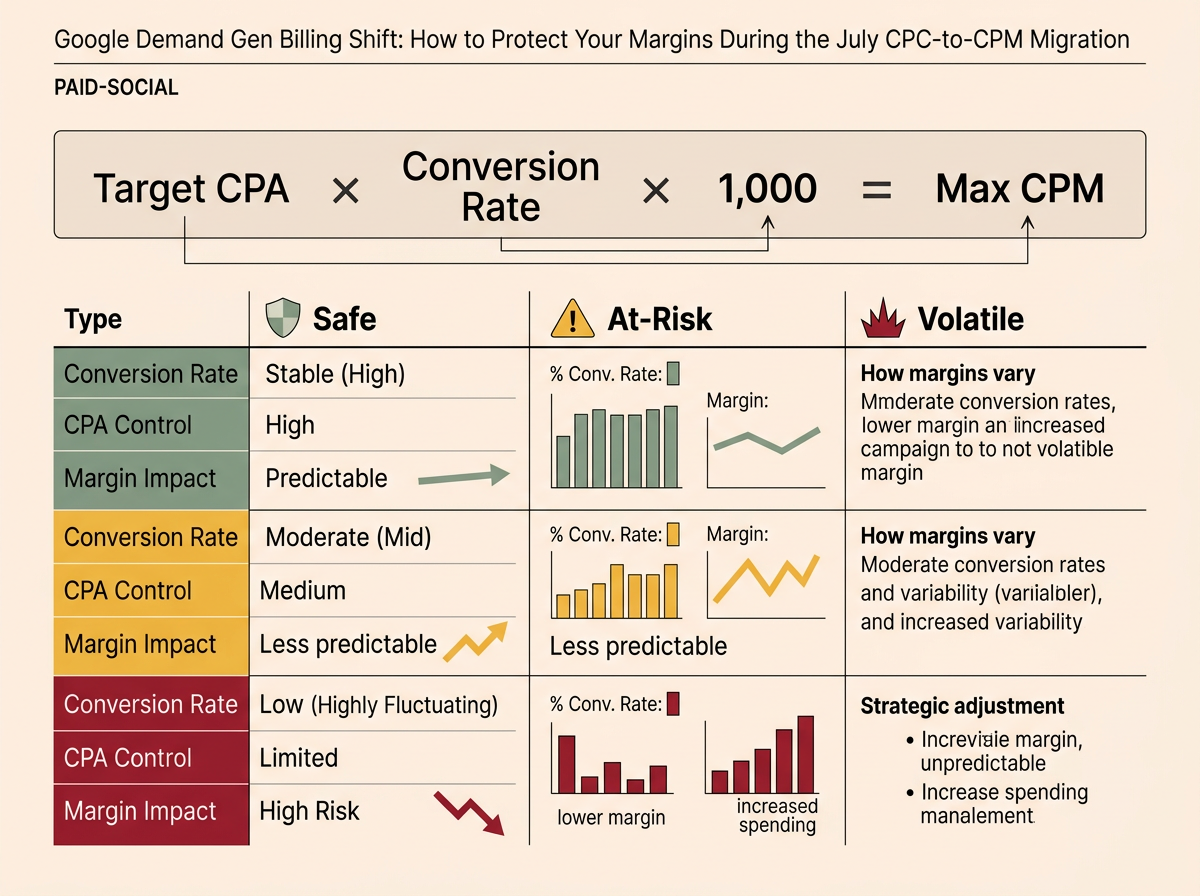
Use this formula: (Target CPA * Conversion Rate) * 1000 = Max Allowable CPM.
If your target CPA is $50 and your conversion rate is 1%, your max allowable CPM is $0.50. If the market rate for Discover impressions in your vertical is $1.50, you are in trouble. You either need to triple your conversion rate or find a way to lower your CPA expectations.
Perform this calculation for your top five Demand Gen ad groups. You will likely find that some ad groups are 'CPM-safe' (high conversion rate/high CTR) while others are 'CPM-volatile' (low CTR/low conversion rate). The volatile ones need to be paused or overhauled before July 15.
Why it matters: Google’s internal bidding algorithms will try to keep you near your tCPA, but they aren't magic. If the inventory costs more than your math allows, the algorithm will either stop spending or overspend and miss your target. You need to know the 'cliff' before you reach it.
Common pitfall: Using 'Account Average' conversion rates. Demand Gen conversion rates are typically lower than Search or PMax. Use campaign-specific data only, or you will over-estimate what you can afford to pay for impressions.
How to benchmark your B2B social media leads
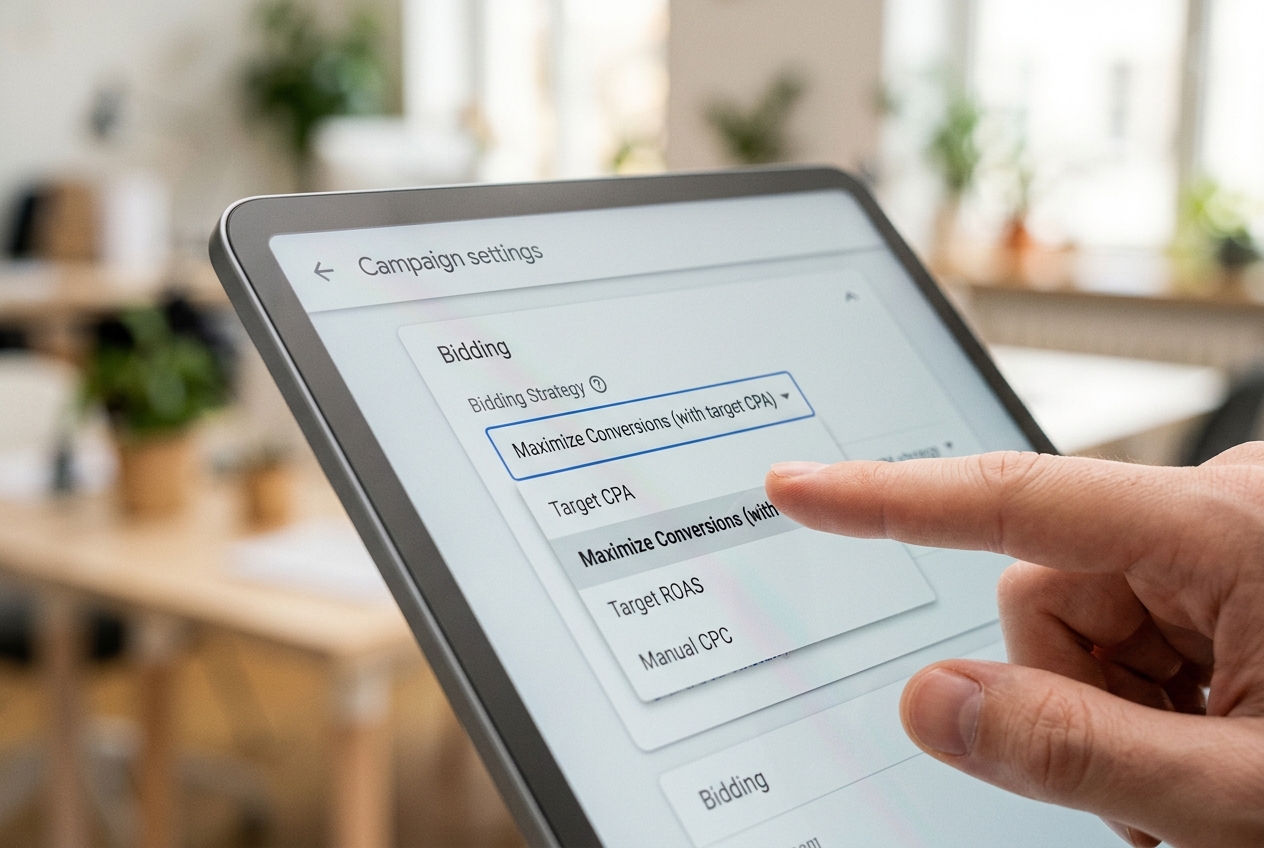
Step 3: Implement tCPA guardrails on 'Maximize Conversions' bidding
If you are currently using 'Maximize Conversions' without a target CPA (tCPA) set, you are effectively giving Google a blank check for the July 15 migration. In a CPC setup, the 'no clicks, no pay' rule protected you. In CPM, 'Maximize Conversions' without a cap can lead to aggressive bidding on expensive Discover impressions that don't convert.
Two weeks before the migration, switch your campaigns to 'Maximize Conversions' with a tCPA cap. Set this cap 10-15% below your current actual CPA. This gives the algorithm a 'buffer' to learn the new billing structure without blowing your budget.
Monitor the 'Impression Share Lost to Budget' and 'Impression Share Lost to Rank' metrics. If you see a massive spike in loss due to Rank, it means your tCPA is too low for the new CPM reality. If you see no change, you’ve successfully capped your risk.
Why it matters: The tCPA acts as a circuit breaker. If the cost per thousand impressions rises to a point where the math no longer supports your goal, the system will pull back on spend rather than burning your margin.
Common pitfall: Setting the tCPA too tight. If you set a $20 tCPA on a campaign that has historically delivered at $25, the transition to CPM might cause the campaign to 'flatline' and stop spending entirely. Gradual adjustments are key.
Step 4: Refresh creative to prioritize 'Active' Click-Throughs
In a CPC world, 'clickbait' or vague creative only hurts your conversion rate, not your wallet (directly). In a CPM world, creative that doesn't earn a click is a direct financial loss. You are paying for the eyeball; you must make that eyeball move the thumb.
Review your Demand Gen assets. Are you using 'static' images that look like stock photography? These typically have lower CTRs. Switch to 'Action-Oriented' creative: high-contrast visuals, clear 'Shop Now' or 'Sign Up' overlays, and localized copy.
Since Google is leveraging AI-driven discovery—similar to how Meta uses public posts and Reels to power its new AI Mode in Facebook search [S3]—your creative needs to feel native to the feed but urgent enough to disrupt the scroll. Use the 'Ad Strength' indicator in Google Ads as a baseline, but prioritize 'Unique CTR' as your North Star metric leading up to July 15.
Why it matters: Higher CTR in a CPM model directly lowers your effective CPC. If you pay $10 for 1,000 impressions and get 10 clicks (1% CTR), your CPC is $1.00. If you get 20 clicks (2% CTR), your CPC drops to $0.50. Creative is now your primary cost-control lever.
Common pitfall: Over-reliance on AI-generated imagery without human oversight. While AI can help scale, a 'standard' AI look can lead to 'banner blindness' on Discover, driving down your CTR and driving up your effective costs.

Step 5: Verify the transition through 'Effective CPC' monitoring
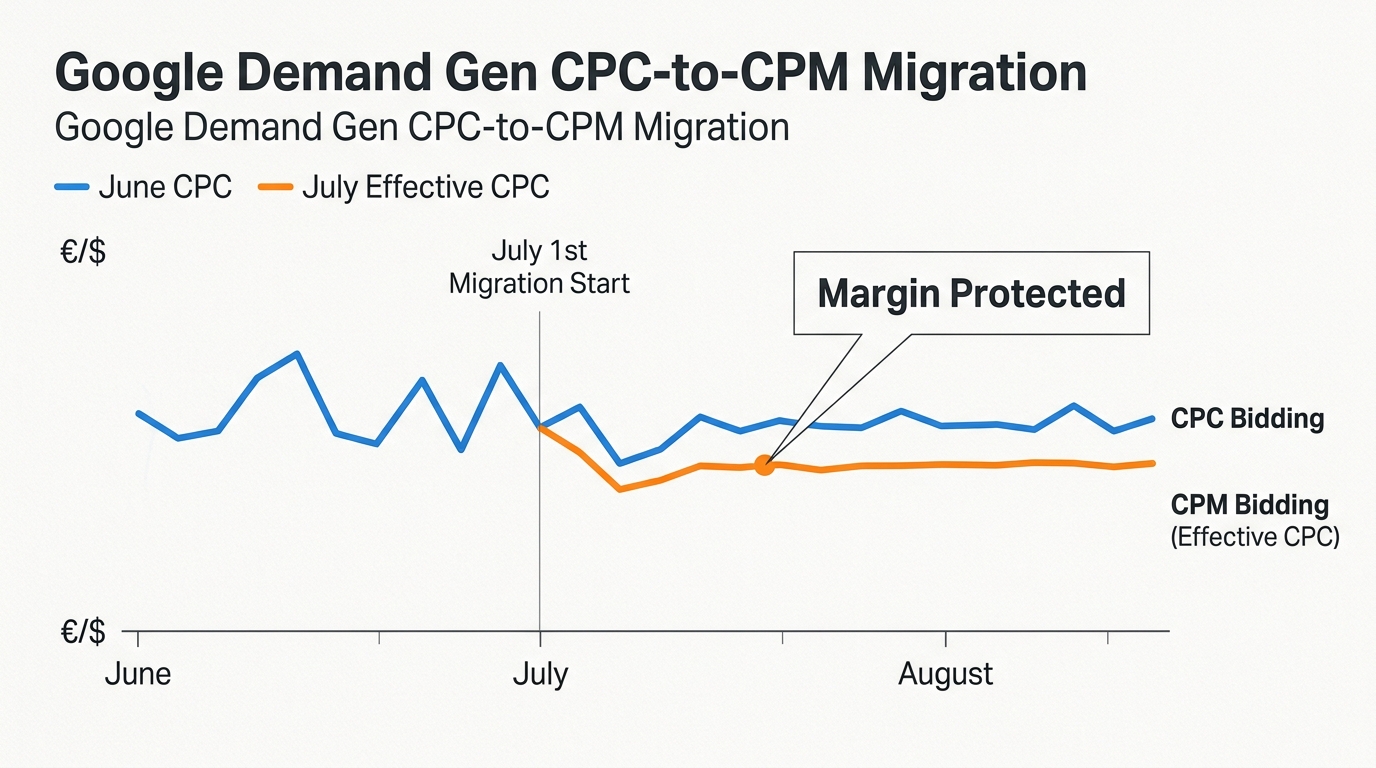
Once July 15 passes, your billing will change, but your dashboard might still show CPC metrics if you have them customized. You need to create a custom column to monitor the 'Real' cost of the transition.
Create a custom formula column: Cost / Clicks. Call it 'Effective CPC (Post-Migration)'. Compare this daily to your 'Avg. CPC' from the month of June. If your Effective CPC is more than 20% higher than your June average, your CPMs are too high for your current creative performance.
Check your 'Billing' tab specifically for the 'Discover' line item. Verify that the 'Rate' column reflects a CPM (cost per 1,000) rather than a per-click charge. If the numbers look inflated, immediately audit your 'Optimized Targeting' settings. Sometimes Google expands your audience to lower-quality, high-volume CPM placements to spend the budget, which can dilute your lead quality.
Why it matters: You cannot manage what you do not measure. By creating a 'Post-Migration' custom column, you bypass the lag in Google's standard reporting and can see the margin erosion in real-time.
Common pitfall: Waiting for the 14-day 'learning period' to end before making changes. While algorithms need time, a 50% spike in eCPC is a structural issue, not a learning issue. If the math is broken on day three, intervene.
Three related tactics to try next
After you have stabilized your margins following the CPM shift, consider these advanced moves to further optimize your Demand Gen performance:
1. Shift to 'First-Visit' Attribution for Demand Gen
Demand Gen often claims credit for the final click, but its real value is the first touch. Use Google’s 'Data-Driven Attribution' model, but create a secondary 'Custom Report' that looks at 'First Interaction' conversions. This will tell you if your CPM spend is actually filling the top of your funnel or just poaching credit from your Search ads.
2. Leverage Employee Advocacy for 'Seed' Audiences
As brand trust declines, as noted in recent 2026 industry reports [S1], use your employees' top-performing social posts as the creative inspiration for your Demand Gen ads. If a specific topic or image resonated on LinkedIn or X, it is highly likely to have a higher CTR on the Discover feed, helping you maintain a lower effective CPC in the new CPM environment.
3. Implement an 'AI Ops' Content Layer
Use a structured 'AI Ops' playbook [S4] to generate 50+ variations of ad copy for every one image. Since you are now paying for impressions, you need to find the 'winning' copy that triggers a click as fast as possible. Test radically different hooks—fear of missing out, direct utility, and curiosity-based headlines—to see which combination maximizes your 'Impression-to-Conversion' efficiency.
[INTERNAL: The 4-Layer AI Ops Playbook for Content -> the-4-layer-ai-ops-playbook]
By treating the July 15 billing shift as a creative and mathematical challenge rather than a simple platform update, you position your brand to win inventory that less-prepared competitors will abandon when their margins tighten.
FAQ