You’ve spent years building a robust email list, yet your Meta Ads Manager likely operates as a silo. Most mid-market brands treat social as a top-of-funnel discovery engine and email as a bottom-of-funnel conversion tool. This disconnect is expensive. By the time a customer receives your 'Abandoned Cart' email, they may have already seen three generic Meta ads for the same product, creating a redundant and annoying brand experience.
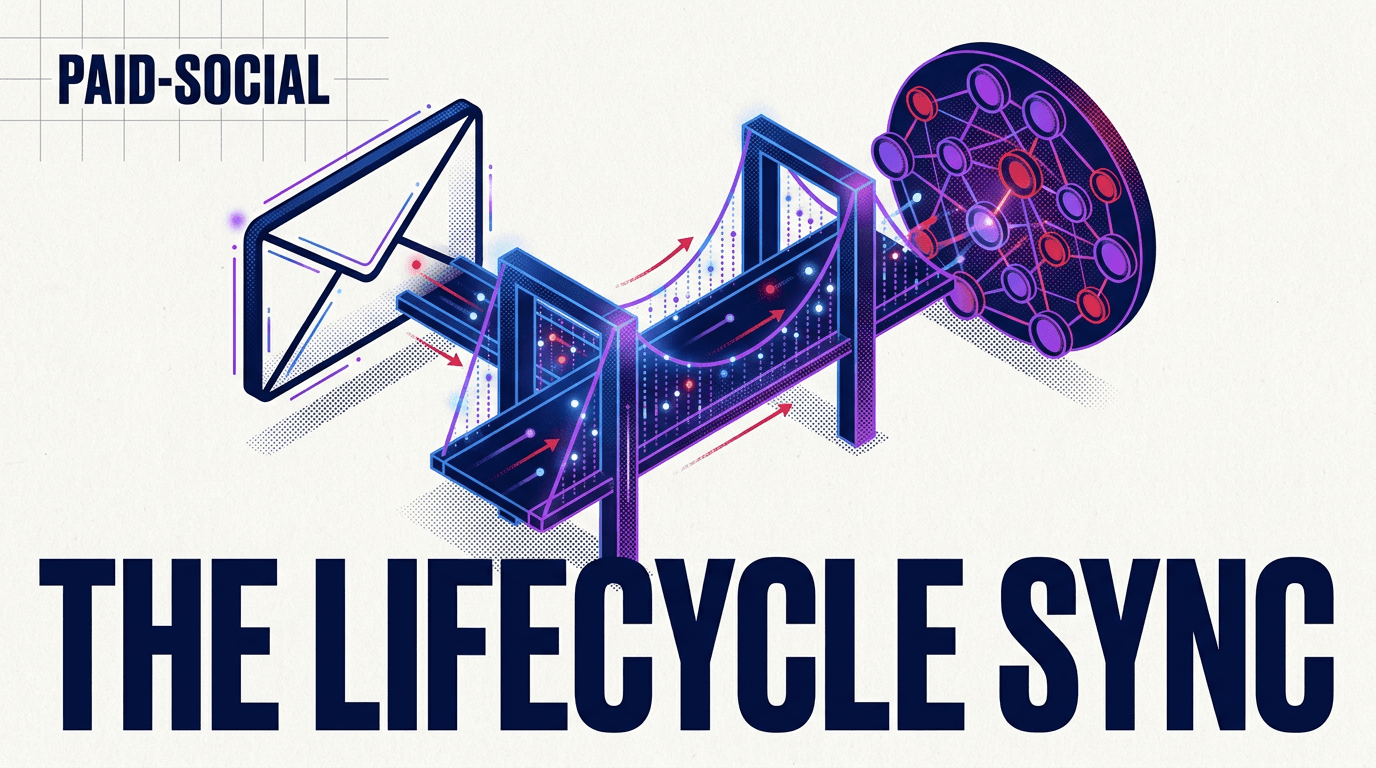
This guide will show you how to build a unified lifecycle social strategy. By the end of this tutorial, you will have a live sync between your ESP (Klaviyo, Braze, or Mailchimp) and Meta Ads Manager. You’ll be able to suppress active email openers from seeing social ads—saving your budget for those who aren't reading your newsletters—and trigger specific social creative based on email non-opens.
Prerequisites
Before you begin, ensure you have the following:
- Admin access to Meta Business Suite and your ESP.
- A minimum of 1,000 active profiles in your email segments (to ensure Meta can match enough identities).
- Meta Pixel or Conversions API (CAPI) fully implemented on your site.
Step 1: Architecting the 72-Hour Exclusion Window
What to do: Create a dynamic segment in your ESP that includes anyone who has received a specific marketing email within the last 72 hours. Sync this segment to a Meta Custom Audience and set it as an exclusion in your Advantage+ Shopping or manual conversion campaigns.
Why it matters: The 72-hour window is the 'golden hour' of email marketing. According to internal benchmarks from agencies like Zenith (which recently retained Reckitt’s $400M US business [INTERNAL: agency-retention-trends -> agency-news]), the highest conversion rate for email occurs within the first three days. If you are paying for impressions on Meta to reach the same person who just opened your email, you are bidding against yourself. Excluding these users for 72 hours forces your Meta budget to find new prospects or 'cold' leads who haven't interacted with your direct channels recently.
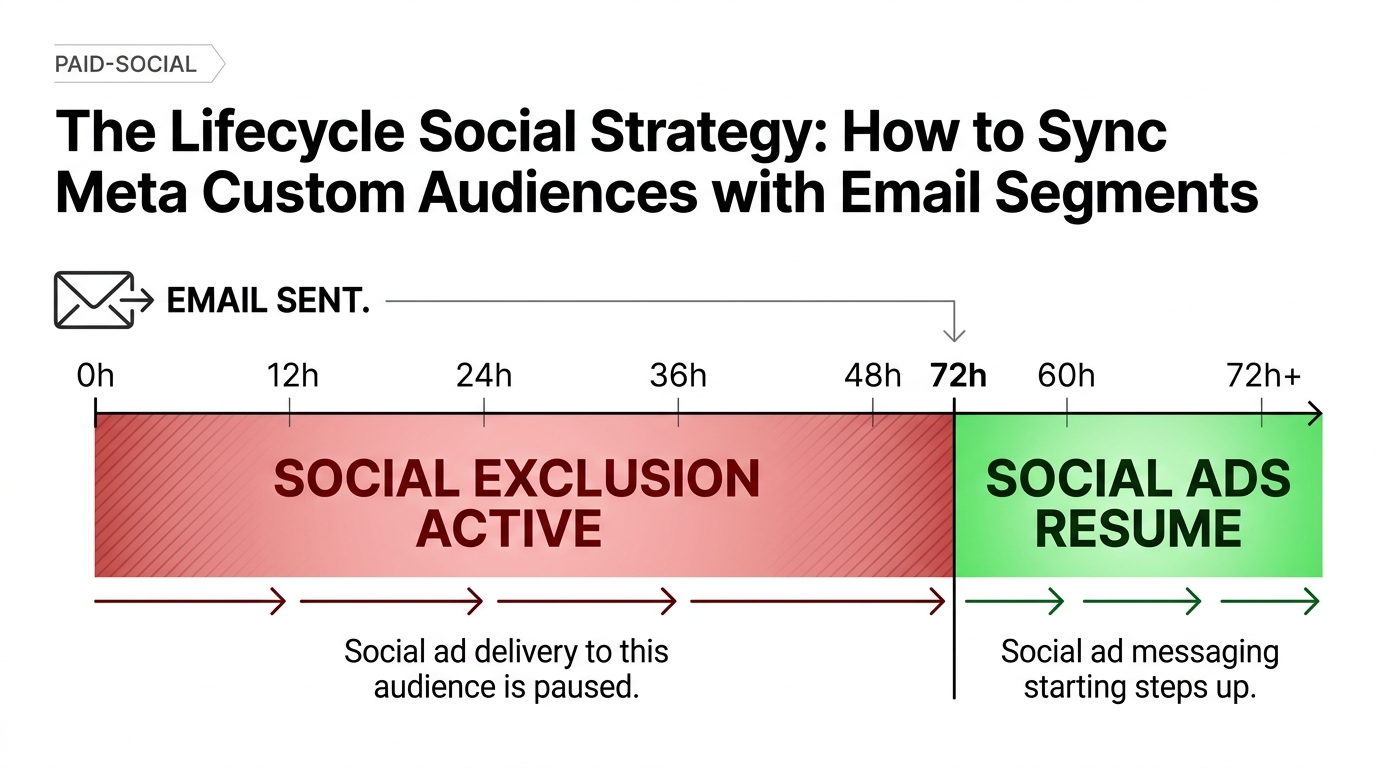
Common Pitfall: Many managers set exclusions at the ad set level but forget to update their Advantage+ Shopping Campaigns (ASC). In ASC, you must define your 'Existing Customers' in the account settings first, then apply the exclusion within the campaign reporting settings. If you don't, Meta’s AI will likely prioritize these high-intent users to inflate its own ROAS figures.
Step 2: Triggering Social Ads for Email Non-Opens
What to do: Identify users who have received three consecutive emails without an open. Tag these users as 'Email Dormant' and sync them to a dedicated Meta Custom Audience named 'Social Rescue'.
Why it matters: Attention is fragmented. While Fidji Simo, the former Meta exec who recently stepped back from her OpenAI role [INTERNAL: fidji-simo-openai-update -> industry-moves], built her career on platform engagement, the reality is that your customers' inboxes are cluttered. A non-open doesn't mean a lack of interest; it means a lack of visibility. By shifting these users to a social environment, you change the context. Use high-impact creative here—perhaps even utilizing newer trends like the 'Brainrot' style videos popularized by Vmake Labs [INTERNAL: vmake-labs-brainrot-marketing -> creative-tech]—to snap them out of their scrolling trance.
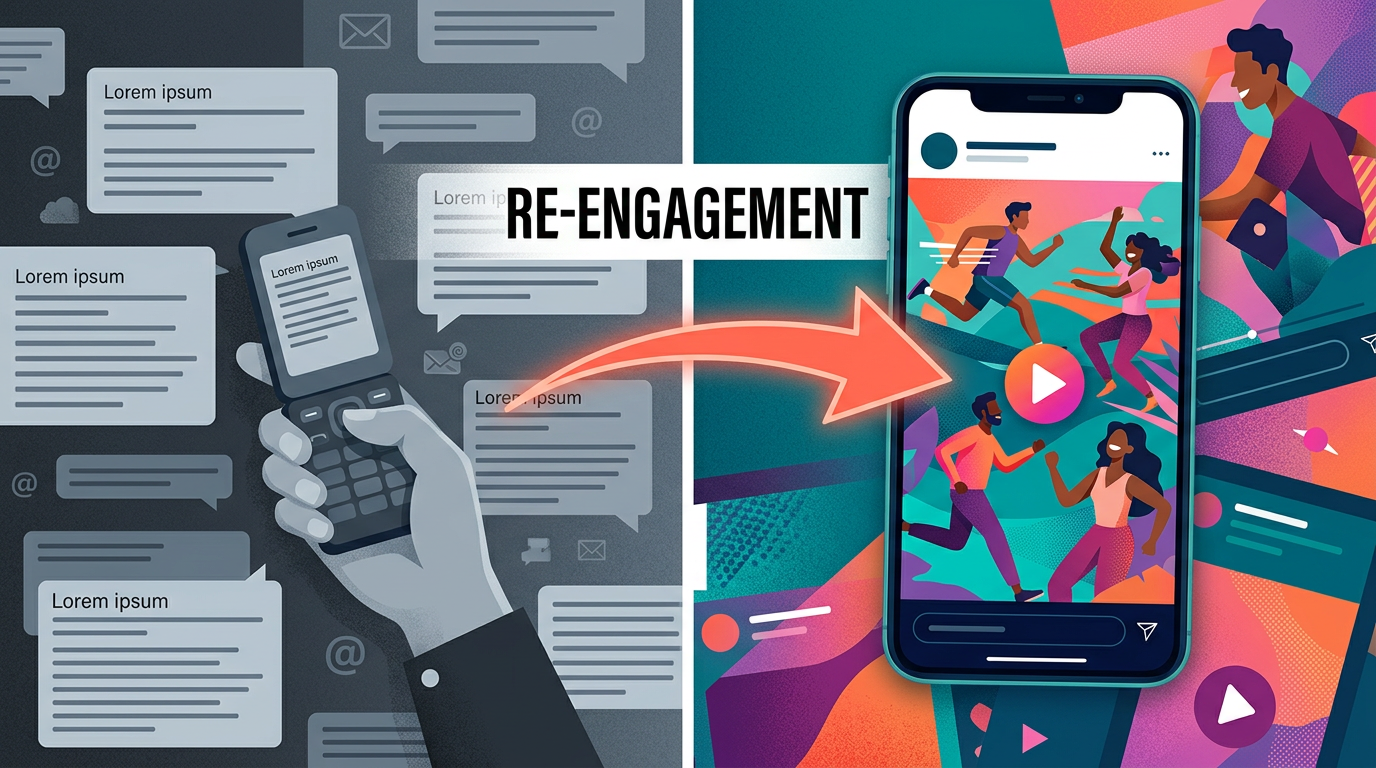
Common Pitfall: Don't use the same creative for 'Social Rescue' as you do for top-of-funnel prospecting. These people already know your brand. They need a 'Welcome Back' offer or a new product angle, not an introductory brand story.
Step 3: Mapping the API Handshake Between Klaviyo and Meta
What to do: Navigate to your ESP's integration settings. For Klaviyo, this is under 'Integrations' > 'Meta Ads'. You must map your email segments to specific Custom Audiences. Ensure you select 'Push data to Meta' and enable the 'Automatic Sync' feature which typically refreshes every 24 hours.
Why it matters: Manual CSV uploads are dead. By the time you upload a list, 15% of it is usually outdated. Automated syncing ensures that as soon as someone buys (and moves into a 'Post-Purchase' email flow), they are instantly removed from your 'Prospecting' social ads. This data fluidity is what separates mid-market players from enterprise-level operations like Conagra Brands, which recently revamped its commerce agency structure [INTERNAL: conagra-wpp-barrows-deal -> commerce-media].
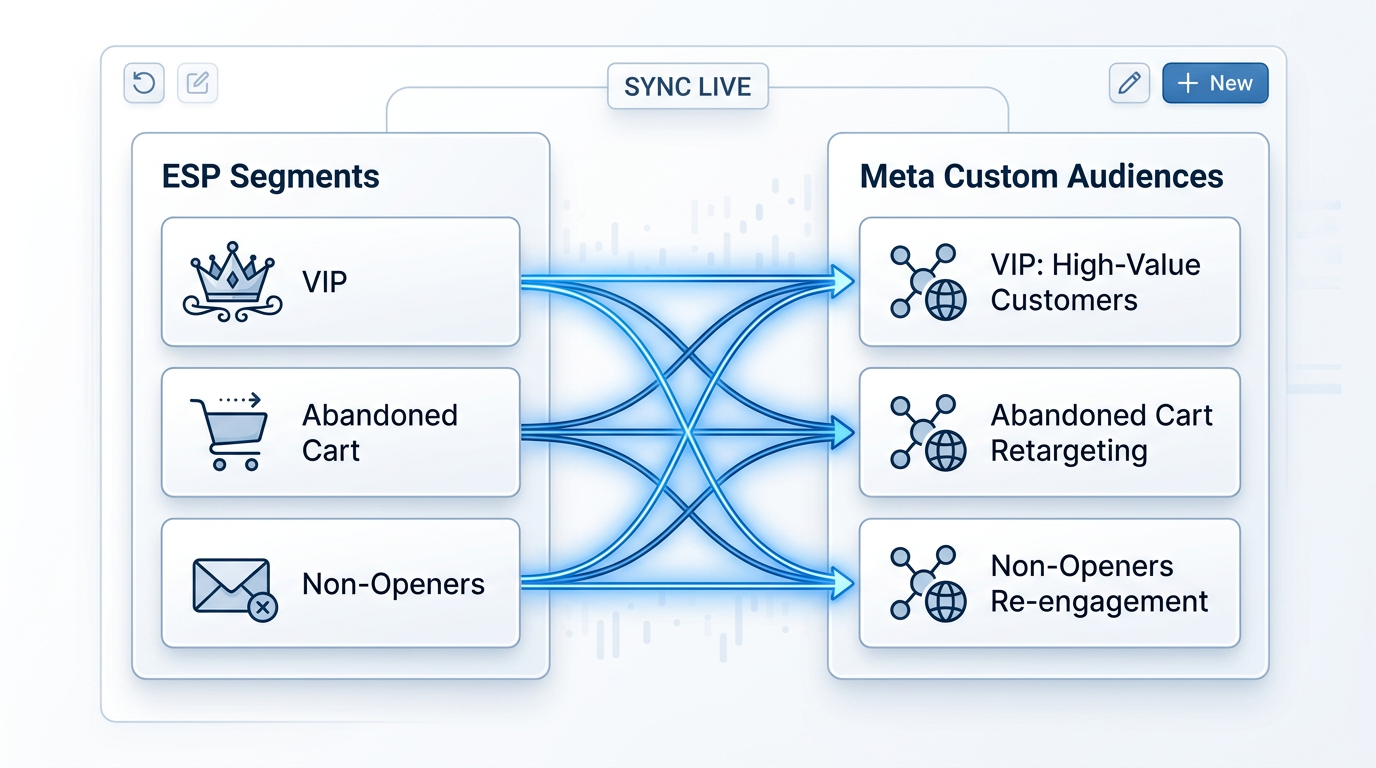
Common Pitfall: Ensure the 'Email' field is selected as the primary identifier. If your ESP supports it, also map 'Phone Number' and 'First/Last Name'. The more identifiers you provide, the higher the 'Match Rate' on Meta. A 60-70% match rate is considered healthy; anything below 40% suggests a data formatting issue.
Step 4: Deploying Multi-Stage Retargeting via Advantage+ Audiences
What to do: Instead of broad retargeting, use Meta’s Advantage+ Audience settings with 'Audience Suggestions'. Input your synced email segments as the suggestion. This tells Meta’s AI: 'Start with these people, then find people who look like them.'
Why it matters: Since the deprecation of granular tracking on iOS 14.5, Meta’s algorithm performs better when given a 'seed' rather than a rigid constraint. By using your email list as a suggestion, you leverage first-party data to guide the AI without suffocating its ability to find outliers who might convert. This is particularly effective for CPG brands looking to scale quickly after a media win, similar to the recent Zenith/Publicis success [INTERNAL: zenith-reckitt-us-win -> agency-growth].
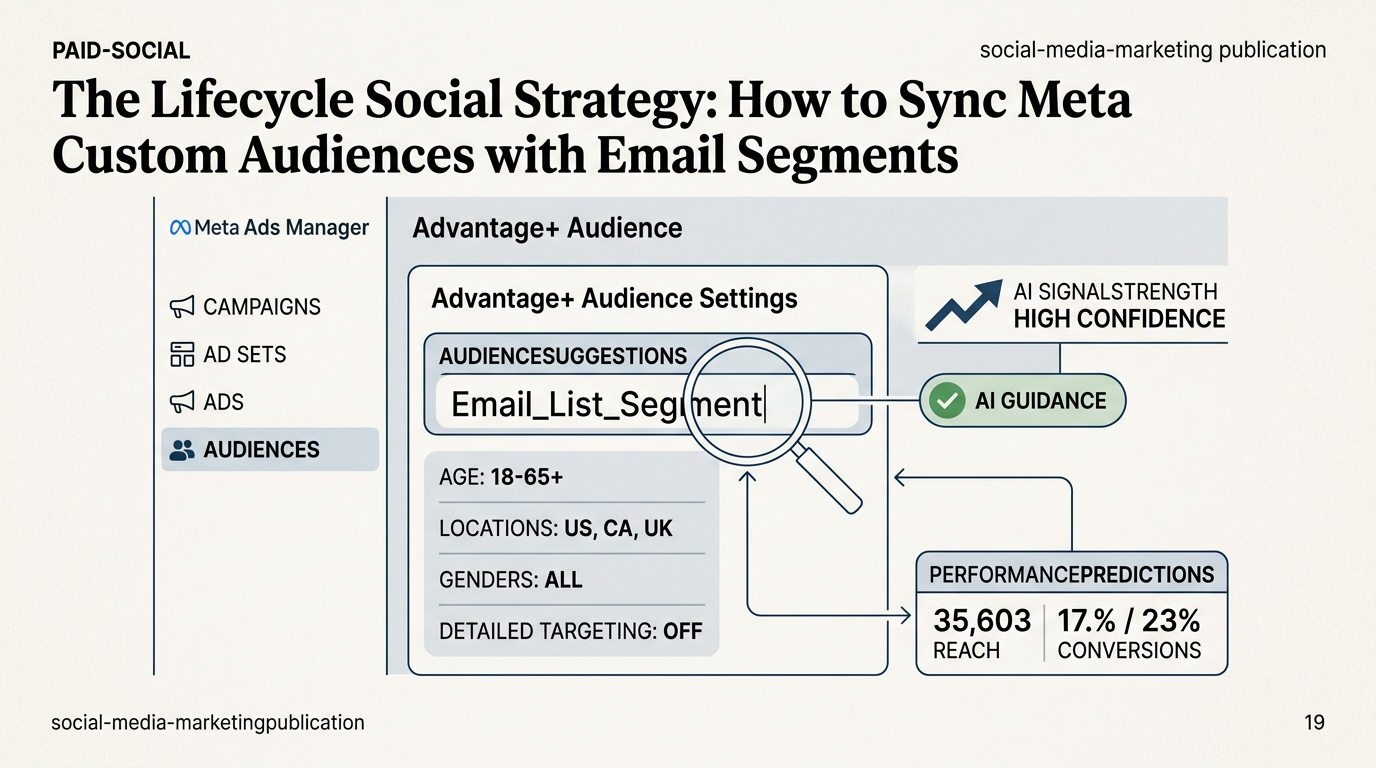
Common Pitfall: Avoid the urge to toggle 'Advantage+ Audience' off in favor of 'Original Audience Options'. While it feels like you have less control, Meta's internal data suggests that Advantage+ delivery results in a 13% lower cost per acquisition for mid-market accounts compared to manual targeting.
Step 5: Verification and Data Integrity Audit
What to do: After 7 days, go to Meta Events Manager > Custom Audiences. Check the 'Size' column. If the size is 'Not Available' or 'Below 1,000', your sync is too narrow or failing. Compare the number of profiles in your ESP segment to the 'Estimated Audience Size' in Meta.
Why it matters: You cannot optimize what you cannot measure. A successful sync should show a match rate that reflects your customer base's social habits. If you have 10,000 people in an email segment and Meta only sees 2,000, you are missing 80% of your reach. You may need to implement the Meta Conversions API (CAPI) via a server-side tool like GTM Server Side or Stape to recapture those lost signals.
Common Pitfall: Forgetting that 'Opt-outs' in your ESP do not automatically opt users out of Meta Custom Audiences unless you specifically create a segment for 'Unsubscribed' and use it as a permanent exclusion. Respecting privacy across channels is not just good practice—it’s a requirement for GDPR and CCPA compliance.
Three Related Tactics to Try Next
- The 'VIP' Lookalike: Take your top 10% of email spenders (CLV-based segment) and create a 1% Lookalike Audience on Meta. This is the most effective way to use email data to find new customers.
- The 'Back in Stock' Social Bump: When a product returns, trigger a social ad specifically for people who signed up for the email alert but haven't bought within 24 hours of the email being sent.
- Cross-Channel Sequential Storytelling: Show a 'Problem' video on Meta on Day 1, send a 'Solution' email on Day 2, and show a 'Testimonial' social ad on Day 3. This 'surround sound' approach significantly increases brand recall.
By unifying these two powerhouse channels, you stop treating your customers like strangers and start treating them like a cohesive lifecycle. The cost of acquisition is only going up; the brands that survive are the ones that stop wasting impressions on people who are already listening.
FAQ