Performance marketers have spent the last decade trapped in a false dichotomy: you either optimize for direct-response conversions or you spend on 'brand awareness' with little more than a hope and a prayer for attribution. Google Ads API v25.1, released in late 2026, finally kills this divide. By introducing native sentiment analysis hooks and advanced loyalty reporting schemas, the API allows you to treat brand health as a quantifiable, lead-gen signal rather than a nebulous vanity metric.
This guide provides a technical roadmap for social teams and performance buyers to sync their brand-health metrics with Google’s ecosystem. You’ll learn how to pull raw sentiment data, correlate it with Search and YouTube performance, and build a unified loyalty dashboard that survives the post-cookie era.
Key takeaways
- Sentiment Syncing: Learn to map social listening data (like Brandwatch or Sprinklr exports) directly to Google Ads campaign IDs using the new
SentimentSignalservice. - Loyalty Attribution: Implement the
CustomerLoyaltyMetadataresource to track how ad exposure impacts repeat purchase cycles. - Search-Sentiment Correlation: Use API v25.1 to identify if positive brand sentiment leads to lower CPCs in your Search campaigns.
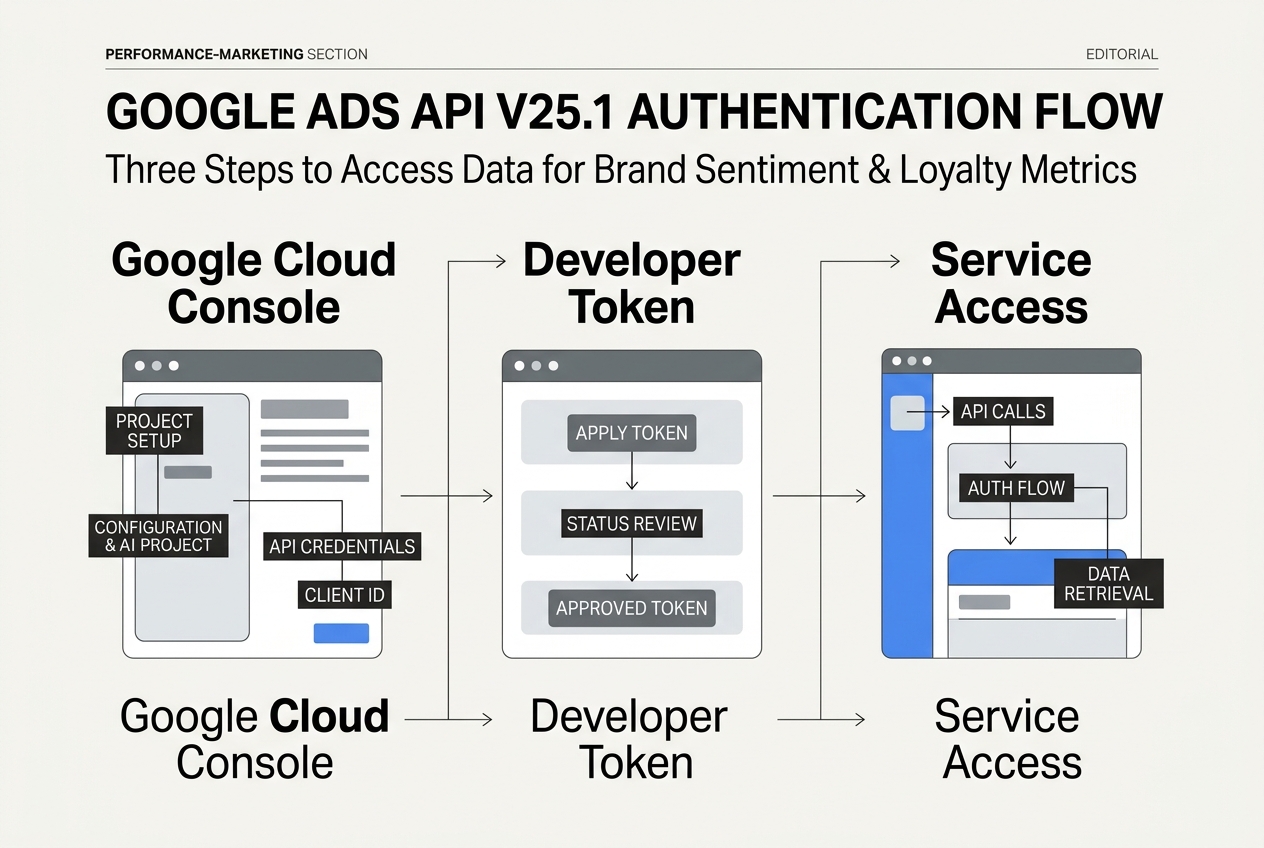
Step 1: Authenticate and Configure the SentimentSignal Service
Before you can measure sentiment, you must enable the specific services introduced in v25.1. Unlike previous versions, where sentiment was a secondary metric derived from click-through rates, v25.1 treats it as a primary signal. You’ll need a Google Cloud Project with the Google Ads API enabled and a developer token with at least 'Standard' access to handle the increased query load.
In this step, you are setting up the SentimentSignalService. This service allows you to ingest third-party sentiment scores—often derived from your social media monitoring tools—and overlay them against your Google Ads performance data. This isn't just about seeing if people like you; it’s about seeing how that 'liking' fluctuates after a specific YouTube ad flight.
Why it matters: Without proper authentication to these specific endpoints, your data will remain siloed. You might see a spike in Google Search volume, but you won't know if it was driven by a viral TikTok moment or a high-sentiment influencer campaign unless you bridge the APIs.
Common Pitfall: Many developers forget to update their client library to the v25.1 specific build. If you are using a cached version of the Python or Java library, the SentimentSignal resource will return a 404. Ensure your google-ads package is pinned to the latest release.
Step 2: Map Social Sentiment to Campaign Resource Names
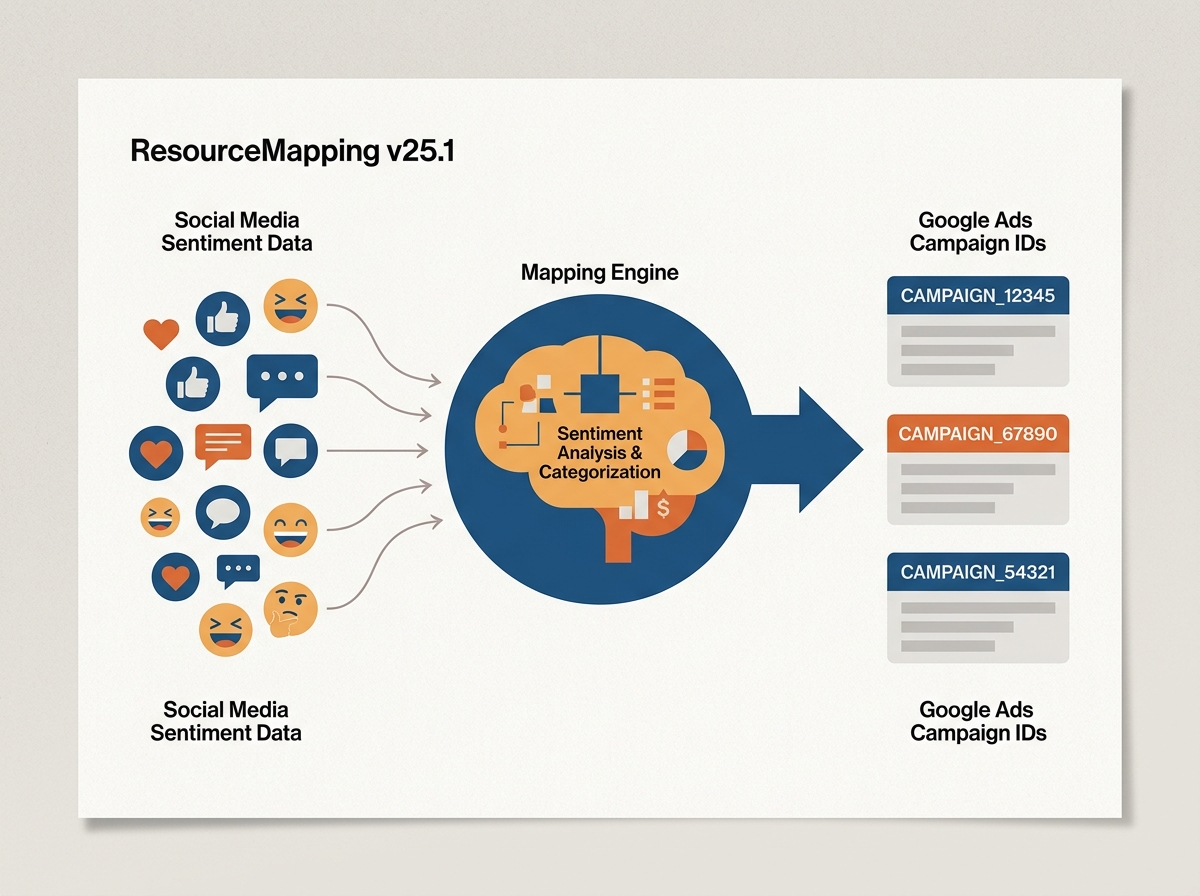
The real power of v25.1 lies in the ResourceMapping function. You need to export your sentiment data from your social listening platform—let's say a CSV of daily sentiment scores from your latest Instagram campaign—and map them to your Google Ads campaign_id.
You will use the mutate_sentiment_signals method. This requires a timestamp, a sentiment score (normalized between -1.0 and 1.0), and the specific Google Ads resource name. By doing this, you are effectively telling Google's internal attribution engine: "At this exact time, my brand sentiment on social rose by 12%, now tell me what happened to my Search CPCs."
Recent studies, including a 2026 analysis of Gemini local search citations [S2], show that business websites dominate AI-driven search results when brand authority is high. By mapping sentiment, you can prove that social-driven brand love is the engine behind your AI Search dominance. You aren't just buying clicks; you're buying the sentiment that feeds the AI models.
Why it matters: This step turns qualitative data into quantitative inputs. It allows you to move beyond 'likes' and start talking about 'Sentiment-Adjusted ROAS.'
Common Pitfall: Mismatched time zones. Social platforms often export in UTC, while Google Ads accounts might be set to a specific regional time zone. If your timestamps are off by even a few hours, your correlation analysis will be junk.
Step 3: Implement Loyalty Reporting with CustomerLoyaltyMetadata
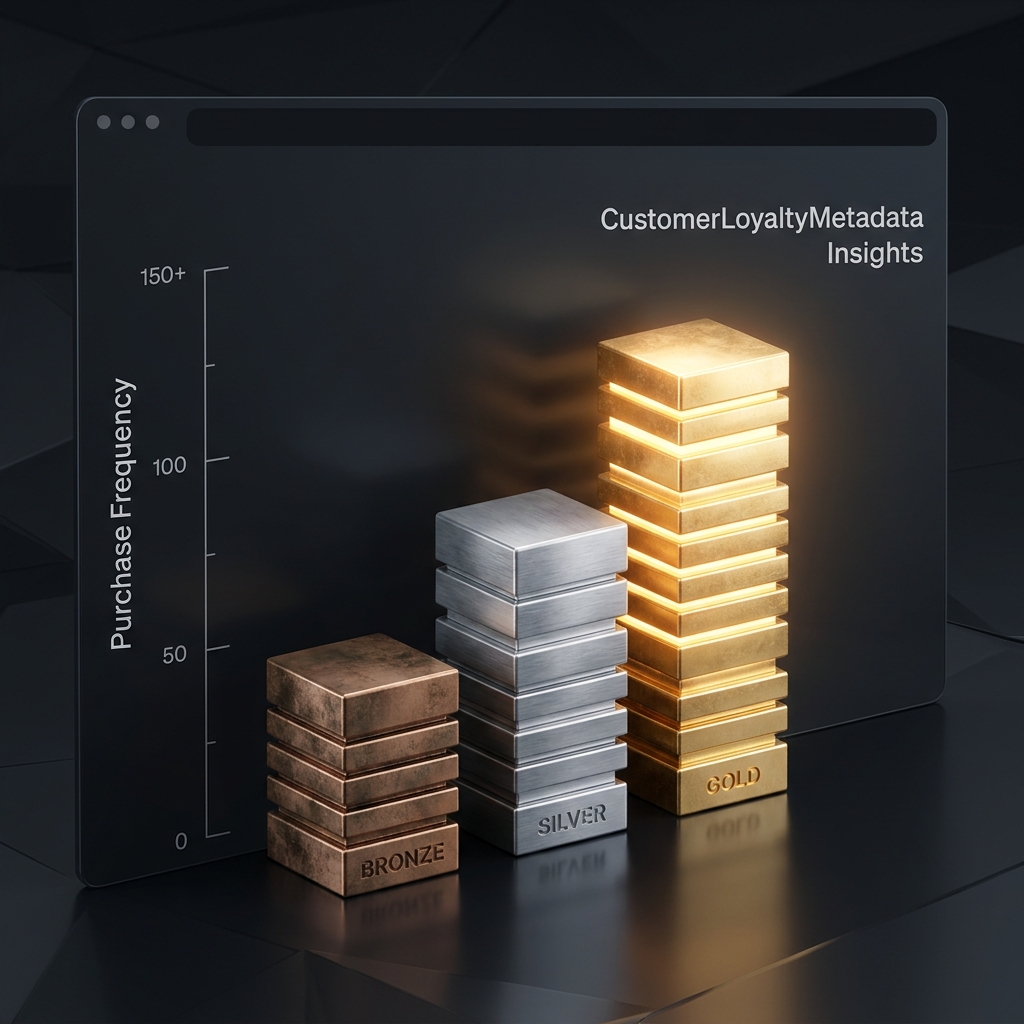
Google Ads API v25.1 introduces the CustomerLoyaltyMetadata resource, which is a significant upgrade from the old 'Customer Match' lists. This new resource allows you to tag specific conversion actions with loyalty tiers (e.g., 'Bronze', 'Silver', 'Gold') and track their behavior over a 24-month window.
To implement this, you'll need to update your conversion upload script. When a user converts, you don't just send the value; you send the loyalty_tier and the previous_purchase_count. The API then aggregates this into a new report type: the LoyaltyPerformanceReport. This report shows you which ad creatives are best at converting new customers versus which ones are effectively driving 'Gold' tier members to buy again.
Why it matters: As we've seen with recent Instagram follower volatility [S4], relying on platform-native loyalty metrics is risky. You need a centralized view of loyalty that spans from the first social touchpoint to the tenth search-driven purchase. This API update gives you the 'Search' side of that equation in high resolution.
Common Pitfall: Over-segmenting your loyalty tiers. If you create 20 different tiers, the API won't have enough data per segment to provide statistically significant lift metrics. Stick to 3-5 broad tiers for the best results.
Step 4: Run the Sentiment-to-Performance Correlation Query
Now that your data is flowing, you need to extract the insights. You’ll use the Google Ads Query Language (GAQL) to pull a combined report. Your query should select campaign.name, metrics.sentiment_score, metrics.cost_per_conversion, and metrics.search_impression_share.
You are looking for the 'Sentiment Pivot Point.' This is the specific sentiment score where your CPCs begin to drop. For many brands, a sentiment score above 0.4 on social leads to a 15-20% decrease in Search CPCs within 48 hours. This is the 'Brand Lift' that performance teams have struggled to prove for years.
How to calculate your brand's sentiment pivot point
Why it matters: This is your 'Boardroom Slide.' It proves that the social team's work in building brand sentiment isn't just a cost center—it's a direct subsidy for the performance team's budget.
Common Pitfall: Ignoring the 'Neutral' sentiment. Often, a move from 'Negative' to 'Neutral' provides a bigger performance lift than moving from 'Positive' to 'Very Positive.' Don't just chase the highs; mitigate the lows.
Step 5: Automate Bidding Adjustments Based on Sentiment Thresholds
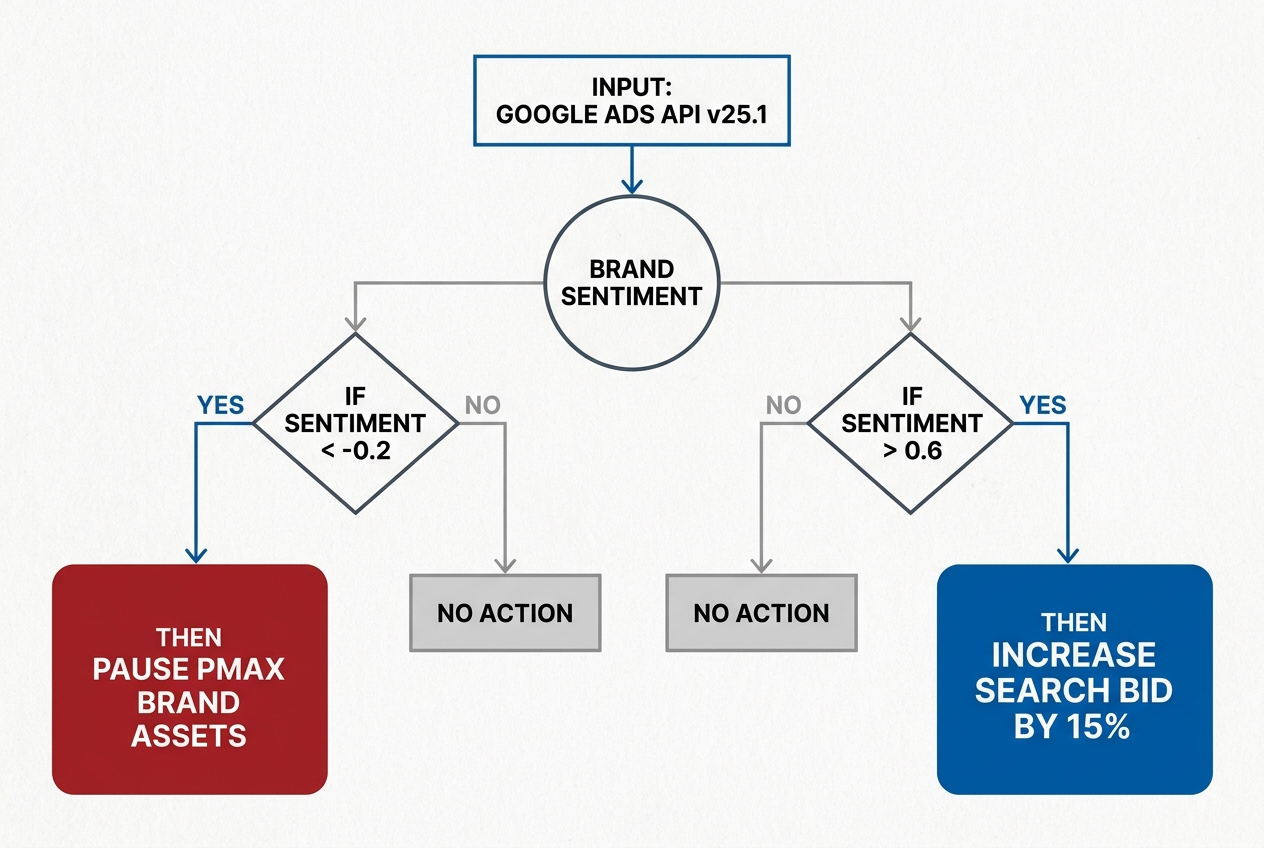
The final technical step is to close the loop. Use the API to create a script that adjusts your campaign budgets or bid modifiers based on the incoming sentiment data. If your social sentiment drops below a certain threshold (perhaps due to a PR crisis or a poorly received campaign), you might want to automatically throttle your 'Brand' search spend to avoid paying for high-intent negative traffic.
Conversely, if a TikTok LIVE event goes viral—similar to the Gushcloud/Snoop Dogg collaborations seen in early 2026 [S5]—your script can detect the sentiment surge and instantly uncaps your Google Ads budgets to capture the resulting search demand.
Why it matters: Speed is the only moat left in performance marketing. If you wait for a weekly report to adjust your bids based on brand trends, you've already lost the window of opportunity.
Common Pitfall: Setting bid modifiers too aggressively. A 50% increase in bids based on a small sentiment sample can lead to runaway spending. Start with 5-10% modifiers and scale as your data confidence grows.
Step 6: Verification and Data Integrity Audit
How do you know it worked? You need to perform a 'Null Hypothesis' test. Stop the sentiment data feed for one sub-account for 7 days while keeping it active for another. If your LoyaltyPerformanceReport in the active account shows a tighter correlation between social touchpoints and repeat purchases than the control account, your integration is functioning correctly.
Check the change_status resource in the API to ensure your sentiment signals are being accepted without errors. A successful integration will show STATUS_APPLIED for all SentimentSignal mutations.
What to do next: 3 Advanced Tactics
- AI Max Integration: If you are running Microsoft Advertising alongside Google, sync your sentiment data with their new AI Max campaigns [S1]. AI models thrive on high-quality signal data, and sentiment is one of the strongest 'soft' signals available.
- Negative Sentiment Exclusion: Create a 'Crisis List' in Google Ads. When sentiment for a specific product drops below -0.5, use the API to automatically add that product name as a negative keyword across your PMax campaigns.
- Loyalty-Based Creative Injection: Use the API to swap out YouTube ad creatives based on the viewer's loyalty tier. Show 'Brand Story' ads to new prospects and 'Exclusive Offer' ads to your 'Gold' tier members automatically.
By following this roadmap, you aren't just running ads; you're building a data-driven brand engine that understands the financial value of every 'like' and every 'loyalty' point.
FAQ