Social media managers have long operated in a measurement vacuum regarding organic search. We know that a viral LinkedIn thread or a trending X post occasionally surfaces in Google’s main results, but quantifying that impact has historically required guesswork and manual scraping. That changed with the recent rollout of the Social Post Performance report within Google Search Console (GSC).
By the end of this guide, you will be able to identify which specific social assets are driving traffic from Google, which platforms the algorithm favors for your brand, and how to optimize your future posts for indexability. Before starting, ensure you have 'Owner' or 'Full User' permissions for your brand’s verified domain in GSC and that your social profiles are correctly linked via schema markup or official platform verification.
TL;DR
- Verify Platform Links: Ensure your LinkedIn and X profiles are verified to trigger the 'Social' tab in GSC.
- Analyze CTR by Platform: Use the new filters to see if your Instagram Reels or LinkedIn Articles have higher click-through rates on the SERP.
- Optimize for Snippets: The report reveals which keywords trigger social carousels—use this to refine your post captions.
Step 1: Locating and Filtering the Social Post Performance Data
Google doesn't place this data front-and-center. It is tucked away under the 'Performance' menu, but it only appears if Google has indexed at least one social post from a verified account associated with your domain in the last 90 days. If you don't see the 'Social' tab, it usually means your brand's social profiles aren't explicitly connected to your site in Google’s Knowledge Graph.
Start by navigating to the 'Performance' section and looking for the 'Search Results' report. In the top filter bar, click '+ New' and look for 'Social Media Source' as a dimension. This is where you can toggle between LinkedIn, X (formerly Twitter), Instagram, and Pinterest.
Why it matters: This is the first time Google has provided a clean breakout of social traffic that doesn't just get lumped into 'Direct' or 'Referral' in GA4. By isolating these sources, you can see the actual search queries that lead users to your social content rather than your website. For example, if a user searches for your brand's 'Q3 earnings analysis' and clicks your LinkedIn post instead of your blog, you need to know that trade-off is happening.
Common Pitfall: Many managers confuse this with the 'Discover' report. While social posts can appear in Discover, the Social Post Performance report specifically tracks the main Search Engine Results Page (SERP). If your data looks empty, check your site’s Organization schema to ensure your sameAs properties include your current social URLs.
Step 2: Identifying Indexable Content Patterns Across Platforms
Not every post is created equal in the eyes of Googlebot. The new GSC reports allow you to sort by 'Page' (the specific URL of the social post) to see which formats are winning. Since Meta deprecated certain API access points and platforms like X have fluctuated in their robots.txt permissions, the indexability of your content is a moving target.
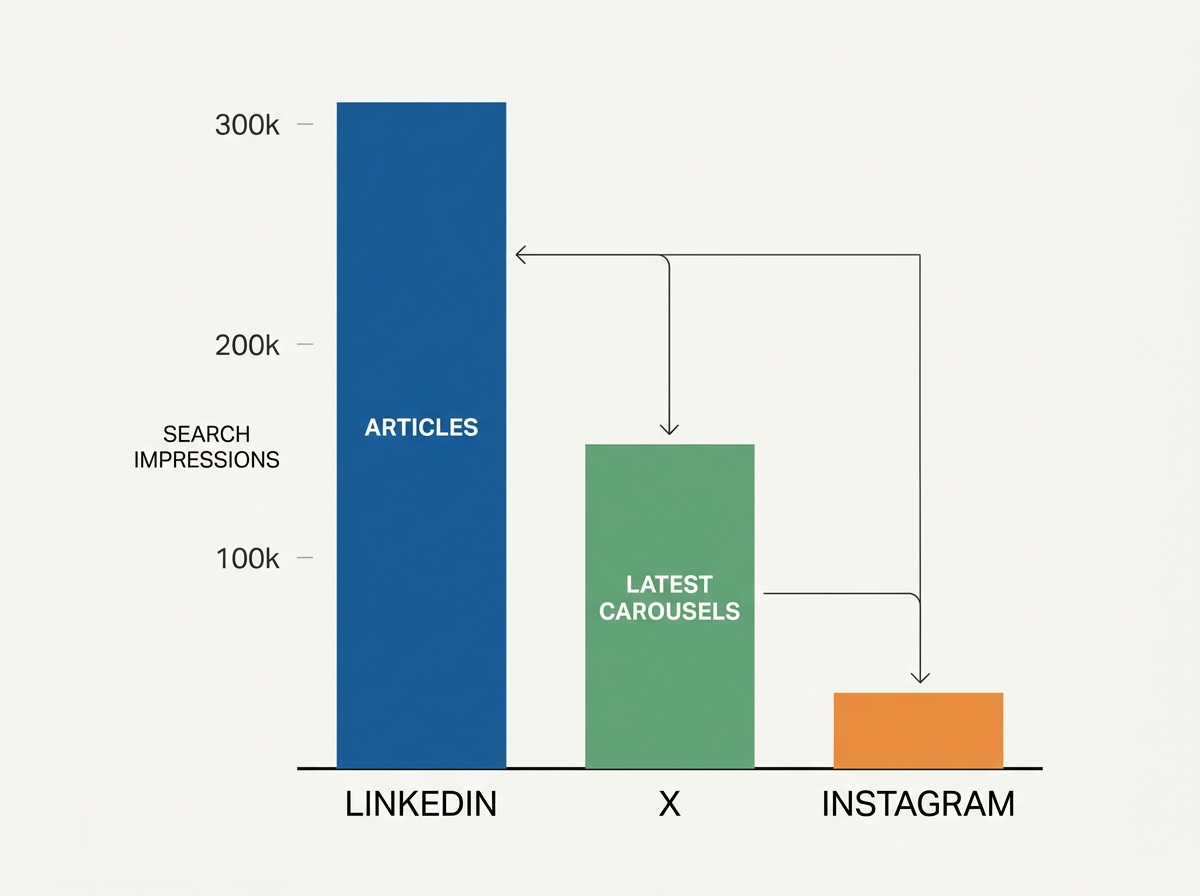
Look at the 'Pages' tab within the Social report. You will likely see a disparity between platforms. For instance, LinkedIn Articles often out-index standard LinkedIn posts because they behave more like traditional long-form HTML pages. Similarly, X posts with high engagement often get pulled into 'Latest' carousels on the SERP.
Why it matters: You are paying for content production. If your team spent 10 hours on a 'Brainrot' style marketing video—much like the ones recently popularized by Vmake Labs for small businesses [S2]—you need to know if that video is actually discoverable via search or if it's trapped behind the platform's walled garden. If GSC shows zero impressions for your Instagram Reels but thousands for your LinkedIn posts, it’s a clear signal to shift your SEO-heavy messaging to the latter.
Common Pitfall: Don't assume high engagement on the platform equals high visibility in Google. A post can go viral on X but be blocked from indexing if it’s posted from a private account or contains certain restricted keywords. Always cross-reference your 'Top Posts' list in your social scheduler (like Sprout or Hootsuite) with the 'Top Pages' list in GSC.
Step 3: Analyzing Search Queries to Inform Caption Strategy
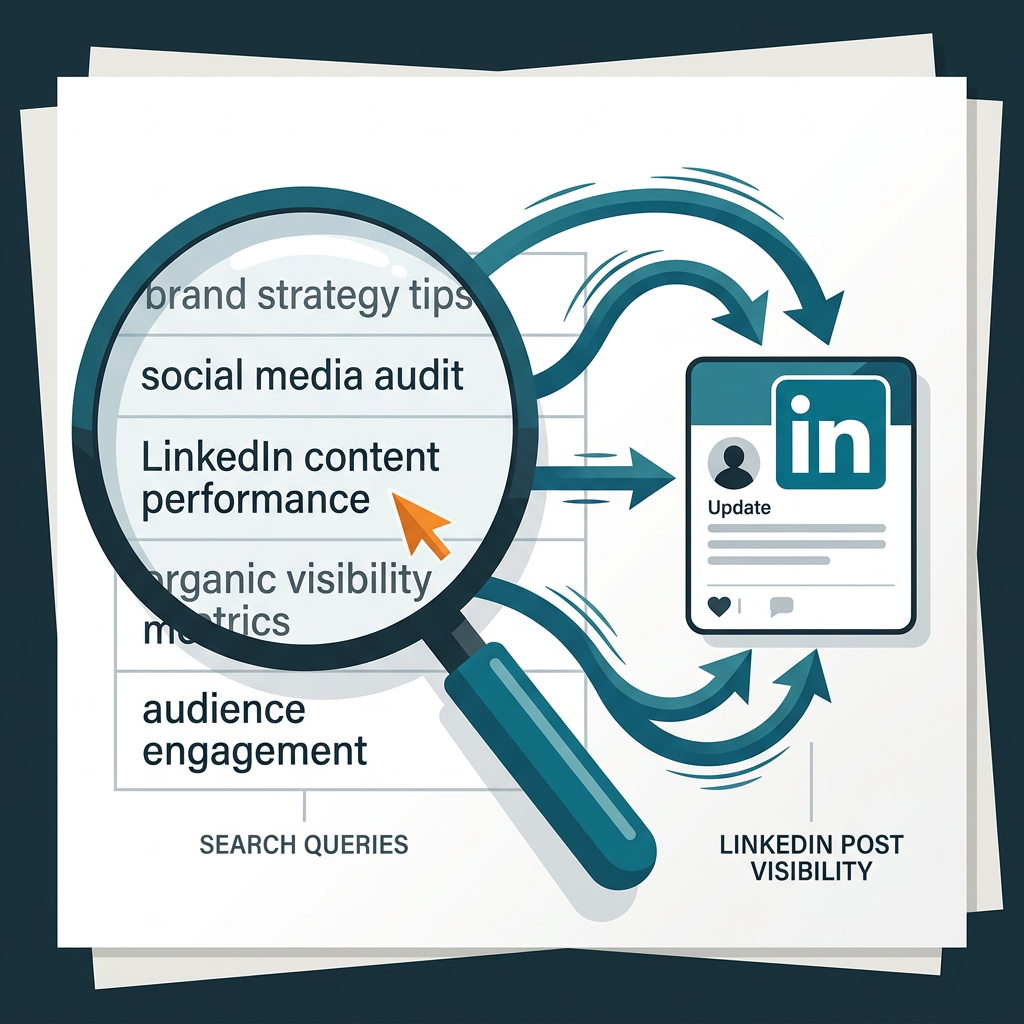
One of the most powerful features of this update is the 'Queries' tab. This shows you the exact terms users typed into Google before clicking on your social post. This is a goldmine for social SEO. Often, you'll find that your posts are ranking for 'long-tail' questions that your main website doesn't cover.
Navigate to the Queries tab and filter by a specific social post URL. You might find that a post about Conagra Brands' new commerce agency [S4] is ranking for queries like 'who handles Slim Jim marketing' rather than just 'Conagra news.'
Why it matters: This data tells you how to write your captions. If Google is frequently surfacing your posts for 'how-to' queries, you should start front-loading your social captions with those specific keywords. This is the essence of social media SEO—using search data to dictate social copy. It bridges the gap between the social desk and the SEO team, two departments that often operate in silos.
Common Pitfall: Avoid 'keyword stuffing' your social captions just because GSC shows a specific query is working. Social algorithms (like LinkedIn’s Dwell Time metric) will penalize you if the post is unreadable. Use the GSC data to inform the topic, not just to spam keywords.
Step 4: Auditing Brand Authority and Knowledge Graph Integration
Google uses social signals to verify the authority of a brand. The Social Reports feature includes a 'Brand Presence' metric that tracks how often your official social handles appear in branded searches (e.g., when someone searches for your company name). This is crucial for reputation management.
Check the 'Impressions' count for your profile pages versus individual posts. If your profile isn't appearing when your brand name is searched, there is a disconnect in your Knowledge Graph presence. This often happens after major corporate shifts, such as Zenith retaining Reckitt’s $400M US media business [S3]—if the brand's social profiles aren't updated to reflect new leadership or focus areas, Google may de-prioritize them in the brand block.
Why it matters: Your social profiles are often the first thing a potential client or hire sees. If Google is surfacing an old, inactive X account instead of your thriving LinkedIn page, you are losing the 'first impression' battle. Use the GSC report to see which profiles Google 'trusts' most and focus your optimization efforts there.

Common Pitfall: Many brands have 'zombie' accounts—old profiles on platforms like Threads or Pinterest that they no longer use. If these are showing up in GSC with high impressions but low clicks, they are diluting your brand authority. Consider deactivating them or updating their bios to point to your active channels.
Step 5: Correlating Social Search Visibility with Business Outcomes
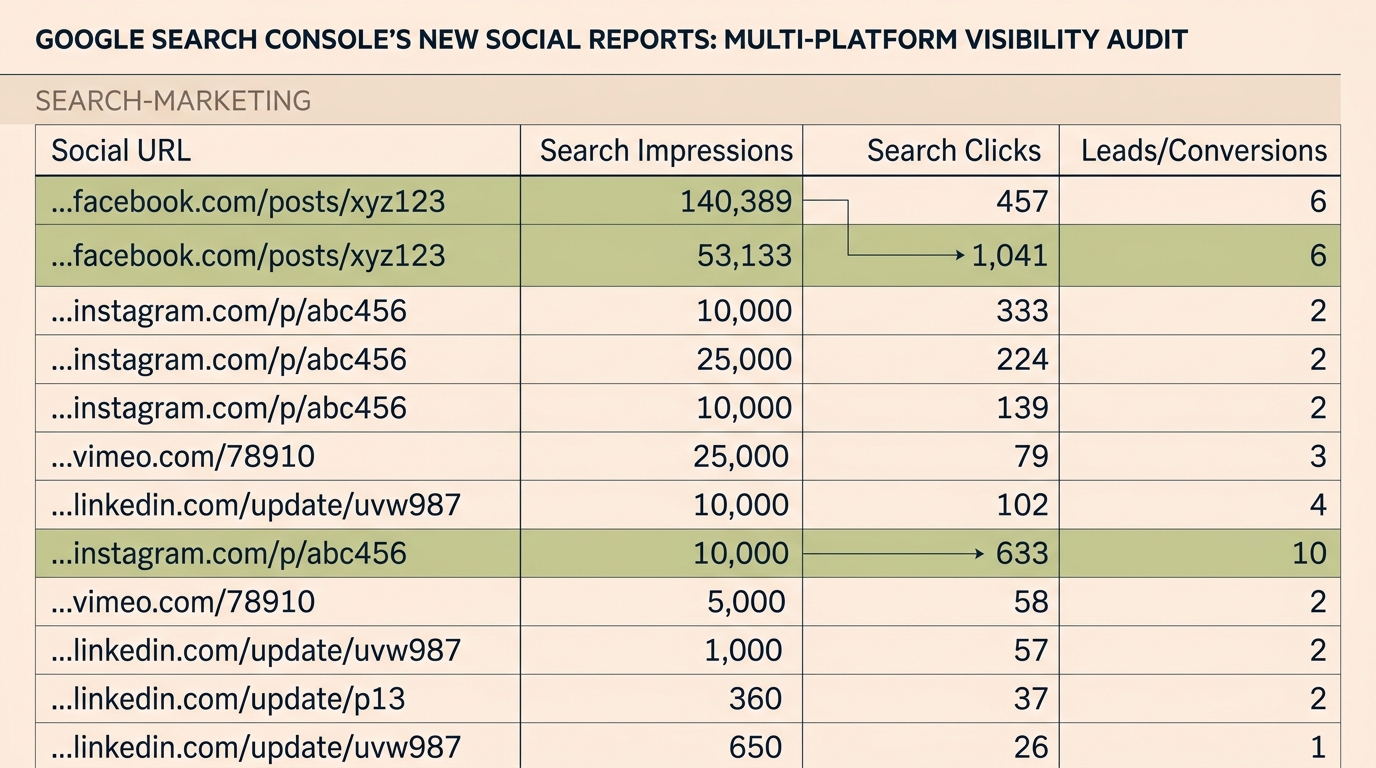
Finally, you must connect this GSC data to your bottom line. While GSC shows clicks and impressions, it doesn't show conversions. You need to map the GSC 'Social Page' URLs to your internal tracking. This is where you see if search-driven social traffic actually buys anything.
Export your GSC social data to a CSV and import it into your BI tool or a Google Sheet. Compare the 'Post Date' with your conversion spikes. For example, if you see a surge in search impressions for a post about Fidji Simo’s role change at OpenAI [S1], check if that traffic translated into newsletter signups or whitepaper downloads on your site.
Why it matters: Social media is often dismissed as a 'top-of-funnel' awareness play. However, if GSC shows that users are searching for specific solutions and clicking your social posts to find them, you can argue that social is a 'mid-funnel' consideration driver. This is vital for justifying budget in an era where agencies like WPP and Publicis are fighting for every dollar of CPG media spend [S3] [S4].
Common Pitfall: Don't rely on GSC's 'average position' metric too heavily. Because social carousels and 'Latest' blocks are dynamic, a 'Position 1' ranking might only last for three hours. Focus on total Clicks and Click-Through Rate (CTR) as your primary KPIs for social search.
Verification: How to Know Your Audit is Working
You’ve completed the audit when you can answer these three questions with GSC data:
- Which platform is our 'Search Hero'? (The platform with the highest search impressions).
- What is our 'Search Gap'? (Keywords that drive traffic to competitors’ social posts but not yours).
- Are our profiles connected? (The GSC 'Social' tab remains active and populates data weekly).
If you see a steady increase in 'Social Source' impressions over a 30-day period after implementing these optimizations, your strategy is working. You are successfully capturing real estate on the SERP that would otherwise go to competitors or third-party news sites.
Three Related Tactics to Try Next
- The LinkedIn Article Pivot: If your standard posts aren't indexing, try repurposing your top-performing social content into LinkedIn Articles. GSC data consistently shows these have a longer 'shelf life' in organic search than feed posts.
- Schema Reinforcement: Update your website’s footer and 'About' page schema to include every social URL found in your GSC report. This creates a stronger link in Google’s eyes, often leading to more frequent indexing of your new posts.
- Video Keyword Tagging: For platforms like Instagram and TikTok (which is increasingly being indexed), use the 'Queries' found in GSC to write your video descriptions. If users are searching for 'best commerce agency 2026,' make sure that exact phrase is in your video metadata.
By treating your social platforms as an extension of your website, you stop fighting for scraps of attention in the feed and start winning the long-game of search visibility. The data is there—you just have to look for it.
FAQ