Social media management has transitioned from a creative pursuit to a high-frequency logistics battle. Per recent reporting from Fast Company, social teams are hitting a burnout wall that yoga apps and 'summer Fridays' can't fix. The volume of assets required for a multi-platform presence—TikTok Shop expansions, Instagram's shifting algorithm settings, and the constant demand for vertical video—has outpaced human capacity.
Why it matters: If you don't automate the low-value, high-frequency tasks, you'll never have the cognitive bandwidth for the high-value strategy that actually moves the needle on ROAS or brand sentiment. We aren't talking about 'scheduling posts.' We are talking about building a self-correcting marketing machine.
TL;DR
- Automate the Inbox: Use Claude and Zapier to categorize and prioritize community management.
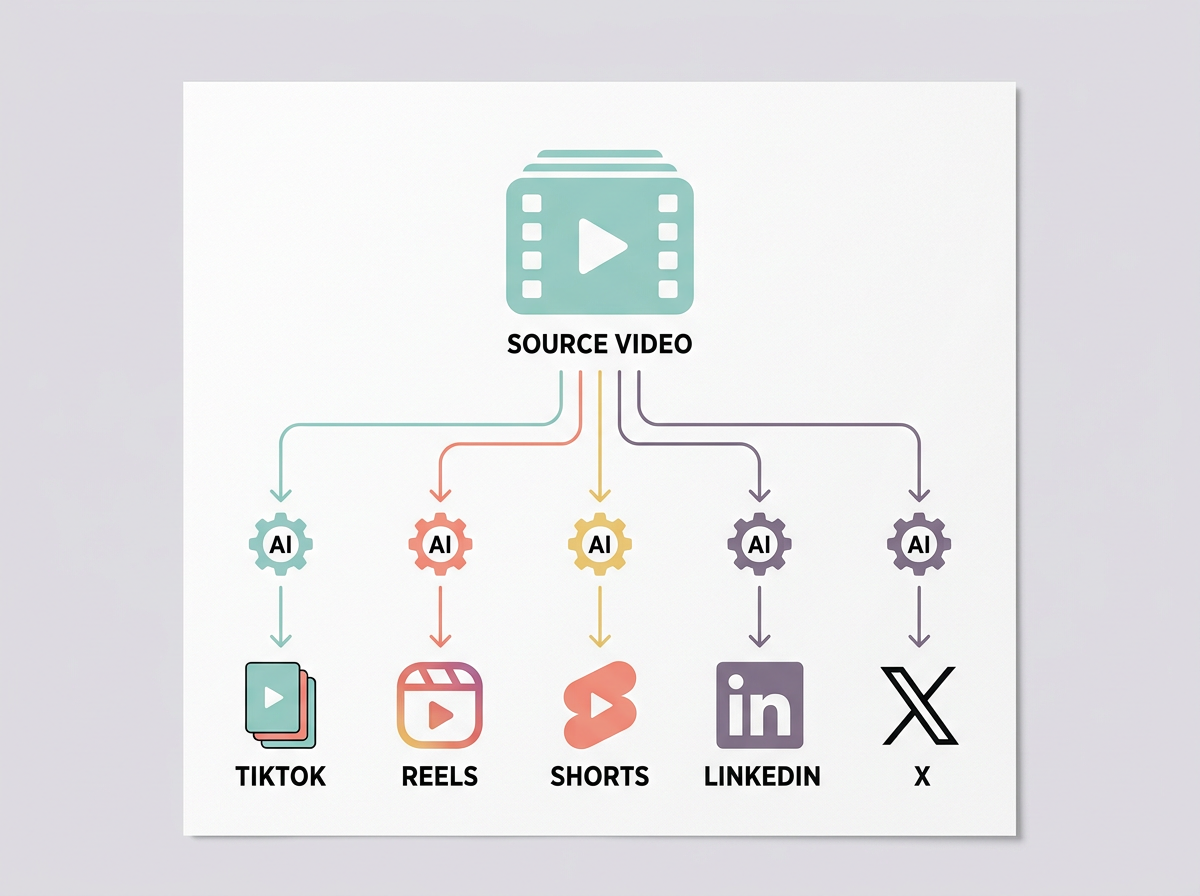
- Recycle with Intent: Build a 'Content Ghost' workflow to turn one long-form video into five platform-specific scripts.
- Live Reporting: Connect platform APIs to live dashboards to kill the weekly manual report grind.
- Trend Tracking: Use RSS-to-AI filters to surface only relevant industry shifts, ignoring the noise.
1. The Intelligent Inbox: Automating Sentiment and Priority
Community management is the fastest route to burnout. Sifting through thousands of 'Checking the price' comments and bot spam drains the mental energy you need for actual brand building. According to eMarketer's June 2026 data, wellness brands are seeing record TikTok views, but that scale brings a deluge of customer service queries that social managers aren't equipped to handle.
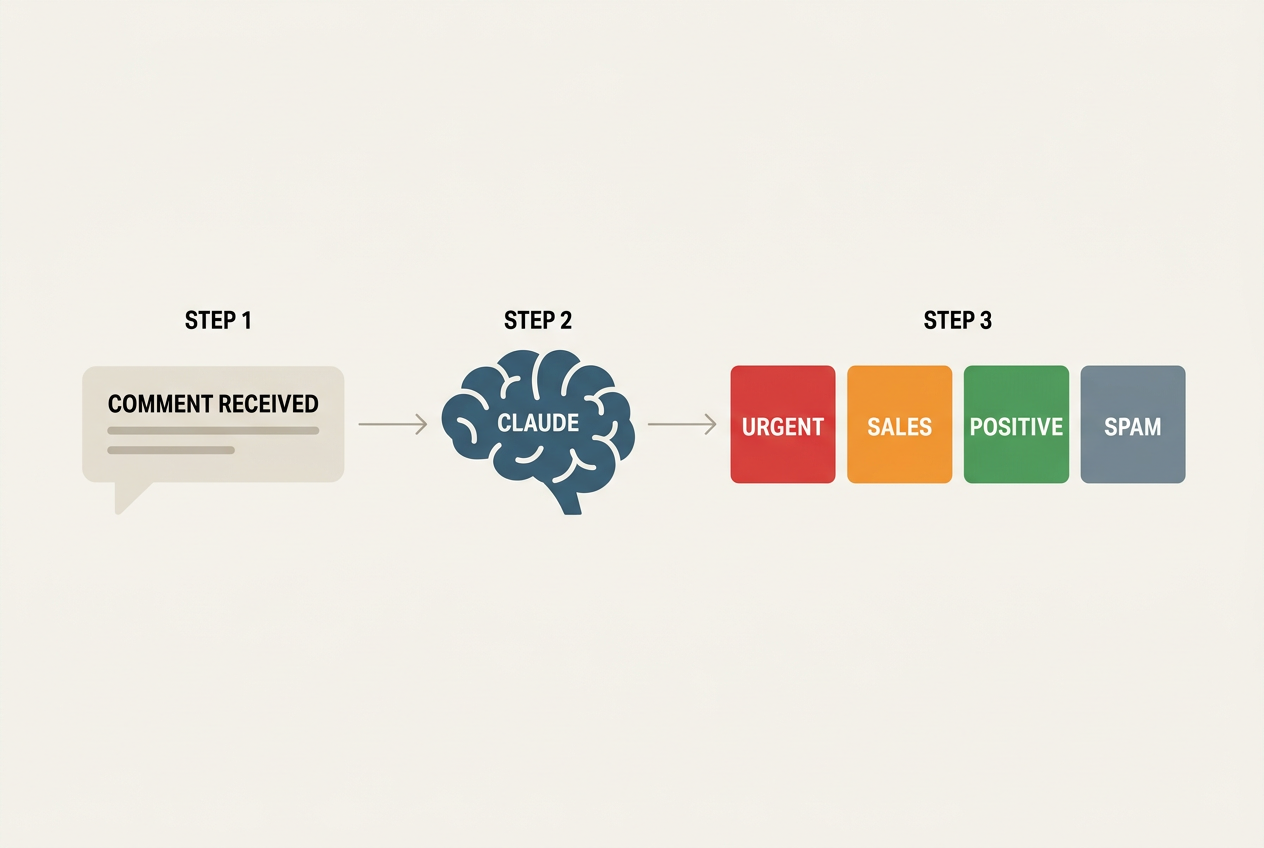
What to do: Create a Zapier workflow that triggers when a new comment is left on Instagram or TikTok. Instead of just sending a notification, route the text to Claude 3.5 Sonnet. Ask the AI to categorize the comment into four buckets: 'Urgent Support,' 'Sales Inquiry,' 'Positive Sentiment,' and 'Spam/Bot.'
Why it matters: You stop reacting to every notification. You only open the inbox when the 'Urgent Support' or 'Sales Inquiry' Slack channel pings. This protects your deep-work blocks while ensuring customers getting their first taste of your brand through TikTok Shop learn more about TikTok Shop expansion strategies receive instant attention.
Common pitfall: Don't let the AI reply directly to customers yet. Use it for categorization and drafting only. Auto-replies that miss the mark can cause a PR crisis faster than a human ever could.
2. The Content Ghost: Multi-Platform Scripting via Claude
Social Samosa recently noted that the decade from 2016 to 2026 has completely rewritten the social playbook, moving from static images to 'everything-is-video.' The pressure to produce unique scripts for Reels, TikTok, and YouTube Shorts is the primary driver of creative exhaustion.
What to do: Build a 'Content Ghost' prompt library. When you have a core piece of content—like a podcast or a long-form YouTube video—upload the transcript to Claude. Use a multi-step prompt that instructs the AI to identify five 'hook' moments and rewrite them specifically for the nuances of each platform's algorithm. For example, instruct it to create a 'low-fi' script for TikTok and a 'polished' version for LinkedIn.
Why it matters: You move from 'creator' to 'editor-in-chief.' Instead of staring at a blank cursor for three hours, you spend 20 minutes refining AI-generated drafts. This workflow ensures your brand voice remains consistent across channels without requiring you to manually re-type the same message five times.
Common pitfall: Avoid generic prompts like 'make this a TikTok.' Be specific about your brand's specific 'hook' style—e.g., 'Start with a contrarian statement' or 'Start with a visual description of the problem.'
3. The 'No-Manual-Entry' Reporting Dashboard
Nothing kills morale like a Friday afternoon spent copy-pasting numbers from Meta Business Suite into a Google Slide. It’s low-value work that a machine does better. With Instagram testing new ways for users to customize their algorithms see how Instagram's algorithm shifts affect reach, your data needs to be real-time to catch fluctuations early.
What to do: Use a tool like Supermetrics or a direct Zapier-to-Google-Sheets connection to pull daily metrics (Reach, Engagement Rate, Conversion) into a master spreadsheet. From there, connect that sheet to Looker Studio. Set up a 'Burnout Dashboard' that only shows the three KPIs your VP actually cares about.
Why it matters: You eliminate the 'reporting dread.' When your boss asks how the latest campaign is performing, you send a link instead of spending four hours building a deck. This creates a culture of data-transparency rather than data-performance-art.

Common pitfall: Data bloat. Don't track 50 metrics just because you can. Focus on the 'North Star' metric that correlates to revenue, or you'll just be stressed by more numbers.
4. Automated Trend Filtering for Niche Relevance
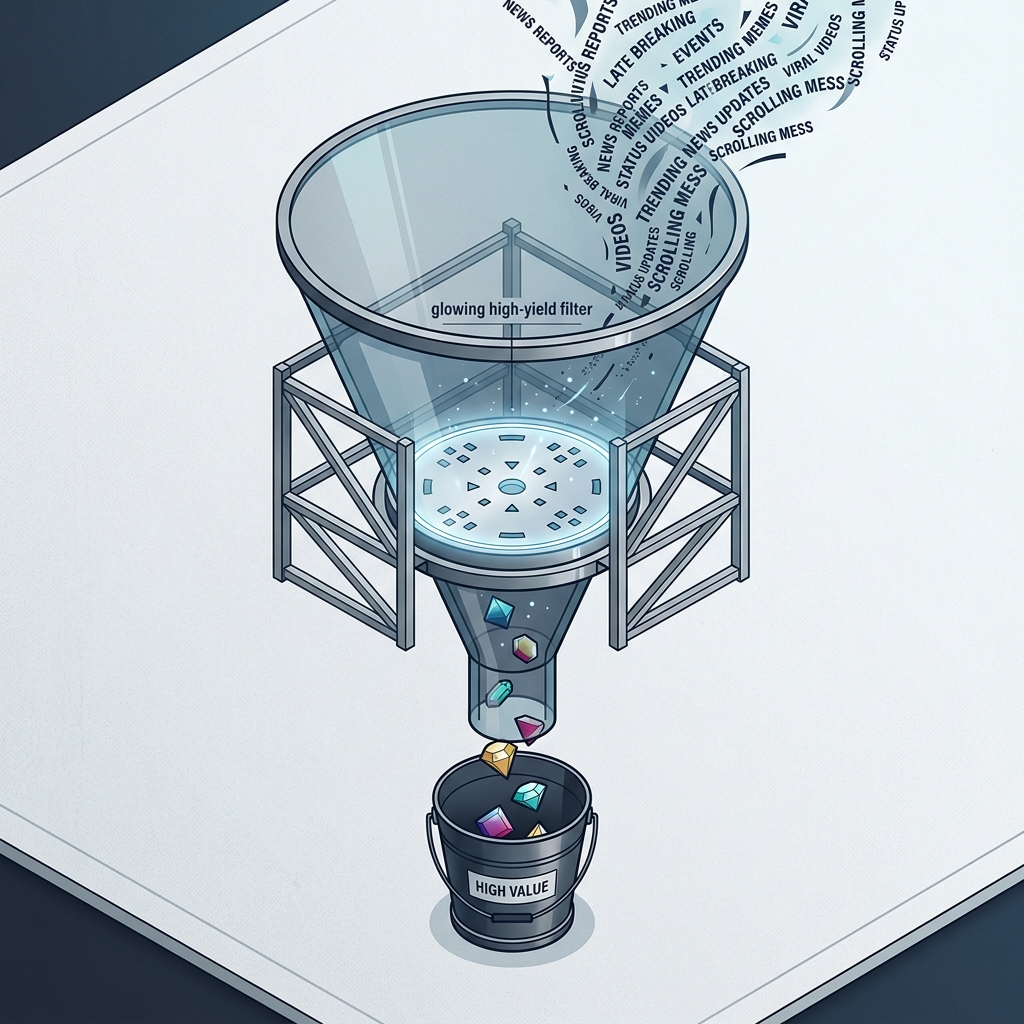
The 'always-on' nature of social media means managers feel they must track every meme. Most memes are irrelevant to your brand. You need a filter, not a firehose.
What to do: Set up an RSS feed of key industry publications (like Social Media Marketing News) and competitor accounts. Use a tool like Feedly’s AI 'Leo' or a custom Zapier/Claude filter to scan these headlines. Instruct the AI to only notify you if a news item directly impacts your specific industry or a platform feature you use (e.g., 'Only ping me if TikTok Shop updates its API').
Why it matters: This reduces 'FOMO anxiety.' You can trust that if something major happens—like the recent shifts in how users customize their 'Your Algorithm' settings on Instagram—it will find its way to your 'High Priority' feed. You no longer need to live on the 'For You' page to stay informed.
Common pitfall: Setting the filter too narrow. Ensure you have a 'wildcard' category so you don't miss genuine black-swan events that could impact your brand.
5. The Creator-to-Asset Pipeline
Working with creators is the new standard, but managing the assets they send back is a logistical nightmare. Between Google Drive links, Dropbox folders, and Slack attachments, things get lost. This friction is a silent killer of social team productivity.
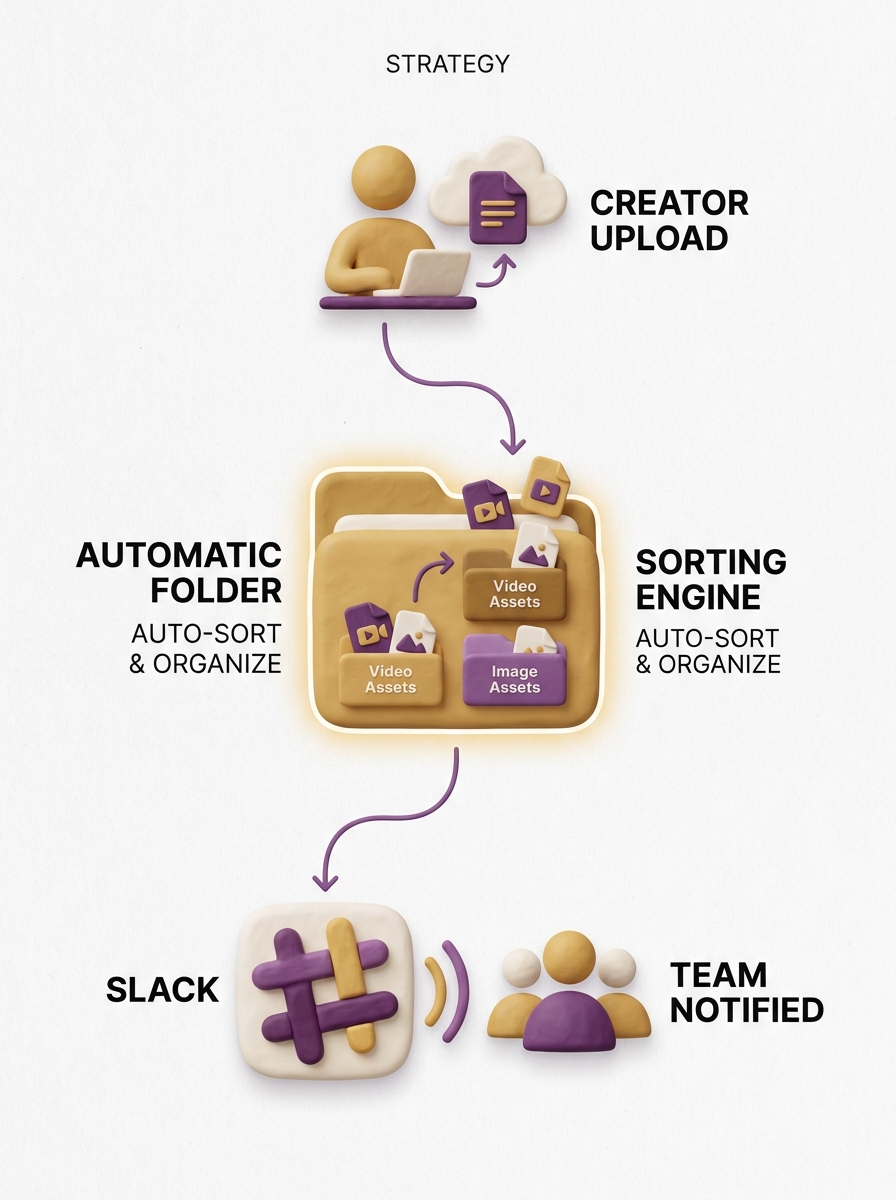
What to do: Create a dedicated Typeform or Airtable Form for creator submissions. When a creator uploads their video and invoice, use an automation to: 1) Save the video to a specific folder named after the creator and date, 2) Log the invoice in your finance tracker, and 3) Send a notification to your editor that a new asset is ready for review.
Why it matters: It removes the 'where is that file?' back-and-forth. By the time you sit down to schedule content, every asset is already where it needs to be, labeled correctly, and ready for the final touch. This is essential as brands expand their TikTok Shop presence abroad and deal with multiple time zones and creator cohorts.
Common pitfall: Not requiring specific file naming conventions in your upload form. Force the creator to provide the data you need (e.g., @username_Date_Campaign) at the point of upload.
Verification: How to Know Your Audit Worked
After implementing these five workflows, you shouldn't just 'feel' better; you should see it in your calendar. Within 14 days of deployment, check your 'Screen Time' or 'RescueTime' logs. You are looking for a 20-30% reduction in time spent on 'Communication' and 'Admin' categories.
More importantly, look at your output quality. Are your hooks stronger? Are you responding to customers faster? If the answer is yes, and you haven't worked past 6:00 PM all week, the audit was a success. Automation isn't about replacing the social manager; it's about making the social manager's job human again.
Next Steps for Your Workflow Evolution
- Audit your Slack/Teams Channels: Delete any notification channel that doesn't require an immediate action. If it's just 'FYI,' move it to a weekly email digest.
- Build a 'Prompt Library': Start a shared document for your team containing the exact Claude or ChatGPT prompts that yield the best content recycling results. Consistency in prompting leads to consistency in brand voice.
- Explore Native Platform Scheduling: While third-party tools like Sprout or Hootsuite are great, native schedulers (especially on TikTok and Instagram) often get earlier access to new features like 'Collabs' or 'Music' tagging. Use them for your most complex posts to avoid API-related formatting errors.
FAQ