Your social media management platform (SMMP) has more access to your brand’s digital identity than almost any other software in your stack. It holds the keys to your API tokens, your customer DM history, and the PII (Personally Identifiable Information) of every user who interacts with your ads. Yet, for most teams, the security review of these tools begins and ends with a single procurement checkbox three years ago.
Recent shifts in the regulatory landscape—specifically the August 2026 updates to TikTok Shop's minor safety protocols and Disney’s new creator pipeline into Disney+—highlight a growing reality: the platforms are tightening their own walls, but your third-party tools remain a potential leak point. If you are using a tool like Sprout Social, Hootsuite, or a specialized TikTok Shop agency partner to scale to $1M/month (as reported by WBOC TV regarding TokShop Agency), you are effectively trusting their infrastructure with your brand's regulatory life.
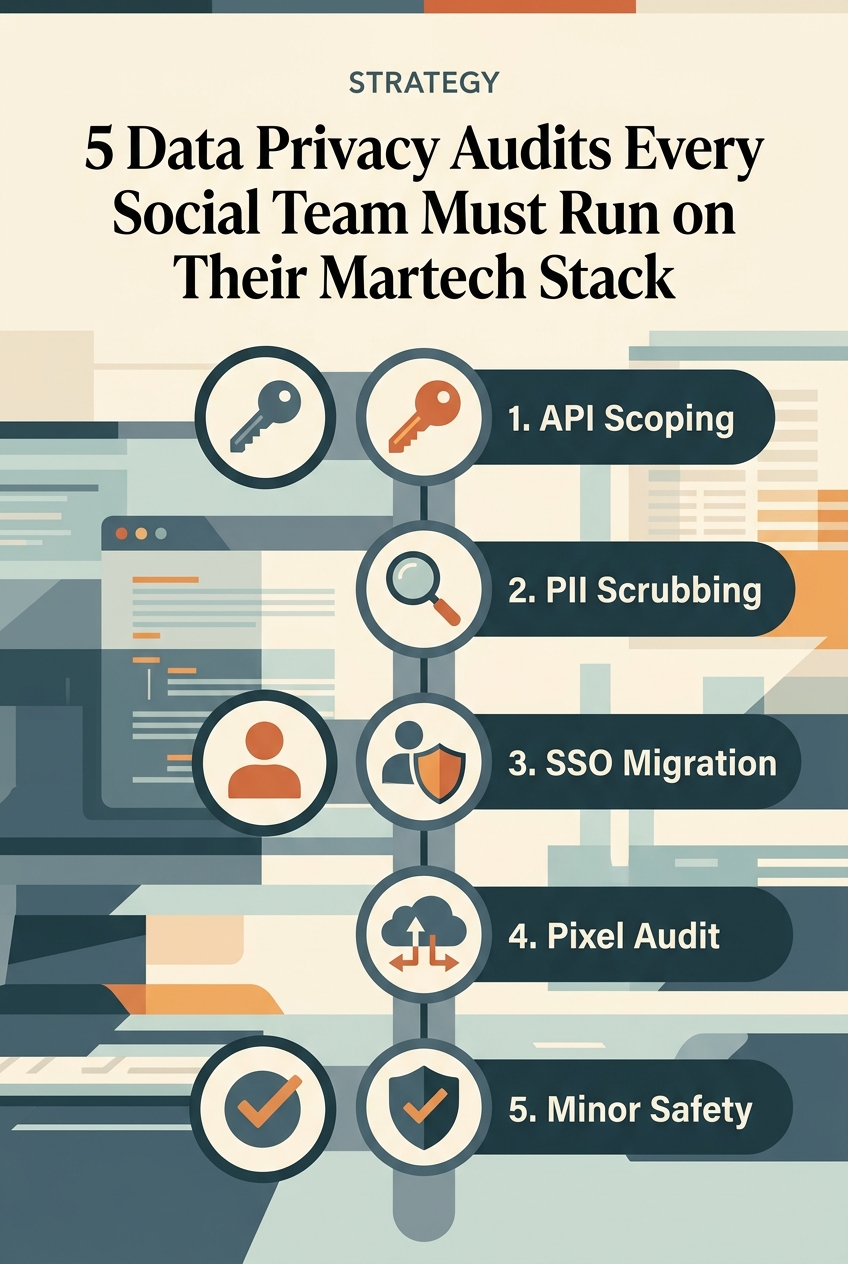
We are past the era of 'growth at all costs.' Today, the cost of a data breach or a GDPR violation far outweighs the efficiency gains of a poorly vetted tool. This isn't just about IT; it's about marketing leadership taking ownership of the data pipeline. We have audited the current martech landscape to identify the five non-negotiable security checks you must run this quarter.
Key takeaways
- Shadow Martech is the Enemy: Tools added by individual team members without SSO integration are the #1 source of credential leaks.
- API Permission Creep: Many tools request 'Write' access when they only need 'Read' access for analytics; these must be pruned.
- Data Residency Matters: Where your social listening tool stores its scraped data determines your liability under GDPR and CCPA.
- The 'Minor' Factor: Following TikTok's August 2026 ban on minors selling in videos, your tools must now be audited for age-gating compliance in automated workflows.
1. The API Permission & Token Scoping Audit
Most social media managers click 'Allow' on platform permissions without reading the fine print. When you connect your LinkedIn or Meta account to an attribution tool or a scheduler, you are often granting 'Manage Page' or 'Full Control' permissions. This creates a massive attack surface. If the vendor’s database is compromised, the attacker doesn't just get your data; they get the ability to post as your brand.
You need to run a permission inventory. Go into the 'Business Integrations' section of your Meta Business Suite and the 'App Permissions' section of your LinkedIn profile. Compare what the tool actually does for you versus what it is allowed to do. If a tool like Later is only used for scheduling, it should not have permission to manage your ad accounts or billing settings.
How to manage Meta Business Suite permissions
Beyond just the permissions, look at the token refresh cycle. Secure tools use short-lived tokens that expire and require re-authentication. If a tool hasn't asked you to re-log in for two years, it’s likely using long-lived tokens that are a goldmine for hackers.
Best for: Brands managing multiple regional pages where a single compromised token could lead to a global brand crisis.
2. The PII Scrubbing & Social Listening Data Audit
Social listening tools like Brandwatch or Talkwalker work by ingesting millions of public posts. However, they also ingest PII—names, locations, and even photos of individuals who haven't opted into your marketing database. Under GDPR, storing this data without a specific legal basis is a ticking time bomb.
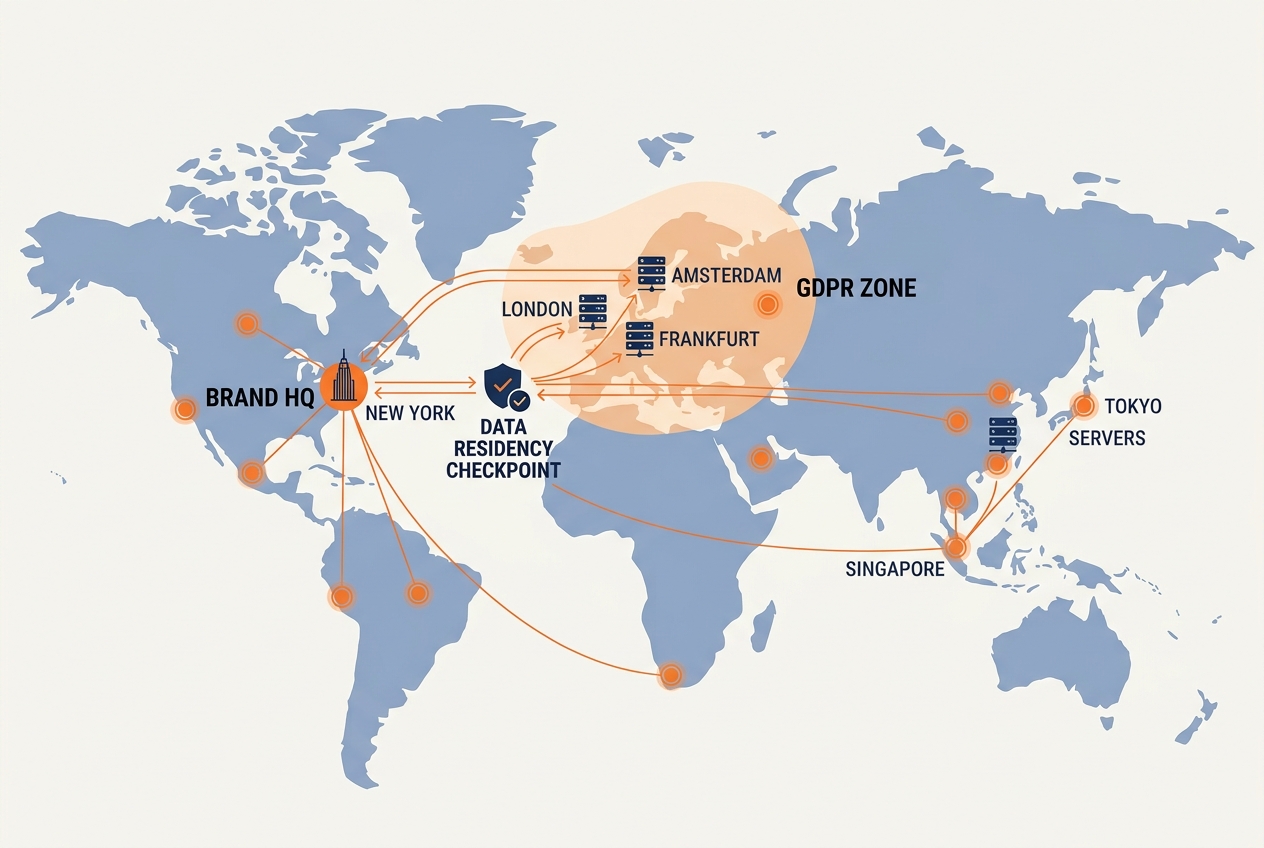
Your audit here must focus on two things: data residency and data obfuscation. Ask your vendor exactly where the servers are located. If you are a European brand but your listening tool stores data in a US-based data center without a valid Data Privacy Framework (DPF) certification, you are technically in violation of the law.
Furthermore, check if your tool automatically redacts PII in its reporting exports. If your social team is downloading CSV files containing the handles and locations of users who complained about a product, and those files are sitting in unencrypted 'Downloads' folders on laptops, you have a security breach in progress.
Best for: Enterprise brands in regulated industries (Finance, Healthcare) that rely heavily on sentiment analysis and customer feedback loops.
3. The 'Shadow Martech' & SSO Integration Audit
Marketing teams are notorious for 'Shadow IT'—the practice of signing up for a $15/month AI caption generator or a link-in-bio tool using a personal Gmail account. While these tools seem harmless, they often bypass the corporate Single Sign-On (SSO) protocols that protect the rest of your stack.
When a social media manager leaves the company, their access to the main Sprout Social account might be revoked via Okta or Microsoft Entra ID. But what about the Canva account where the brand kits are stored? Or the CapCut account that has access to raw, unreleased video footage? If these aren't tied to an SSO, that former employee still has the keys to your brand assets.
The hidden risks of AI social tools
Run a credit card statement audit. Look for recurring small-dollar SaaS subscriptions that haven't been vetted by IT. Every one of these is a hole in your perimeter. Force a migration to a centralized team plan that supports SAML or OIDC protocols. If the tool doesn't support SSO, it shouldn't be in your stack.
Best for: Rapidly scaling agencies and internal teams with high turnover or frequent use of freelance contractors.
4. The Attribution & Pixel Privacy Audit
Since the deprecation of third-party cookies and the rise of Apple’s App Tracking Transparency (ATT), marketers have flocked to 'Server-to-Server' (S2S) tracking and the Meta Conversions API (CAPI). While these are better for performance, they are riskier for privacy. You are now sending data directly from your server to Meta's server, bypassing the user's browser-level blocks.
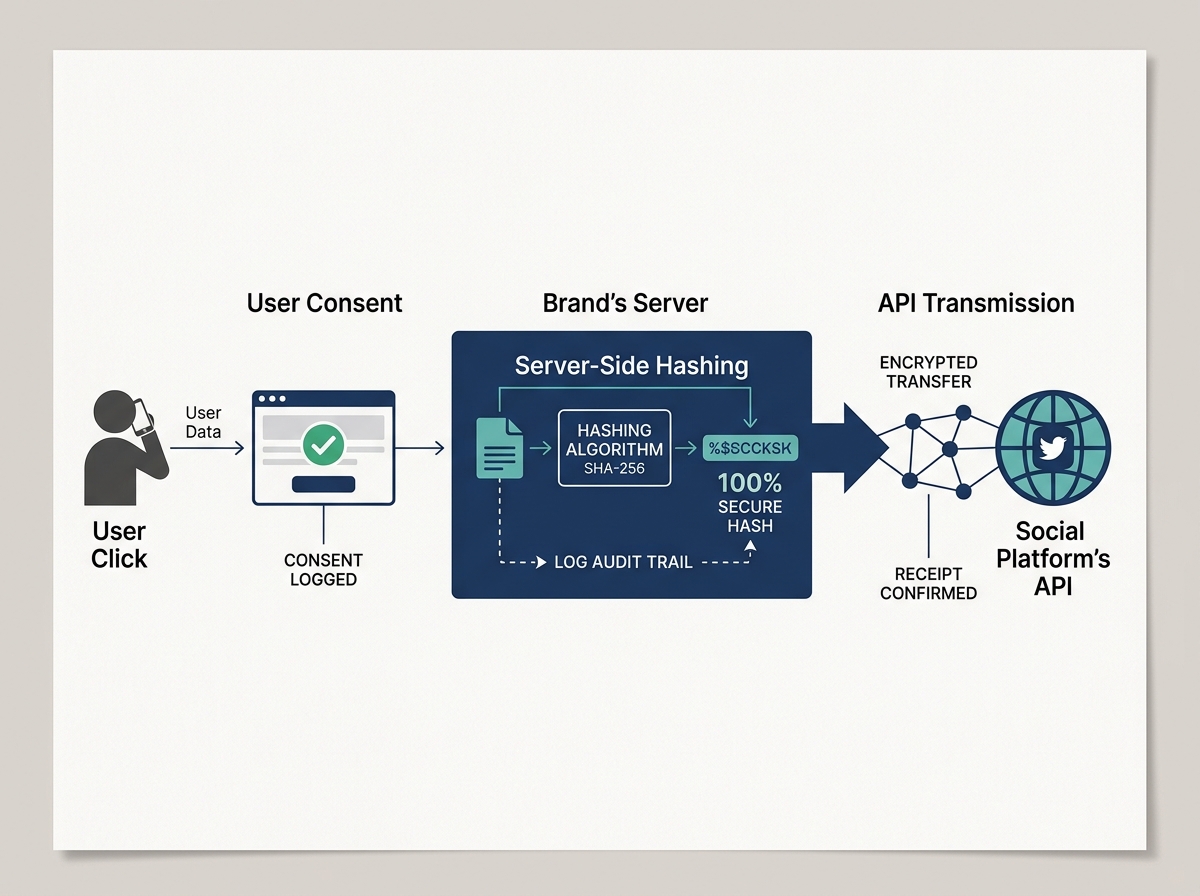
The audit here involves looking at exactly what data points you are sending via CAPI or the TikTok Pixel. Are you sending 'Hashed Email' (HEM) for users who specifically opted out of tracking on your site? If your tool's attribution logic is too aggressive, it might be 'matching' users in a way that violates their privacy preferences.
Work with your data engineering team to inspect the payloads being sent to ad platforms. You should only be sending the minimum necessary data for a match—typically a hashed email or phone number—and only for users who have provided explicit consent via your CMP (Consent Management Platform) like OneTrust or TrustArc.
Best for: E-commerce brands and supplement companies (like those TokShop Agency services) where high-volume attribution is critical for maintaining a $1M/month run rate.
5. The Automated Workflow & Minor Safety Audit
As of August 2026, TikTok has implemented strict bans on minors participating in commercial selling via Shop. This isn't just a content rule; it's a data rule. If your martech stack includes automated influencer discovery tools or CRM integrations that scrape creator data, you must ensure these tools are not inadvertently collecting or processing data from minors.
Check your influencer marketing platforms (like GRIN or CreatorIQ) for their age-verification logic. How do they determine if a creator is over 18? If they are relying on self-reported platform data, is that enough to satisfy your legal team?
Furthermore, audit your automated DM bots. If a minor interacts with your brand's automated customer service flow on Instagram, does the system recognize them as a minor and limit data collection? Most 'no-code' automation tools don't have these filters built-in. You have to build them. This is especially critical for brands like Disney, which are building direct creator pipelines into their streaming platforms (per ContentGrip). The intersection of 'creator' and 'minor' is a high-risk zone for data privacy.
Best for: Brands in the entertainment, gaming, or lifestyle sectors that naturally attract a younger demographic.
How to Conduct the Audit Without Killing Productivity
You don't need to stop all marketing activity to run these checks. Start with a 'Tier 1' inventory of any tool that has 'Write' access to your social accounts. These are your highest risk.
Once you've identified the high-risk tools, send a standard Security Assessment Questionnaire (SAQ) to the vendors. Ask for their most recent SOC2 Type II report and their DPA (Data Processing Agreement). If a vendor hesitates to provide these, it’s a red flag.
Finally, make security a part of your monthly reporting. Just as you report on CPMs and engagement rates, report on 'Access Logins' and 'Permission Scoping.' When security becomes a marketing KPI, it stops being a chore and starts being a competitive advantage. In a world where trust is the primary currency, a secure martech stack is your best investment.
By taking these steps, you ensure that your brand isn't the next headline in a data breach story. You protect your customers, your reputation, and your bottom line. Data privacy isn't just a legal requirement—it's the foundation of modern brand building.
FAQ