For a brand, a social media crisis is a hit to the bottom line. For a high-stakes public entity—a state health department, a municipal utility, or a federal agency—a social media crisis is a threat to public safety and democratic trust. You aren't just managing 'brand sentiment'; you're managing the flow of critical information during wildfires, elections, or public health emergencies.
By the end of this guide, you will have a functional blueprint for a Social Media Crisis Manual that satisfies legal counsel, withstands the scrutiny of public records requests, and empowers your frontline managers to act when seconds count. Before you start, ensure you have your organization's legal charter, a list of all current platform credentials, and your existing internal communication tree.
TL;DR
- Define Severity: Not every negative comment is a crisis. Establish a three-tier system to trigger specific response protocols.
- AI Defense: Incorporate specific workflows for identifying and debunking deepfakes and AI-generated misinformation.
- Governance First: Centralize account access through enterprise-grade tools like Sprinklr or Khoros to prevent hijacking.
- Legal Alignment: Pre-approve messaging templates to bypass bureaucratic bottlenecks during live emergencies.
Step 1: Establish the Crisis Severity Matrix
The most common mistake in public sector social media is treating a disgruntled citizen's tweet the same as a coordinated bot attack. You need a matrix that dictates who wakes up at 3:00 AM.
Why it matters
Without a severity matrix, your team will suffer from decision fatigue. In a high-stakes environment, over-responding to a minor issue can actually amplify it, while under-responding to a Tier 1 threat can lead to catastrophic misinformation spread. You need to distinguish between 'Negative Engagement' and 'Systemic Threat'.
What to do
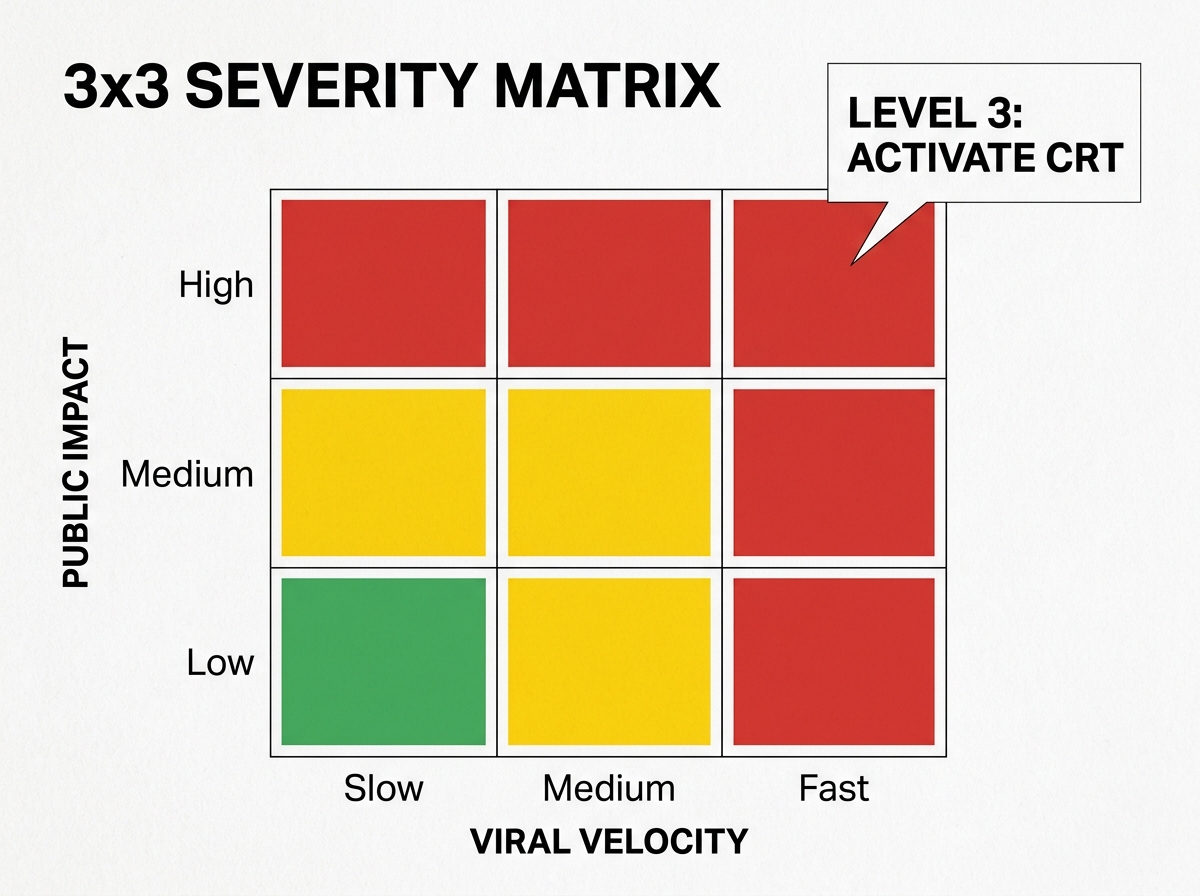
Create a 3x3 grid. The X-axis represents 'Reach/Velocity' (how fast is it spreading?) and the Y-axis represents 'Impact' (does this threaten life, property, or institutional legitimacy?).
- Level 1 (Green): Isolated negative comments, factual errors in non-critical posts. Action: Standard community management.
- Level 2 (Yellow): Misinformation regarding agency services, trending negative hashtags, or local influencer criticism. Action: Alert Social Lead and Communications Director.
- Level 3 (Red): Account hijacking, AI-generated deepfakes of officials, or life-safety misinformation during an active event. Action: Activate the full Crisis Response Team (CRT).
Common Pitfall: Failing to define 'Velocity'. A post that gets 1,000 shares in 10 minutes is a different beast than one that gets 1,000 shares over a week. Your manual must include specific time-based triggers.
Step 2: Formalize the AI Misinformation and Deepfake Protocol
We have entered the era of 'AI Max' and hyper-realistic synthetic media. As Google expands its AI-driven intent matching to reach billions of new queries (per Google's July 2026 updates), the surface area for misinformation has exploded. Public entities are prime targets for deepfake audio of mayors or fake 'official' notices generated by LLMs.
Why it matters
Traditional fact-checking is too slow for the AI era. If a deepfake video of a governor declaring a state of emergency goes viral, you cannot wait for a 48-hour press cycle. You need a 'Verify-Flag-Counter' workflow that is pre-authorized by your legal and technical teams.
What to do
- Detection: Use tools like Sentinel or RealityDefender to scan trending media mentioning your agency.
- Watermarking: Ensure all your actual video content uses C2PA standards or visible digital watermarks so the public can distinguish 'official' from 'synthetic'.
- The 'Truth Sandwich' Response: When countering AI misinformation, use the industry-standard sandwich: Start with the truth, briefly mention the lie (without repeating the specific keywords that help it rank), and end with the truth again.
Common Pitfall: Directly linking to the misinformation. This often signals to platform algorithms that the content is 'engaging,' inadvertently boosting its reach. Use screenshots with 'FALSE' overlays instead.
Step 3: Centralize Governance and Access Control
Public sector accounts are high-value targets for hackers looking to spread chaos. Using a shared password for the agency Instagram account is a liability that can lead to a 'Level 3' crisis in minutes.
Why it matters
Account hijacking isn't just an IT problem; it's a communications disaster. If your account is compromised, you lose the ability to speak to the public when they need you most. Enterprise social governance requires removing the 'human element' of password sharing.
What to do
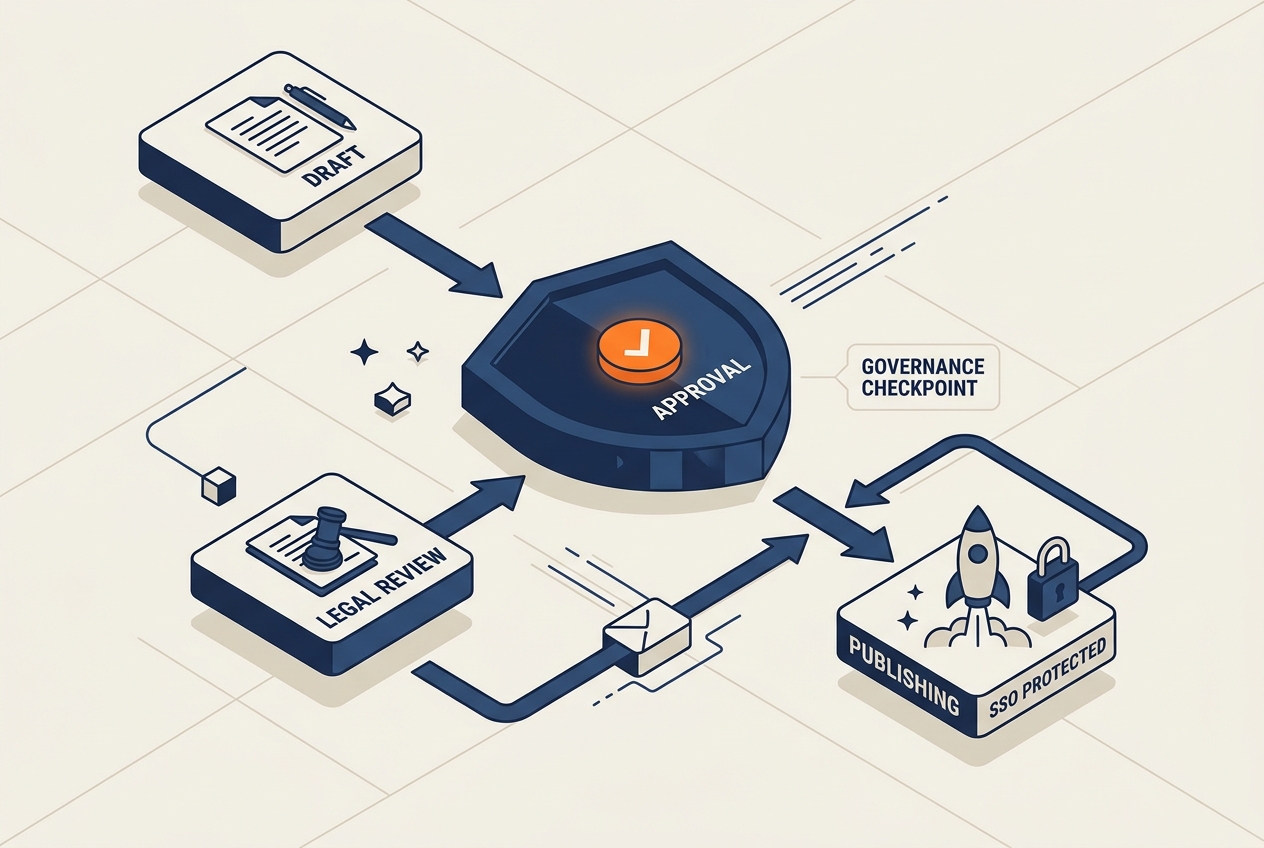
Mandate the use of an Enterprise Social Media Management System (SMMS). Platforms like Sprinklr, Hootsuite Enterprise, or Sprout Social allow you to:
- Grant access via Single Sign-On (SSO).
- Revoke access instantly when an employee leaves.
- Set 'Kill Switch' permissions where a single senior admin can pause all scheduled content across all channels if a breach is suspected.
Common Pitfall: Forgetting the 'Native' apps. Even if you use an SMMS, ensure the native platform settings have Two-Factor Authentication (2FA) tied to a hardware key (like YubiKey) or a corporate authenticator app, never a personal cell phone number.
Step 4: Pre-Approve the 'Dark Site' and Response Templates
In the heat of a crisis, the bottleneck is usually the legal department. If your social media manager has to wait three hours for a lawyer to check a comma in a 'Shelter in Place' tweet, the manual has failed.
Why it matters
Speed is the only currency that matters in a digital crisis. By pre-approving templates for the most likely scenarios (data breach, service outage, leadership scandal), you shift the work from 'writing' to 'filling in the blanks'.
What to do
- Scenario Mapping: Identify the top 5 crises your specific agency faces.
- Template Drafting: Write 3 variations for each (Twitter/X, Facebook/LinkedIn, and Instagram/TikTok).
- The 'Dark Site': Prepare a hidden page on your website that contains all the facts, FAQs, and resources. When the crisis hits, you 'flip the switch' to make it live and point all social traffic there.
Common Pitfall: Writing templates that sound too 'corporate'. While you must be professional, overly stiff language can be perceived as evasive during a public emergency. Aim for 'authoritative but accessible'.
Step 5: Execute the 'Pause and Pivot' Drill
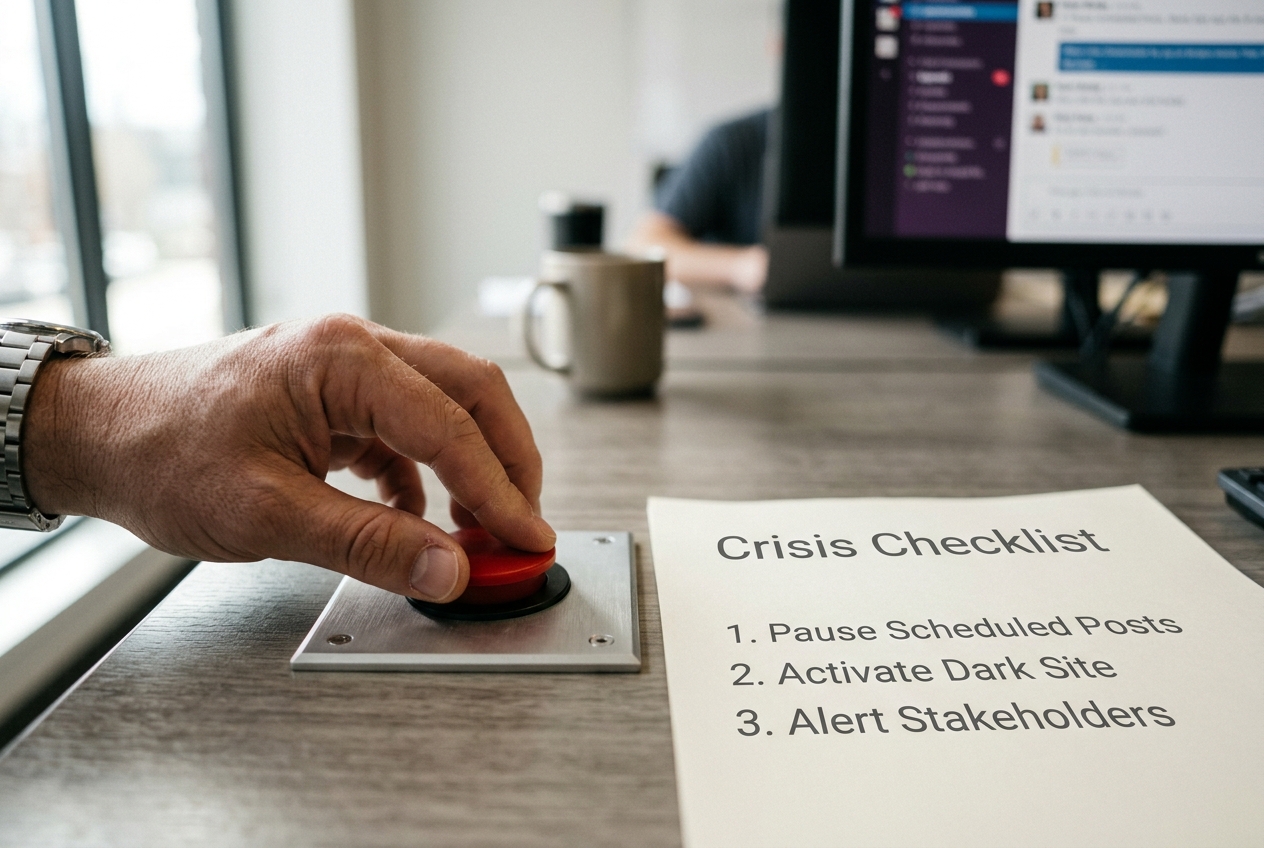
Every crisis manual must include a mandatory 'Pause All' order. There is nothing more damaging than an automated, upbeat post about a 'Summer Fun Run' appearing right next to a post about an active shooter or a natural disaster.
Why it matters
Context is everything. Scheduled content is a ticking time bomb during a crisis. Havas recently noted in their Q2 2026 earnings that brand safety is now inextricably linked to real-time context management. For the public sector, this isn't just about brand safety—it's about basic decency and operational clarity.
What to do
- The Kill Switch: Designate one person (and two backups) who has the authority to pause all scheduled content across the entire enterprise.
- The Pivot: Shift all outgoing communication to a 'Single Source of Truth' model. All channels should point to the same live-update thread or dark site.
Common Pitfall: Only pausing the main account. Large entities often have sub-accounts (Parks & Rec, Library, Police). The 'Pause' order must reach every sub-department simultaneously.
Step 6: Verification and Post-Mortem Analysis
How do you know your crisis manual actually works? You stress-test it before the crisis happens. Just as a fire department runs drills, a digital communications team must run 'Tabletop Exercises'.
Why it matters
A manual that sits on a digital shelf is useless. Verification ensures that every stakeholder—from the IT department to the Press Secretary—knows their role and can access the necessary tools under pressure.
What to do
- Quarterly Tabletops: Spend two hours running a simulated crisis (e.g., 'A deepfake of the Director is circulating on TikTok'). Track how long it takes to draft, approve, and post a response.
- Access Audit: Every 90 days, verify that every person on the Crisis Response Team can still log into the SMMS and the internal comms channel (Slack/Teams).
- The 'After Action Report' (AAR): After every Level 2 or 3 event, produce a formal AAR. What was the 'Time to First Response'? Where did the approval chain break down?
Common Pitfall: Ignoring the 'Close-out' phase. A crisis isn't over when the news stops. You must have a protocol for transitioning back to 'Business as Usual' and addressing the long-tail comments that linger for weeks.
Related Tactics for High-Stakes Governance
Once your manual is solidified, consider these advanced maneuvers to further harden your digital presence:
- Implement 'Verified' Status Aggressively: With the fragmentation of verification (blue checks, grey checks, gold checks), ensure your agency is participating in the official 'Government' verification programs on X, Meta, and Google to ensure your search results are prioritized in 'AI Max' queries.
- Public Comment Governance: Work with legal to define a 'Moderation Policy' that complies with First Amendment requirements (in the U.S.). You cannot delete comments because you dislike them, but you can—and should—have clear rules against threats and spam that are enforced via automated filters in your SMMS.
- Creator Partnerships for Reach: During a crisis, the 'official' account might not have the reach of local creators. Build a 'Civic Creator Corps'—a list of local influencers you can DM during an emergency to help amplify factual information to demographics that don't follow government accounts.
By treating social media as critical infrastructure rather than just a marketing channel, you move your agency from a reactive posture to a proactive one. The goal isn't to avoid the crisis—in the public sector, that's impossible—the goal is to own the narrative when the stakes are highest.
FAQ