If you are still copy-pasting individual prompts into a chat window to get a single LinkedIn post, you aren't using AI—you're just using a slightly faster typewriter. The real leverage in 2026 isn't in the output; it's in the architecture.
We've reached a point where 'prompt engineering' is a commodity skill. According to recent data from Ahrefs and Search Engine Journal, AI assistants are now turning single contextual prompts into complex multi-query journeys. For social media managers, this means the bottleneck is no longer writing the copy—it's maintaining brand voice across a fragmented ecosystem of TikTok, LinkedIn, and Instagram without burning out.
By the end of this guide, you will have built a semi-automated 'Creative Director' system using Claude Projects. This system will ingest a single raw input—like a 3-minute voice memo or a transcript of a meeting—and output a week's worth of platform-specific content that actually sounds like you.
Key takeaways
- Shift from Prompts to Projects: Stop using open chats. Use Claude Projects to house your brand's DNA, style guides, and past top-performing posts as permanent context.
- The 'Source of Truth' Method: Use raw, unpolished audio or transcripts as the input to ensure the AI captures your unique insights, not generic web-scraped fluff.
- Platform-Specific Adaptation: Build distinct 'Personas' within your workflow to handle the tonal shifts between LinkedIn's professional authority and TikTok's high-energy hooks.
Step 1: Establish the 'Brand Brain' in Claude Projects
The most common mistake marketers make is treating every new chat like a first date. You explain your brand, your audience, and your goals, only to have the AI forget it all three days later. To build a system, you need a permanent repository.
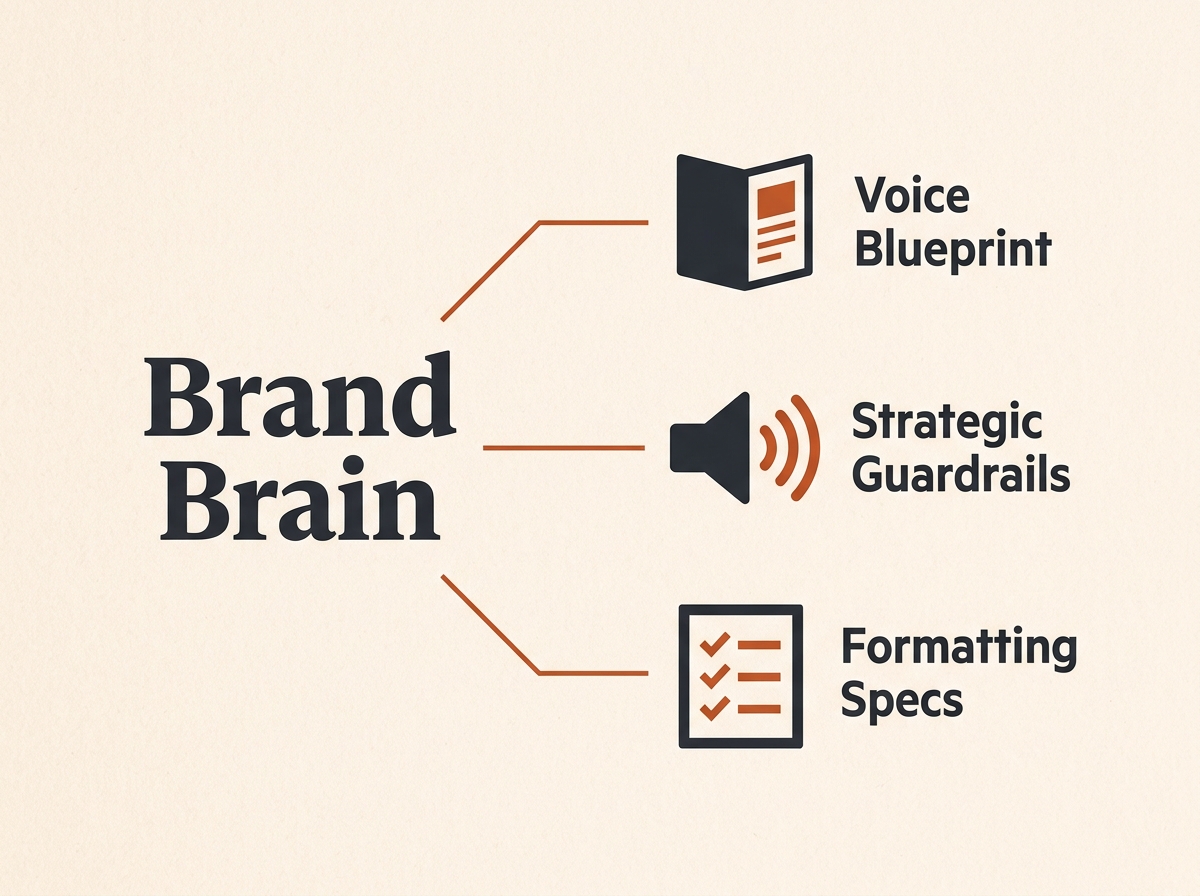
In Claude, this is the 'Projects' feature. You need to upload your 'Brand Brain'—a collection of documents that define your aesthetic and intellectual boundaries. This isn't just a style guide; it's a data dump of what works.
What to do: Create a new Project titled '[Brand Name] Creative Director'. Upload three specific files to the 'Project Knowledge' section:
- The Voice Blueprint: A document containing 5-10 examples of your best-performing posts and 3 examples of posts you hated. Label them clearly.
- The Strategic Guardrails: Your target audience personas, core product value propositions, and a list of 'banned' industry cliches.
- The Formatting Spec: A technical sheet detailing how you want your TikTok scripts (e.g., [Visual] [Audio] format) and LinkedIn threads (e.g., maximum 3 lines per paragraph) to look.
Why it matters: Claude's 200k context window allows it to reference these files every time you ask for a draft. By grounding the AI in your actual history, you eliminate the 'hallucination of tone' that plagues generic generative AI strategy.
Common Pitfall: Uploading a 50-page PDF of your corporate brand guidelines. Claude doesn't need to know your CMYK color codes; it needs to know how you handle a joke on a Tuesday afternoon. Keep the knowledge files focused on voice and structure.
Step 2: The 'Raw Input' Ingestion Protocol
AI content often feels 'hollow' because the input is hollow. If you ask Claude to 'Write a post about NIL deals in sports,' it will give you a generic summary of the Travis Kelce and Publicis Sports partnership announced in August 2026.
To get unique content, you must provide unique data. The best source is a raw, unedited transcript.
What to do: Record a 3-minute voice memo on your phone. Don't script it. Just talk through a recent win, a frustration, or a take on an industry trend (like the shift away from raw search volume toward contextual buyer intent). Use a tool like Otter.ai or Descript to get a text transcript.
Paste this transcript into your Claude Project with the following 'Ingestion Prompt':
"I am providing a raw transcript of my thoughts. Do not summarize it yet. Analyze the core arguments, the specific anecdotes used, and the emotional tone. Acknowledge when you are ready for the platform-specific instructions."
Why it matters: This preserves your 'human' quirks. The way you phrase a problem in a voice memo is your authentic voice. By forcing Claude to analyze the logic before the format, you ensure the resulting social posts are built on your unique insights rather than generic AI patterns.
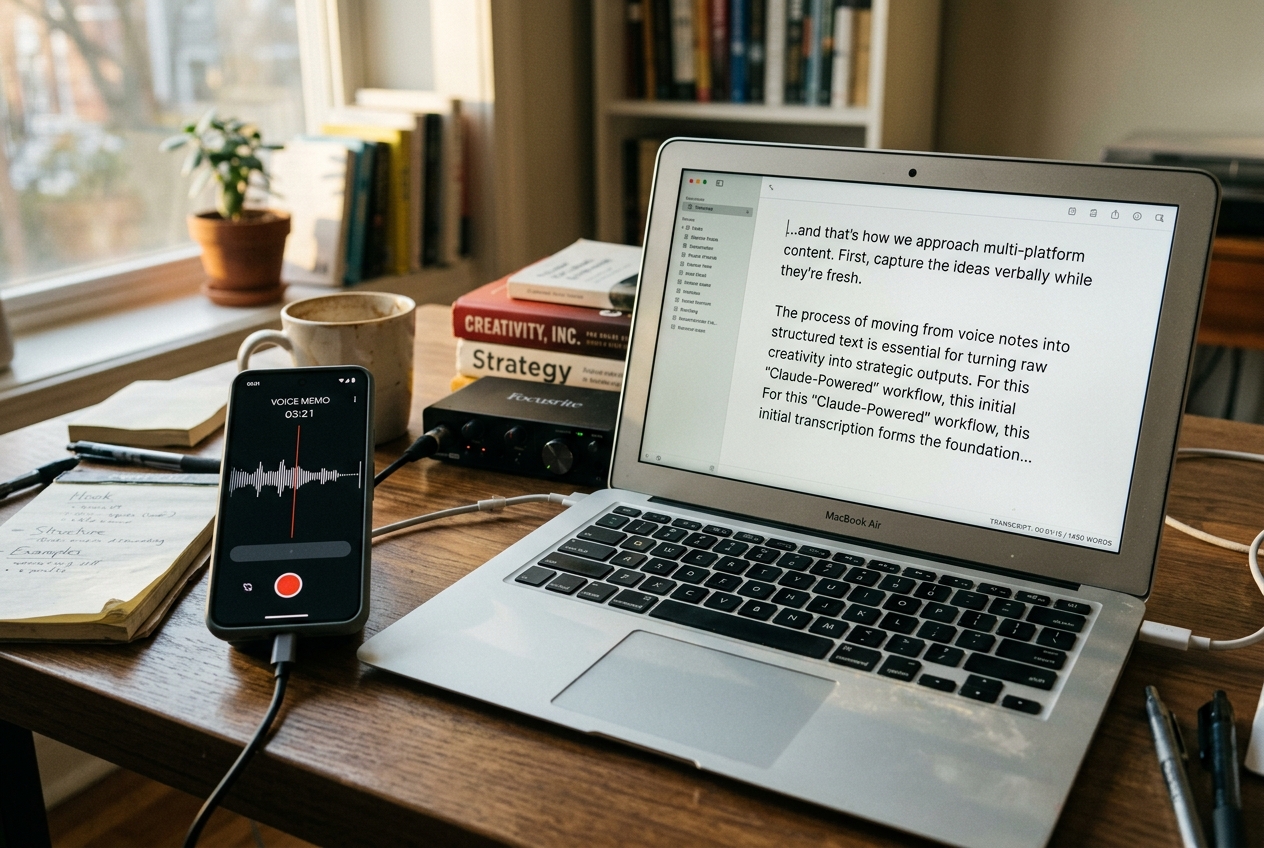
Common Pitfall: Cleaning up the transcript before giving it to the AI. Leave the 'umms,' the stutters, and the tangents. These are often where the most 'human' hooks are hidden. Let the AI do the filtering.
Step 3: Architecting the Multi-Platform 'Transformer' Prompt
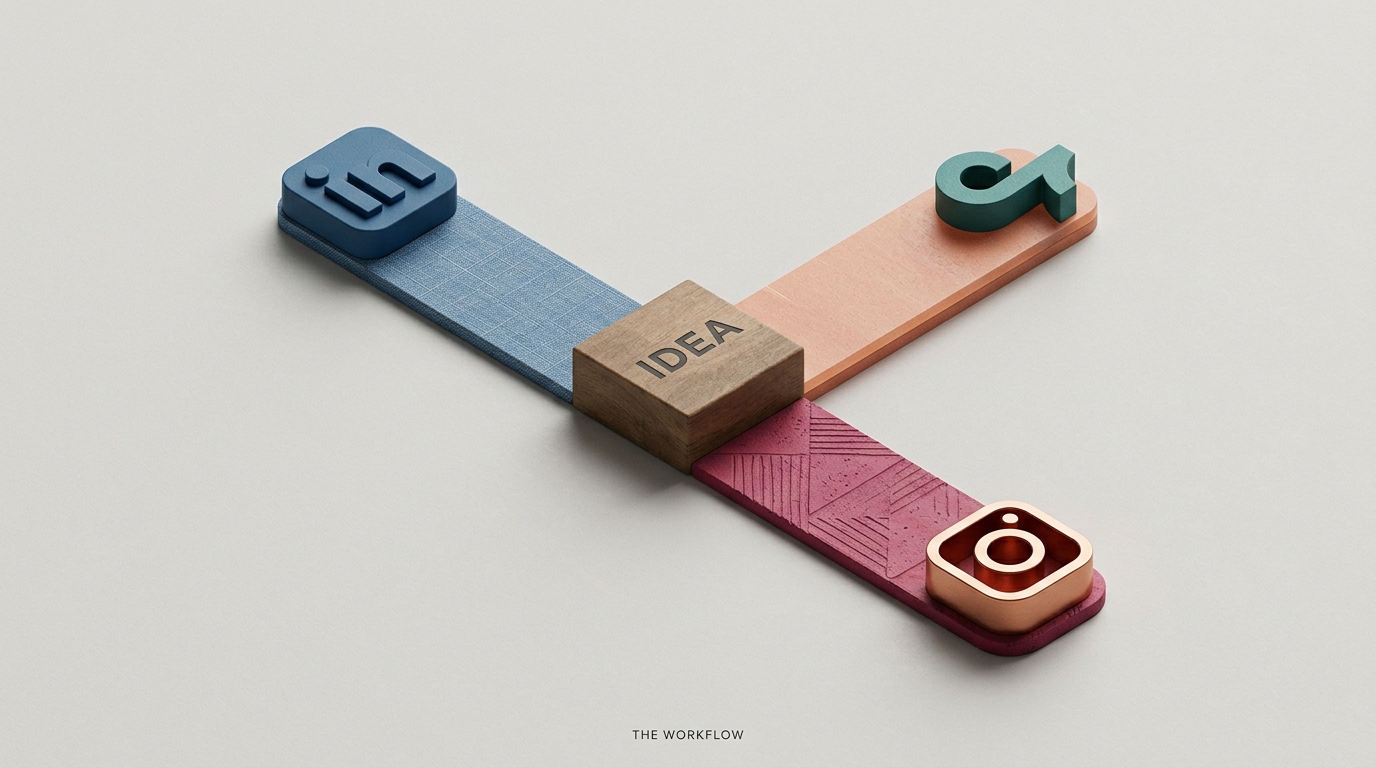
Now that Claude has your brand DNA and your raw ideas, you need to transform that one idea into three distinct formats. You aren't just 'repurposing'; you are 're-imagining' for the specific psychology of each feed.
What to do: Use a structured 'Transformer' prompt. This is a long-form instruction that tells Claude exactly how to split the content.
"Using the transcript provided, create the following:
- LinkedIn Authority Thread: 5-7 posts. Start with a contrarian hook. Focus on professional ROI. Use the 'Formatting Spec' in your knowledge base.
- TikTok Script: 45 seconds. Focus on one specific anecdote from the transcript. Start with a 'visual pattern interrupt' in the first 2 seconds.
- Instagram Carousel: 7 slides. Each slide must contain one 'power sentence' and a brief explanation. Focus on the 'how-to' aspect of the transcript."
Why it matters: Different platforms reward different engagement signals. LinkedIn rewards dwell time and comments; TikTok rewards completion rate and shares. A single prompt that doesn't account for these differences is why most AI content fails to get traction. According to Hootsuite's 2026 expert picks, the best AI tools are those that allow for this kind of granular control over platform nuance.
Common Pitfall: Asking for all platforms in one go without referencing the 'Formatting Spec' from Step 1. If you don't define the structure, Claude will default to its own standard (often wordy) style.
Step 4: The 'Creative Director' Critique Loop
This is where the 'Creative Director' part of the workflow comes in. You should never accept the first draft. In a real agency, a Creative Director pushes back. You must train your Claude Project to do the same.
What to do: After Claude provides the drafts, issue a 'Critique Prompt':
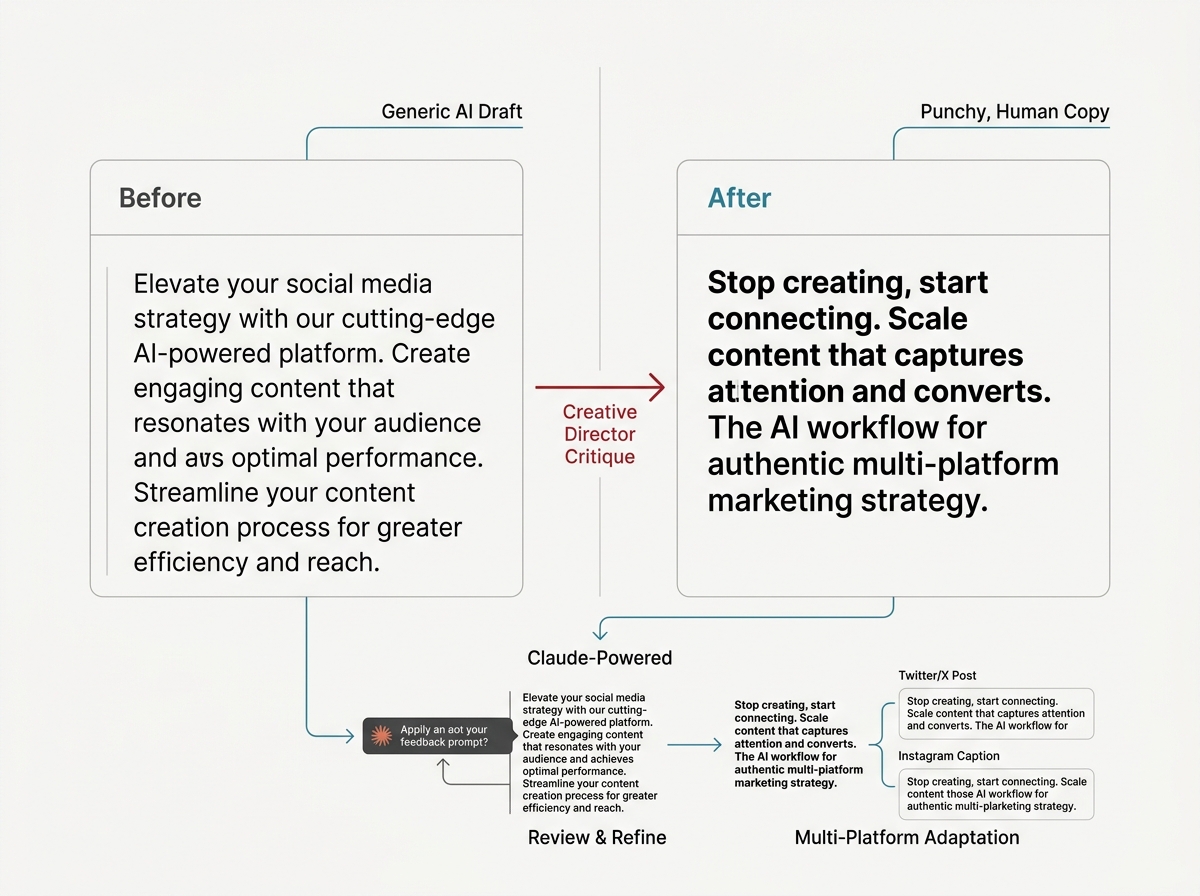
"Review these drafts against the 'Voice Blueprint' in your knowledge base. Identify three areas where the tone is too 'AI-typical' or formal. Rewrite the LinkedIn hook to be more punchy and the TikTok script to be more casual. Show me the 'Before' and 'After' for these specific changes."
Why it matters: This forces the model to self-correct based on your specific definition of 'good.' It moves the workflow from 'Generation' to 'Curation.' You are no longer a writer; you are an editor-in-chief managing an AI staff writer.
Common Pitfall: Being too vague with feedback. Saying "make it better" doesn't work. Saying "remove the word 'leverage' and shorten the second sentence to 5 words" gives the AI a mathematical constraint it can actually follow.
Step 5: Verification and Output Deployment
How do you know the system is actually working? You need a verification step before the content hits your scheduling tool (like Sprout Social or Buffer).
What to do: Run a 'Final Polish' check. Ask Claude:
"Does this content provide a unique insight that isn't easily found via a Google search? Does it sound like the person in the 'Voice Blueprint'? If yes, format the final versions into a clean table with columns for: Platform, Copy, Visual Cues, and Hashtags."
Why it matters: In an era where AI search myths are being debunked by 15 million data points (per Search Engine Journal/Ahrefs research), the only content that survives is content with high 'Information Gain.' If your AI is just re-hashing what's already out there, you'll see a steady decline in reach. This final check ensures you're adding value, not just noise.
Verification Checklist:
- Does the LinkedIn thread have a clear 'Save' worthy insight?
- Does the TikTok script have a hook that addresses a specific pain point mentioned in the transcript?
- Are all 'banned' cliches removed?
- Is the formatting ready for direct copy-paste into your scheduler?
Three Related Tactics to Try Next
Once you have the core Creative Director workflow running, you can extend the system's capabilities with these advanced modules:
- The 'Comment Responder' Module: Upload a CSV of your last 100 comments to a new Claude Project. Use it to generate on-brand replies to new engagement, maintaining the same persona you used for the posts.
- The 'Trend Overlay' System: Feed Claude a daily RSS feed of industry news (like the latest NIL athlete matchmaking deals). Ask it to 'contextualize' your core Brand Brain against today's news for reactive content.
- The 'Visual Prompt' Generator: Ask Claude to analyze your finished social copy and generate specific, highly-detailed prompts for Midjourney or DALL-E to create the accompanying images, ensuring the visual style matches the written tone.
FAQ