If you are using generative AI to scale your social media output, you are likely sitting on a ticking legal timebomb. You’ve seen the demos: a single prompt generates a high-fidelity image, a caption, and a set of hashtags in seconds. But have you checked the alt-text it produces? Have you verified that the auto-captions on your AI-voiced video actually meet WCAG 2.2 standards? Probably not. You’re moving too fast.
Most social media managers are currently treating accessibility as an afterthought—a box to be checked manually after the 'real' work of content creation is done. In an AI-driven environment, this delay creates a massive gap. When you increase your content volume by 10x using automation but keep your accessibility checks manual, you haven't scaled your brand; you've scaled your liability.
TL;DR
- AI hallucinations in alt-text create misleading descriptions that fail screen reader users and potentially violate ADA standards.
- Automated captioning often misses nuances in tone and brand-specific terminology, leading to incoherent experiences for the D/deaf and hard-of-hearing community.
- Compliance is a hybrid job. Purely automated workflows are currently incapable of meeting legal accessibility requirements without human intervention.
- Platform shifts matter. As regulators like India’s Ministry of Electronics call in Meta executives over algorithmic concerns [S3], the scrutiny on how content is served—and to whom—is intensifying.
The fundamental friction between speed and inclusion
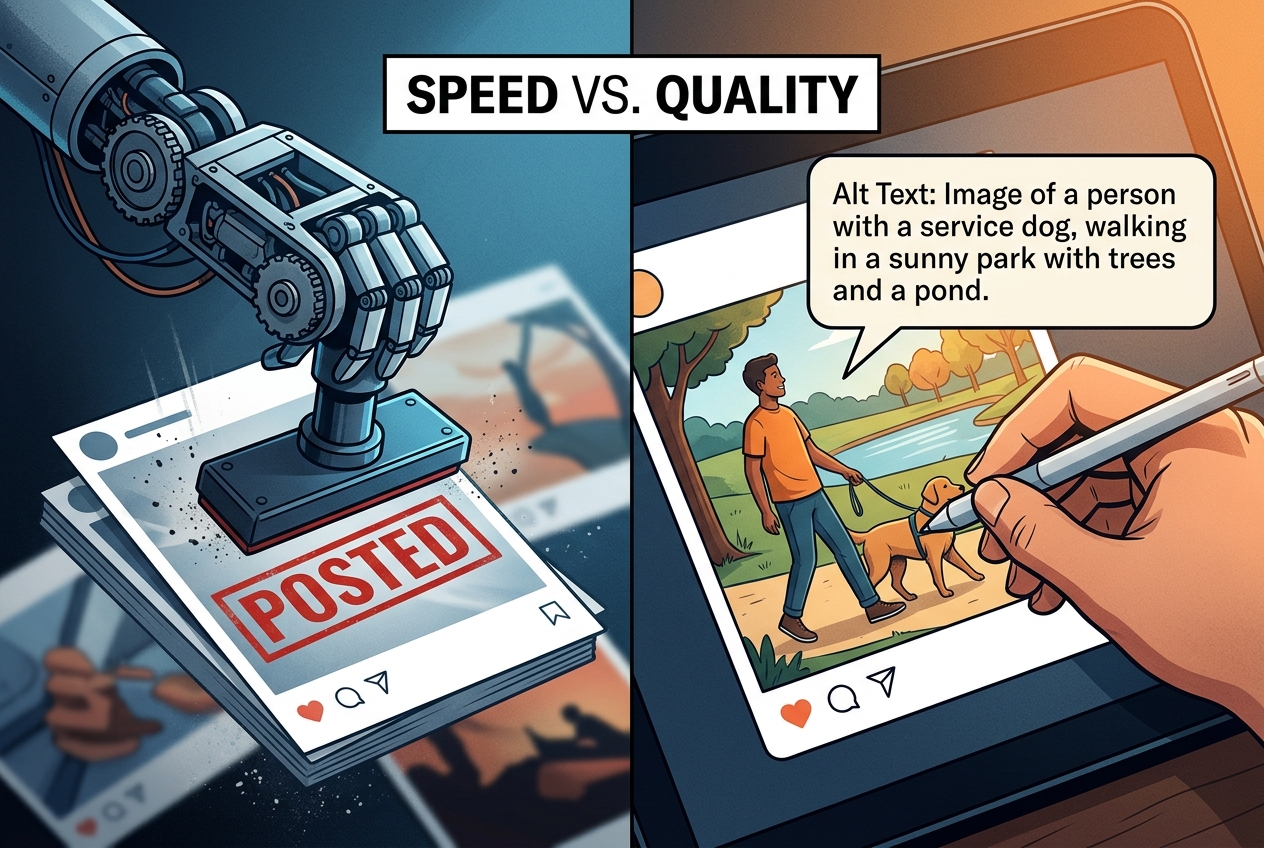
Think of AI-generated content like a high-speed printing press that occasionally forgets to use ink that humans can actually see. It looks perfect to the person running the machine, but it’s invisible or garbled to a significant portion of the audience.
According to a July 2026 report from AudioEye, as AI builds more of the digital experience, it is simultaneously making it less accessible [S2]. The core issue isn't that the AI is 'bad' at accessibility; it's that the AI doesn't understand the context of the information it’s describing. An AI looking at a photo of a woman holding a coffee cup might generate alt-text that says "A person holding a beverage." While technically accurate, it misses the marketing intent: "A young professional enjoying a latte in a sunlit office to promote our new morning blend."
For a user relying on a screen reader, the first description is a generic placeholder. The second is a brand story. When you rely on automated alt-text, you aren't just risking a lawsuit; you're actively excluding customers from your brand narrative. This is particularly dangerous as social commerce expands. With acquisitions like AMZ Advisers taking over Reach Social Commerce to push deeper into TikTok Shop [S4], the path from discovery to purchase is shorter than ever. If your product images aren't accessible, that path is blocked for millions of users.
Why automated alt-text is a legal liability
Under the Americans with Disabilities Act (ADA) and similar global frameworks like the European Accessibility Act, digital content must be perceivable, operable, understandable, and robust (POUR). Generative AI frequently fails the 'understandable' and 'perceivable' tests.
When Midjourney or DALL-E 3 creates an image, the metadata doesn't automatically include a descriptive, context-aware alt-text string that satisfies WCAG requirements. Even when platforms like Instagram use 'Automatic Alt Text' (AAT), the results are often rudimentary. They identify objects—'tree', 'sky', 'dog'—but fail to convey the emotional or informational weight of the post.
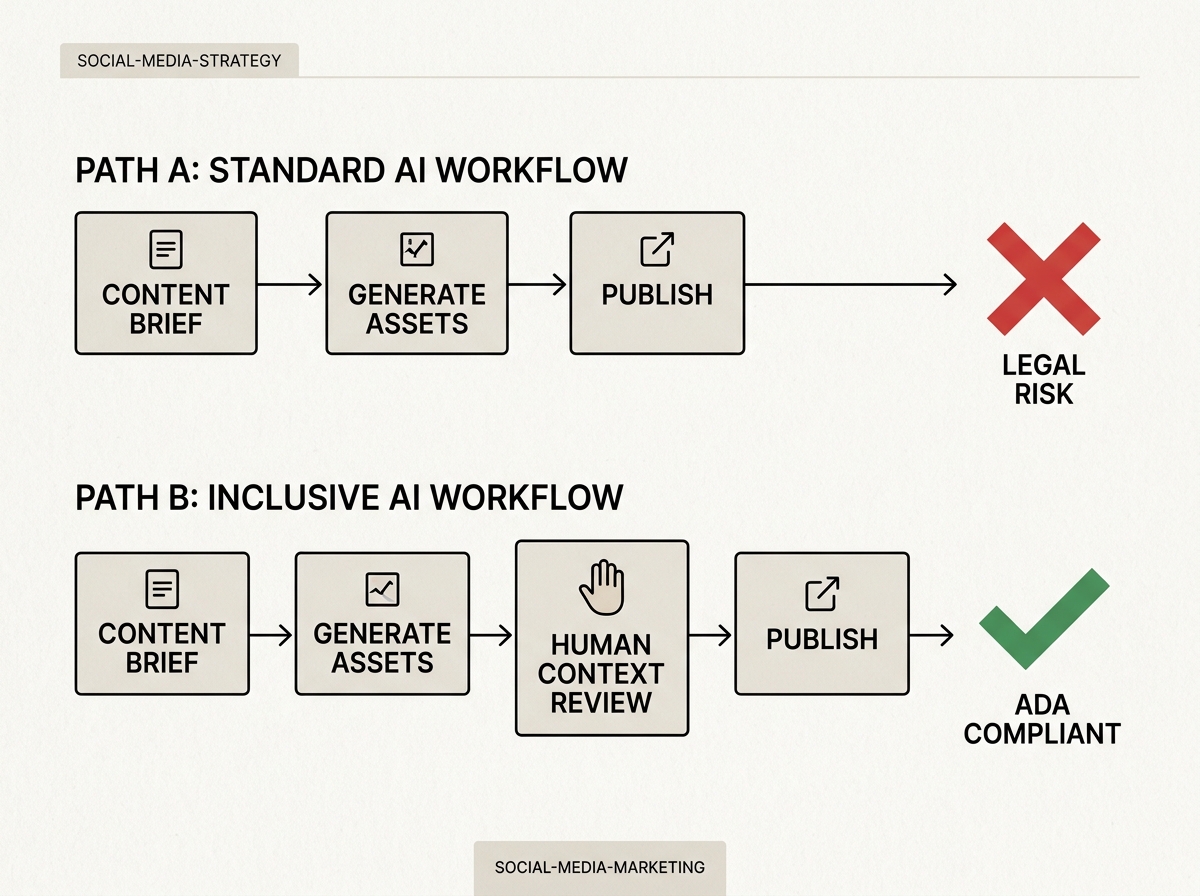
In a legal context, 'good enough' isn't a defense. If a blind user cannot navigate your TikTok Shop or understand your promotional carousel because the AI-generated descriptions are vague or incorrect, your brand is vulnerable. We are seeing a rise in 'drive-by' digital accessibility lawsuits targeting mid-market brands that have scaled their social presence without scaling their compliance audits.
The 'hallucination' problem in video captions
Video is the primary driver of social engagement in 2026, and AI-powered captioning tools are the industry standard. However, these tools are prone to 'hallucinations'—errors where the AI confidently transcribes words that were never spoken or misses critical punctuation that changes the meaning of a sentence.
Consider a brand video discussing 'de-influencing.' A standard AI transcription tool might render this as 'the influencing' or 'D-influencing,' completely stripping the video of its cultural context. For a user who is hard of hearing, these small errors accumulate, making the content frustrating at best and offensive at worst.
Moreover, AI often fails to include descriptive audio or 'non-speech' captions. If a video relies on a sudden loud bang or a change in music tempo to land a joke, and your AI captions only cover the dialogue, the user misses the punchline. True accessibility requires capturing the experience of the video, not just the transcript.
Building an AI-human hybrid compliance workflow
To avoid the 'accessibility tax'—the high cost of retroactively fixing thousands of non-compliant posts or paying out legal settlements—you must move accessibility to the 'left' of your workflow. This means integrating it into the prompt and review phase, not the publishing phase.
Tools like Sprout Social have centralized features to help teams move at speed without losing sight of these details [S1]. The key is to use the AI as a first draft for accessibility, not the final word.
Step 1: Prompt-level accessibility
When generating images, include a requirement for a descriptive summary in your prompt. Don't just ask for an image; ask for the image and a 280-character description of that image’s visual elements and intent.
Step 2: The 10% review rule
Assign a specific team member to audit a random 10% of all AI-generated alt-text and captions daily. This isn't just about catching errors; it's about identifying patterns in where your AI model is failing. If the AI consistently misses your brand’s specific product names, you need to update your custom GPT instructions or your brand kit within your social management tool.
Step 3: Leverage specialized accessibility AI
Don't rely on the same AI that built the image to describe it. Use specialized tools like Be My Eyes’ 'Be My AI' or dedicated accessibility checkers that are trained specifically on WCAG guidelines. These tools are built to identify gaps that a creative-focused AI will ignore.
The rising cost of the Social Media Strategist
As the complexity of these workflows increases, so does the value of the humans overseeing them. Per Coursera’s 2026 salary guide, Social Media Strategists who specialize in 'Ethical AI' and 'Digital Compliance' are seeing significant salary premiums [S5]. The job is no longer just about 'vibes' and engagement rates; it’s about risk management and inclusive design.
If you are hiring for a social desk in 2026, you shouldn't be looking for someone who can just 'use AI.' You need someone who can audit AI. The ability to spot a hallucination in a caption or a lack of contrast in an AI-generated graphic is now a core competency.
What this means for your 2026 strategy
Accessibility is not a feature; it is a foundational requirement of the modern web. As AI continues to flood the zone with content, the brands that stand out will be those that remain human-centric and inclusive.
- Audit your archives. Use an automated crawler to identify how much of your current feed lacks alt-text. You might be surprised—and alarmed—by the percentage.
- Update your SOPs. Make it a hard rule that no AI-generated asset is published without a human 'accessibility pass.'
- Budget for the 'Human in the Loop.' Do not assume AI will lower your headcount. Instead, assume AI will allow your existing team to focus on the high-value work of ensuring every single follower, regardless of ability, can engage with your brand.
Ignoring accessibility in your AI strategy is a choice to ignore 15% of the global population. In an era of tightening margins and fierce competition for attention, that is a choice no brand can afford to make.
How to apply this tomorrow
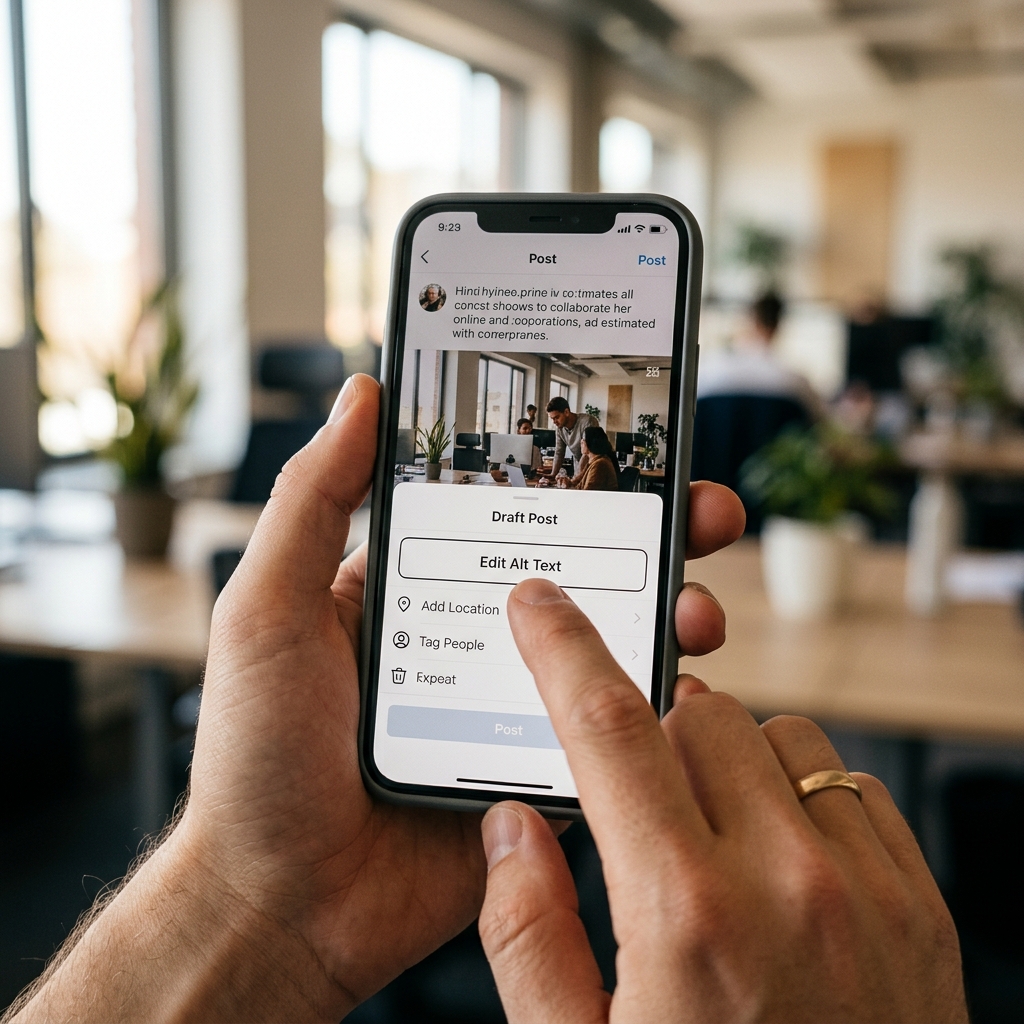
Start by looking at your top-performing post from the last 30 days. Close your eyes and have a colleague read the alt-text to you. Does it tell the same story? If not, you have work to do. The goal isn't perfection on day one; it's the elimination of systemic exclusion from your automated workflows.
As platforms face more pressure from global regulators regarding their algorithms and the public order [S3], expect accessibility to become a ranking signal. Inclusive content is better content, and in the long run, the algorithm—and your legal counsel—will thank you for it.
FAQ