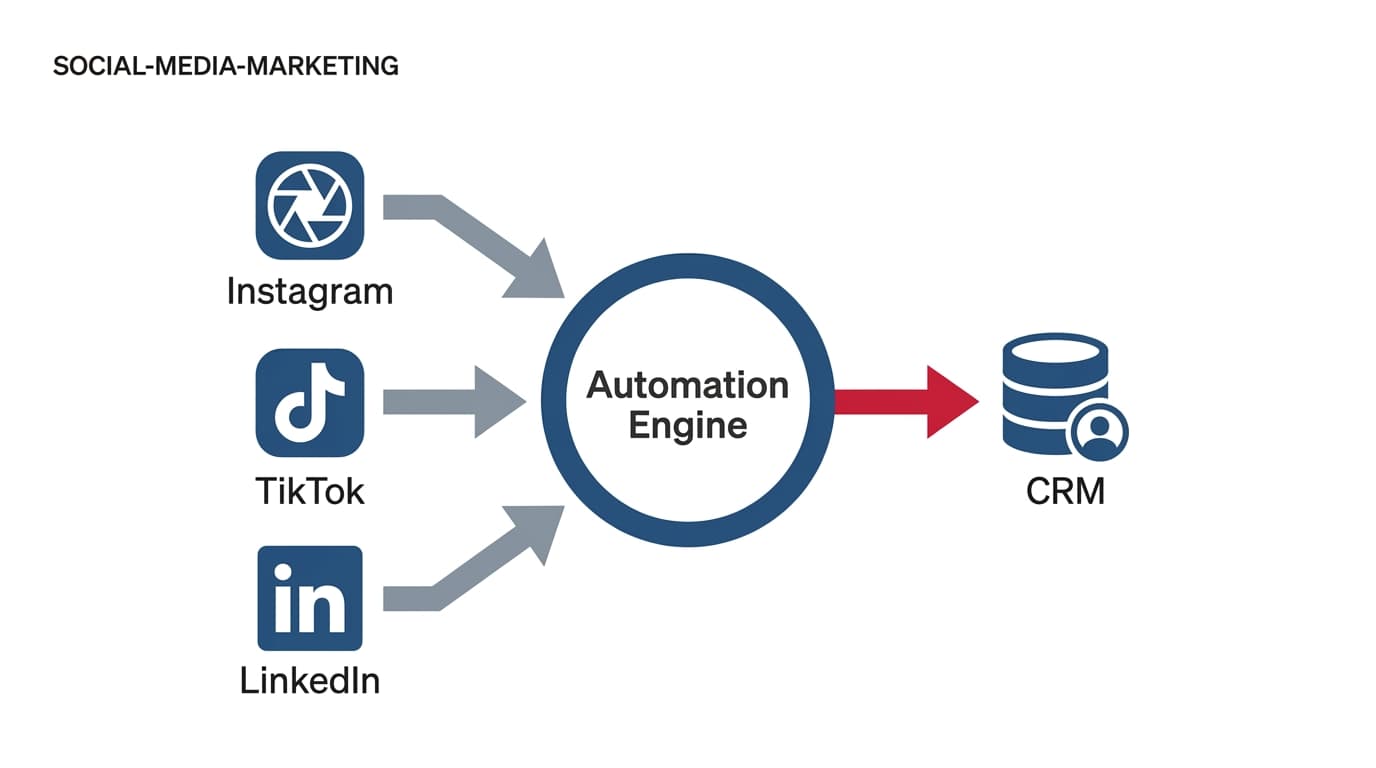
By the end of this guide, you will have a functional, multi-platform DM lead generation engine that automatically pushes verified contact data from Instagram, TikTok, and LinkedIn into your CRM. You’ll eliminate the manual 'check DMs and copy-paste' workflow that currently costs your team hours and results in a 30% lead-drop rate due to human error and delayed follow-ups.
Before you start, ensure you have professional/business accounts on your target platforms, a centralized automation middleware (like ManyChat or Zapier), and API access to your CRM (HubSpot, Salesforce, or Pipedrive).
TL;DR
- Centralize the Logic: Use one automation hub to manage rules for all social platforms to ensure brand consistency.
- Validate Early: Use automated DM prompts to collect and verify email/phone data before the lead ever hits your CRM.
- Map Custom Fields: Ensure your CRM has specific fields for 'Social Handle' and 'Referrer Platform' to preserve attribution.
- Test the Loop: Always run a live end-to-end test to confirm the webhook triggers correctly.
Step 1: Architecting the Universal Lead Capture Logic
Most marketers start by building a flow in Instagram, then trying to replicate it on TikTok. This is a mistake. It creates fragmented data silos. Instead, you must design a platform-agnostic logic flow that treats every DM as a standardized data entry event.
Why it matters: If you don't standardize the data structure upfront, your CRM will end up with duplicate records or, worse, records missing the context of which platform the user came from. According to recent Search Engine Journal analysis on AI referrals, the 'oldest mistake' in conversion optimization is failing to account for the specific referrer string, which leads to broken attribution.
Common Pitfall: Using different keyword triggers for different platforms (e.g., 'GUIDE' on IG and 'INFO' on TikTok). Keep your triggers consistent across all channels to simplify your analytics and internal training.
Start by mapping out your 'Happy Path.' A user comments a keyword, the automation triggers a private message, the message asks for an email, and the email is sent to the CRM. This sounds simple, but the complexity lies in the 'Edge Cases.' What if they provide an invalid email? What if they are already in your CRM? Your logic must account for these variables before you touch a single line of automation code.
How to optimize social conversion rates
Step 2: Configuring the Instagram and TikTok DM Triggers
Instagram remains the gold standard for DM automation due to its mature API, but TikTok is rapidly catching up. For Instagram, you’ll utilize the 'Comment-to-DM' trigger. This is the highest-converting entry point because it leverages public engagement to drive private conversion.
Why it matters: High-volume social marketing, like the strategy seen in the record-breaking Spider-Man: Brand New Day campaign (as reported by Adweek in August 2026), proves that social engagement is now the primary driver for massive consumer actions. You aren't just looking for 'likes'; you are looking for intent.
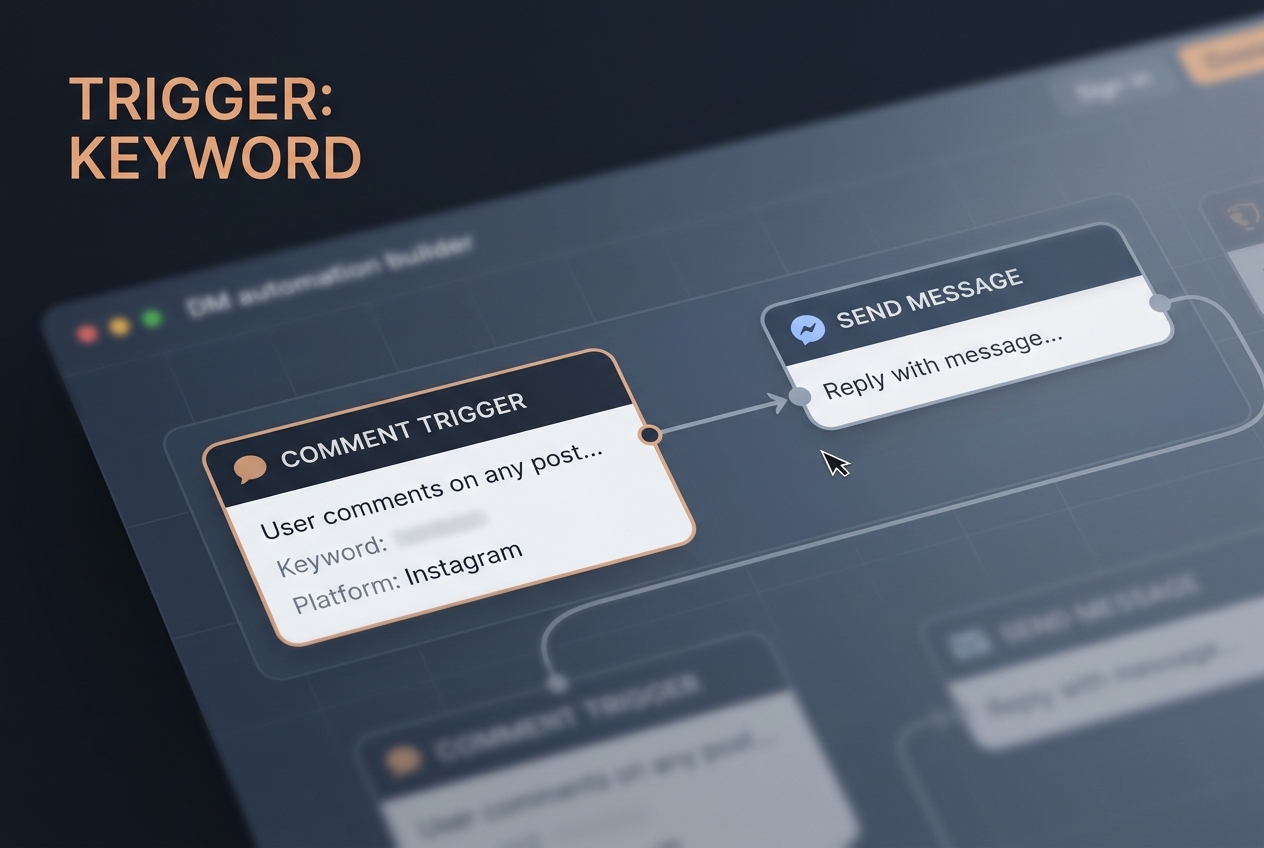
Common Pitfall: Over-automating the first response. If your bot sounds like a bot, users will drop off. Use 'Randomizers' in your automation tool to vary your opening greeting so you don't get flagged by platform spam filters.
On TikTok, the automation is slightly more restricted. You will often need to direct users to the 'Link in Bio' or use a 'Keyword' trigger in the DMs if they are already following you. The goal is to get them into a conversation where you can ask for the 'Lead Magnet' delivery address (their email).
Step 3: Mapping Social Data to CRM Fields
This is where most social media managers fail. They send the lead to the CRM, but the CRM doesn't know what to do with it. You must create 'Custom Fields' in your CRM specifically for social metadata.
Why it matters: Without mapping, your sales team won't know if they should reach out via LinkedIn or Email. You need to preserve the 'Social Handle' and 'Source Platform' fields. Since Meta deprecated certain tracking features like CrowdTangle in August, marketers have had to become more self-reliant on their own first-party data capture methods.
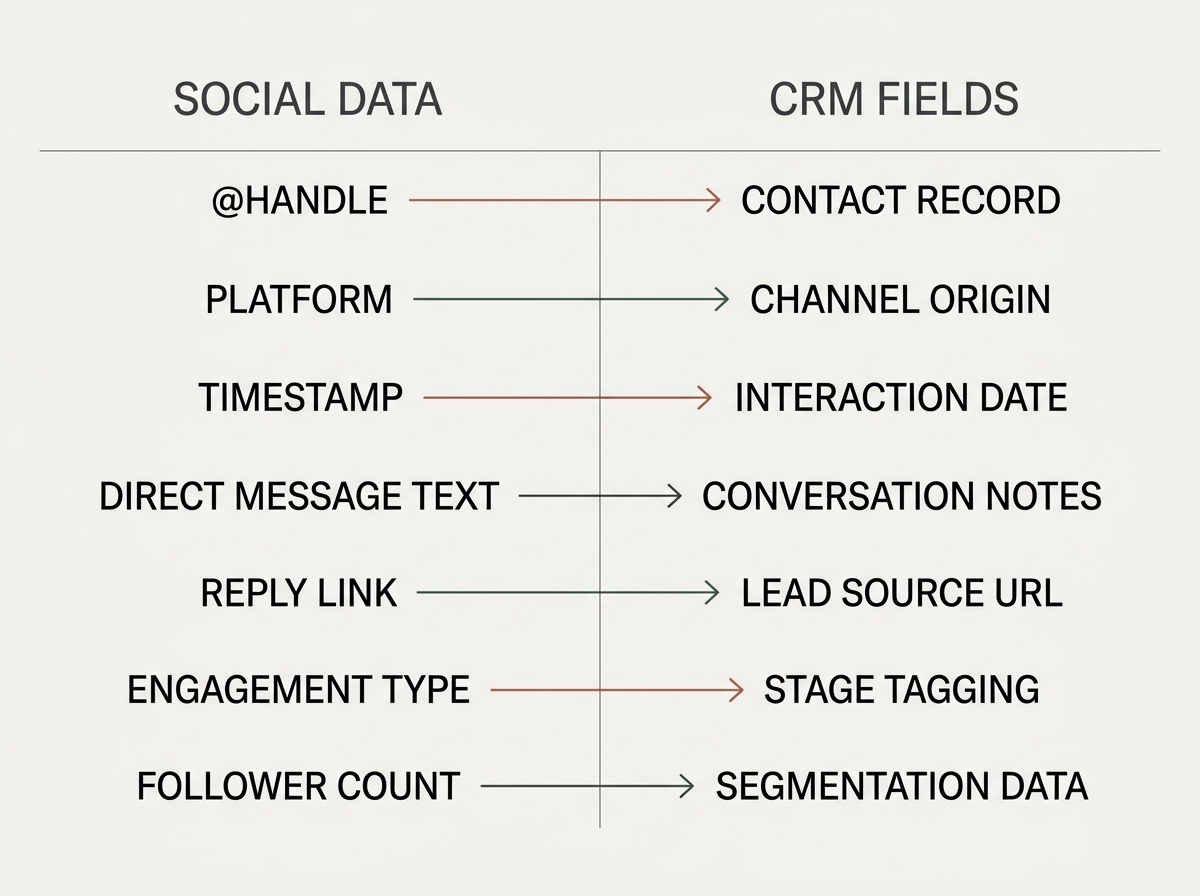
Common Pitfall: Mapping the 'Full Name' field from a social profile directly to your CRM. Social names are often pseudonyms (e.g., 'SkaterPro99'). Always ask for the user's real name within the DM flow rather than relying on their profile data.
When setting up your Zapier or Make.com bridge, use the 'Find or Create Record' action. This prevents the creation of 500 duplicate contacts when the same user interacts with your brand across three different platforms. You want one unified view of the customer.
Step 4: Implementing the LinkedIn Automation Bridge
LinkedIn is a different beast. Its API is more protective, and 'botting' can lead to account bans. For LinkedIn, we recommend a 'Semi-Automated' approach using tools like Dripify or Expandi, or better yet, a direct LinkedIn Lead Gen Form integrated with your CRM.
Why it matters: LinkedIn leads are often 10x more valuable in a B2B context. A missed lead here isn't just a lost follower; it's a lost five-figure contract. As S4 Capital's recent H1 earnings show, the shift toward high-value, tech-driven marketing services is where the growth is, even in a volatile market.
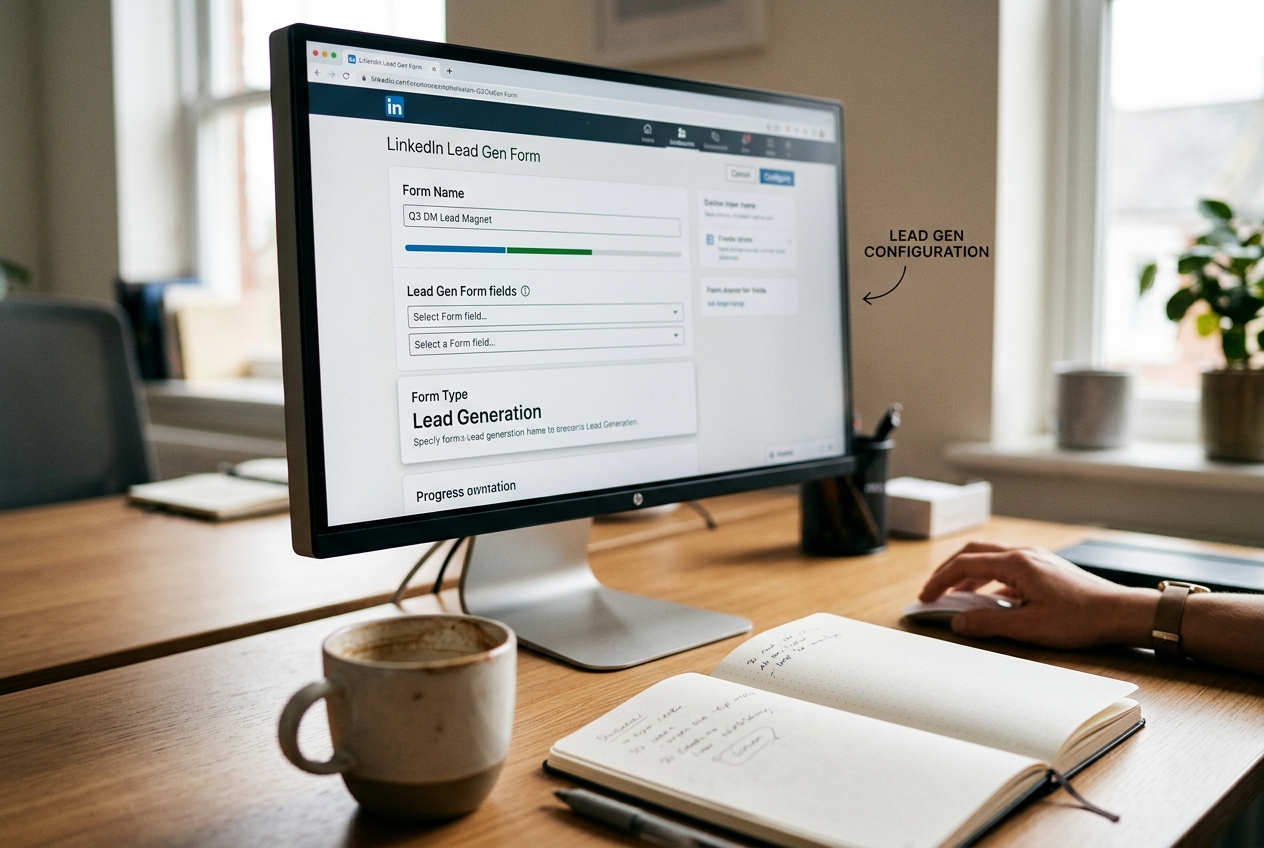
Common Pitfall: Sending a DM automation to someone you aren't connected with. This is the fastest way to get your account restricted. Only trigger automations for 1st-degree connections or via sponsored InMail.
B2B LinkedIn strategy for 2026
Step 5: The 'Verification Loop' and Data Sanitization
Before you celebrate, you must ensure the data is clean. Use a tool like NeverBounce or ZeroBounce integrated directly into your automation flow. If the user provides a fake email, the automation should politely ask them to try again before the data is allowed to reach your CRM.
Why it matters: A CRM full of 'test@test.com' addresses is worse than an empty CRM. It ruins your email deliverability and wastes your sales team's time. Even legacy media like CBS and ABC (per Adweek's July 2026 ratings report) are finding that while total viewers matter, the quality of the demographic (Adults 25-54) is what drives revenue. Your lead magnet is no different.

Common Pitfall: Not setting up a 'Fallback' action. If your CRM API is down, what happens to the lead? Ensure your automation tool is set to 'Retry' or at least log the lead in a Google Sheet as a backup.
Step 6: Final Verification - The 'Live Fire' Test
To verify your setup, you need to act like a customer.
- The IG Test: Comment your keyword on a post using a personal account. Check if the DM arrives within 5 seconds.
- The Data Check: Complete the DM flow. Open your CRM and search for your personal email.
- The Attribution Check: Ensure the 'Source' field says 'Instagram' and the 'Campaign' field matches your lead magnet name.
- The Auto-Responder: Did you receive the lead magnet email? If yes, the loop is closed.
If any of these steps fail, check your 'Webhook Logs.' Most errors are caused by mismatched field types (e.g., trying to send a text string into a date field).
Three Related Tactics to Try Next
Once your foundation is solid, you can scale your results with these advanced maneuvers:
- The 'Comment-to-Story' Bridge: Instead of just a DM, have your bot automatically mention the user in a Story. This provides social proof and triggers a second notification, increasing the chance they complete the lead form.
- AI-Powered Intent Detection: Use a light AI layer (like a GPT-4o mini integration) to scan the user's initial DM. If they ask a specific question instead of just typing the keyword, the AI can answer the question before pivoting back to the lead magnet.
- Retargeting Based on DM Progress: Create a custom audience in Meta Ads Manager for people who 'Started' the DM flow but didn't 'Finish' it. Run a small-budget ad showing the lead magnet again to nudge them back into the funnel.
Building a multi-platform DM engine isn't about the tools you use; it's about the integrity of the data you collect. By following this mapping process, you ensure that every 'like' has a direct path to a 'sale,' without the manual friction that kills most social funnels.
FAQ