You're likely suffering from the 'context gap.' You have a brilliant content idea in a voice memo, a half-finished thread in your Notes app, and a performance report in a PDF. To turn these into a social post, you manually copy-paste them into Claude or ChatGPT, prompt it, and then manually copy the output into Buffer or Sprout Social. This friction is why most social media managers are burning out despite having 'AI tools' at their disposal.
Model Context Protocol (MCP) changes this. Developed as an open standard, MCP allows AI models like Claude to securely access your local and cloud data sources without tedious manual uploads. Instead of you bringing the data to the AI, the AI uses 'servers' to reach out and grab what it needs. For social media practitioners, this means building a unified stack where your AI assistant can read your brand guidelines, look at your Notion calendar, and push drafts directly to your scheduler.
Why it matters: In an era where CPG giants like Conagra are shifting agency partners to tighten commerce marketing [S2] and media giants like Zenith are fighting to retain $400M accounts [S3], the speed of execution is the only remaining moat. If you can move from 'insight' to 'scheduled post' in 60 seconds using an MCP-linked stack, you are operating at a frequency your competitors can't match.
Key takeaways
- MCP is the bridge: It removes the need for manual data entry by letting Claude 'see' your local files, Google Drive, and API-connected apps.
- Local-first security: Unlike older Zapier-style automations, MCP can run locally on your machine, keeping sensitive brand strategy documents off third-party servers.
- Workflow unification: You can build a 'loop' where Claude analyzes a voice memo, checks it against your style guide, and formats it for Buffer in one command.
Understanding the MCP Architecture for Social Media
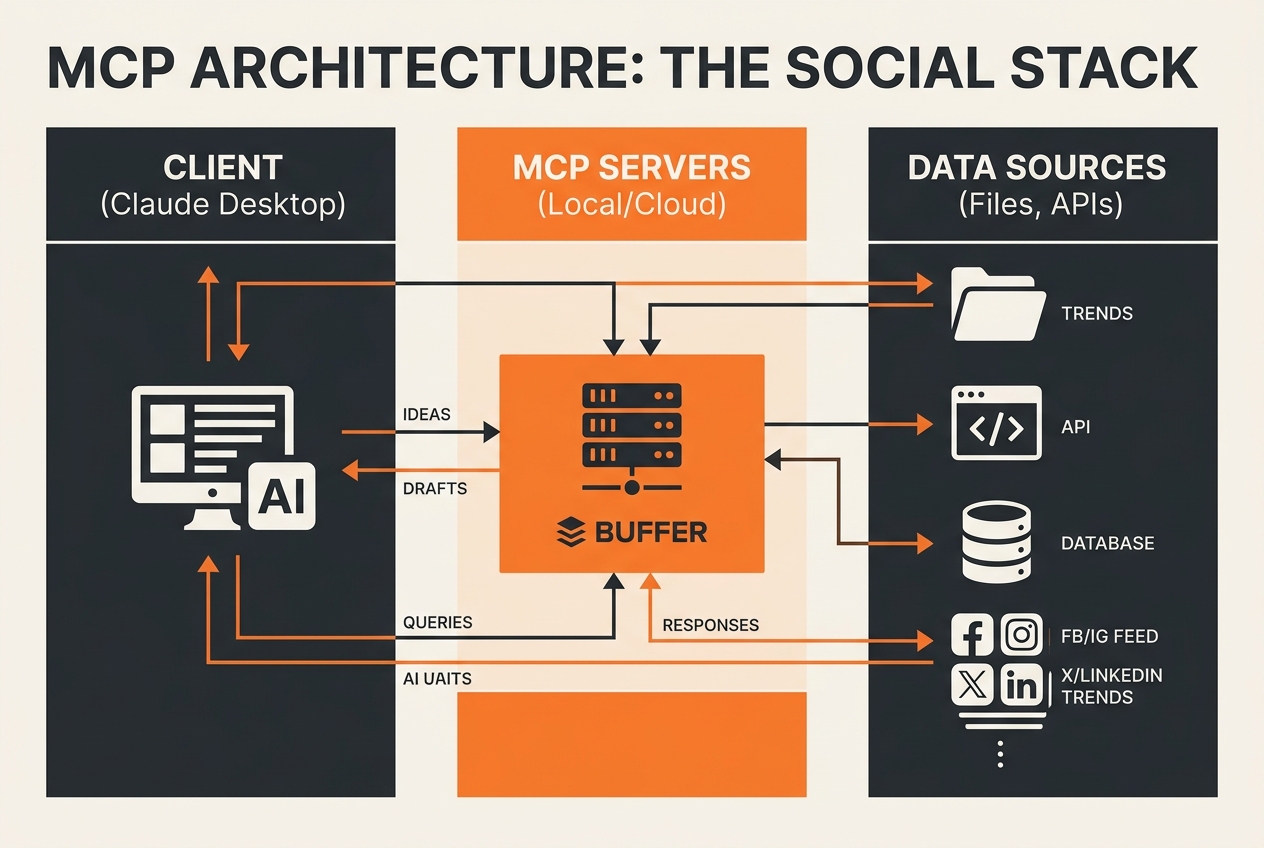
Before we build, you need to understand what MCP actually is. Think of it as a universal translator for software. In the past, if you wanted Claude to talk to your local file system, you needed a custom API or a manual upload. With MCP, you run a small 'server' on your computer or a remote host. Claude (the 'client') connects to this server and asks, "What tools do you have?"
For a social media manager, those tools might include a 'ReadNotes' tool, a 'SearchGoogleDrive' tool, or a 'PostToBuffer' tool. The protocol is standardized, meaning once you set up an MCP server for your files, any AI client that supports MCP can use it. Anthropic’s Claude Desktop is currently the primary host for this, but the ecosystem is expanding rapidly.
This is particularly relevant as the industry shifts. We've seen high-level shifts in the AI leadership space, such as Fidji Simo stepping back from her OpenAI role [S1], which underscores the volatility of the platform layer. By building on an open protocol like MCP, you aren't locked into a single platform's proprietary automation suite. You own the connection.
The Three Layers of Your Stack
- The Client: This is where you type. Currently, Claude Desktop is the gold standard for MCP integration.
- The MCP Servers: These are the workers. You might run one server for your local Markdown files and another for your SQL databases or Google Sheets.
- The Social API: This is the final destination, like Buffer, Hootsuite, or even a direct TikTok API connection.
Step 1: Setting Up Your Local Environment
To start, you need the Claude Desktop app (Mac or Windows). The web version of Claude does not yet support local MCP servers because it cannot access your computer's file system for security reasons.
Once installed, you'll need to locate your claude_desktop_config.json file. On a Mac, this is usually at ~/Library/Application Support/Claude/claude_desktop_config.json. This file is the brain of your MCP setup. It tells Claude which servers to start when the app opens.
Installing the Filesystem Server
The most basic but powerful server for creators is the @modelcontextprotocol/server-filesystem. This allows Claude to read your 'Content Ideas' folder.
{
  "mcpServers": {
    "filesystem": {
      "command": "npx",
      "args": [
        "-y",
        "@modelcontextprotocol/server-filesystem",
        "/Users/yourname/Documents/SocialContent"
      ]
    }
  }
}
After adding this to your config, restart Claude. You will see a small 'plug' icon. Claude can now see every text file, PDF, and image in that folder. You can now say: "Look at the transcript from yesterday's brainstorm and write three LinkedIn posts based on our brand voice doc in that same folder."
Step 2: Connecting Your Content Sources (Notion and Google Drive)
Most brand leads don't keep everything in local folders. You likely have a 'Content Bible' in Notion or a '2026 Strategy' deck in Google Drive. This is where the MCP community servers come in.
How to audit your social media tech stack
Using the Google Drive MCP server, you can grant Claude access to specific folders. This is a massive upgrade over the 'Upload File' button. If you update a spreadsheet with new Q3 campaign dates, Claude sees those updates instantly. You don't have to re-upload the sheet.
For those working in large agencies, like Zenith or WPP's Barrows [S2, S3], this reduces the 'version control' nightmare. When the client updates the master asset folder, your MCP-linked Claude instance is automatically looking at the latest version.
Advanced: The Voice Memo Pipeline
One of the most effective 'creator' uses for MCP is the voice-to-post pipeline. Use an app like Otter.ai or JustPressRecord that syncs transcripts to a local folder. Because your Filesystem MCP server is watching that folder, you can simply tell Claude: "Check for new transcripts from the last 2 hours and summarize the key hooks for a Reel."
Step 3: Automating the Push to Buffer
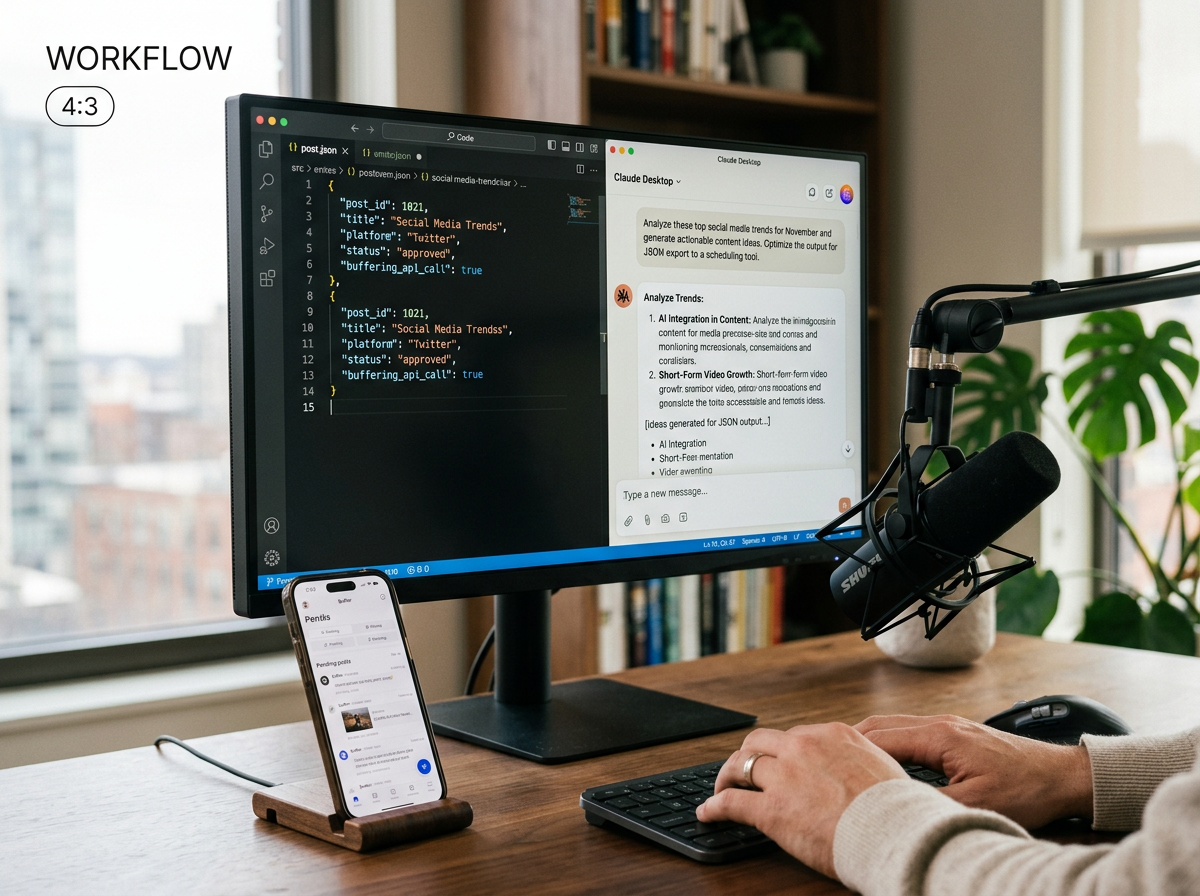
This is the 'Last Mile' of the MCP stack. While there isn't always a pre-built 'Buffer MCP Server' in the official repository, you can use the 'Fetch' MCP server or a simple custom Python script to interact with Buffer's API.
By configuring a server that can send POST requests, you enable Claude to not just write the post, but send it.
The Workflow:
- Trigger: "Claude, read the latest industry news from my 'Feedly' folder."
- Analyze: Claude identifies a trend, like the rise of 'Brainrot' marketing styles for small businesses [S5].
- Draft: Claude writes a caption and suggests a trending audio.
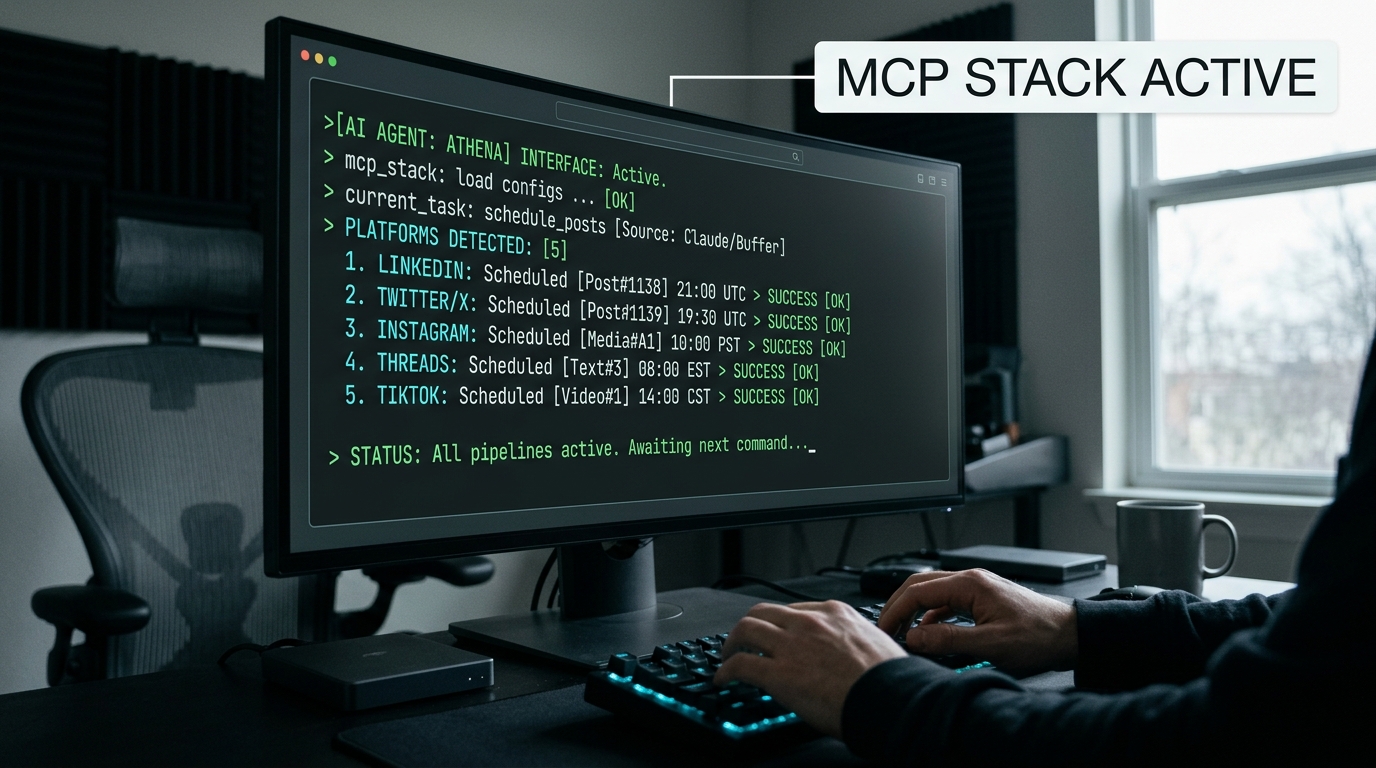
- Execute: You say, "Send this to my Buffer queue for Tuesday at 10 AM."
This eliminates the 'tab-switching' tax that kills creative momentum. You stay in the flow of the conversation with the AI, and the AI handles the administrative task of moving data into the scheduler.
Step 4: Building Custom 'Social Media' Servers
If you have specific needs—like checking your current Instagram engagement rates before deciding on a post type—you can build a custom MCP server. Since the protocol is open, any developer can wrap a tool in an MCP interface.
For example, you could build a server that connects to your Brandwatch or Sprout Social API. This would allow Claude to 'know' which topics are currently trending for your specific audience before it starts writing.
The Troubleshooting Guide
- Server not connecting: Check your JSON syntax in the config file. A missing comma is the #1 cause of failure.
- Permissions errors: Ensure the folder path you provided to the filesystem server has 'Read/Write' permissions for the user running Claude.
- API Rate Limits: If you are using an MCP server to fetch web data (like the Brave Search MCP), be mindful of your API keys and monthly limits.
The Future of the MCP Creator Stack
We are moving toward a 'headless' social media management era. The UI of the tool (Buffer, Sprout, Hootsuite) becomes less important than the AI's ability to interact with it.
As commerce media continues to evolve—highlighted by the recent takeover bids for Criteo and new deals for The Trade Desk [S4]—the volume of data marketers must process is exploding. You cannot manually manage 100+ CPG brands, like Conagra does, without these types of automated bridges.
MCP is not just a developer tool; it is the new backbone of the professional social media workflow. Start small with the filesystem server, and gradually add 'plugs' for your entire marketing stack. The goal is to spend your time on the strategy of the content, not the plumbing of the posts.
How to Apply This Tomorrow
You don't need to rebuild your whole workflow at once. Start by automating your most tedious task: finding information in your own archives.
- Download Claude Desktop and install the Filesystem MCP server pointing to your 'Archives' or 'Notes' folder.
- Ask Claude to 'Audit' your content: "Based on my last 20 scripts in this folder, what are my three most common recurring themes?"
- Connect one cloud source: Use the Google Drive or Notion MCP server to bring your 2026 strategy docs into the conversation.
- Experiment with 'Brainrot' styles: Given the recent launch of Vmake Labs' new viral styles [S5], use Claude to see how your existing long-form content could be 'remixed' into these high-energy formats using the data it now has access to.
By the end of the week, you'll find that you aren't 'using' AI anymore—you're collaborating with a system that actually understands your business context.
Advanced AI prompting for social media managers
Advanced Variants: The Agency 'Multi-Client' Stack
If you are at an agency like Zenith [S3], you can set up separate MCP servers for different client 'vaults.' By toggling servers in your config, you can ensure Claude is only looking at 'Reckitt' data when you are working on that account, preventing cross-pollination of sensitive strategy between clients. This 'siloed' AI approach is the only way to maintain the rigorous data security that $400M accounts demand while still benefiting from the speed of generative AI.
Finally, keep an eye on the 'MCP Hub' on GitHub. New servers for TikTok Shop analytics, Meta Ads Manager, and LinkedIn Sales Navigator are being added by the community weekly. The stack you build today will be twice as powerful by next month.
FAQ