Google's decision to sunset manual language targeting in Search campaigns marks the end of an era for granular control. As of August 2026, the platform has pivoted entirely to automated language matching, a move that forces international brands to rethink how they segment and serve localized creative. If you've spent years meticulously separating Spanish-speaking audiences in the U.S. from English-speaking ones, or ensuring your Quebecois campaigns don't bleed into English-speaking Ontario, the floor just moved.
By the end of this guide, you will have a comprehensive framework to audit your existing accounts, identify 'language bleed,' and implement structural safeguards that keep Google's AI within your brand's linguistic boundaries. You'll need access to your Google Ads Keyword Planner, a clean export of your last 90 days of Search Terms reports, and a healthy skepticism of 'Recommended' settings.
TL;DR
- The Shift: Google now uses signals like query language and user settings to automatically match ads, ignoring manual campaign-level language toggles.
- The Risk: High-intent localized copy may serve to users who cannot read it, spiking bounce rates and wasting budget.
- The Fix: Move from 'Targeting' to 'Exclusion.' Use negative keyword lists and strict location settings to enforce linguistic boundaries.
- The Metric: Monitor the 'Search Terms' report for foreign-language queries in primary-language campaigns.
Step 1: Quantify the Language Bleed in Search Term Reports
Before you can fix the automation, you have to see where it's failing. In the old world, a campaign set to 'French' would generally respect that boundary. In the new world of automated matching (per Google's August 2026 update), the system might decide an English speaker in Montreal is a 'likely match' for your French ad because of their browsing history or a specific bilingual query.
Go to your 'Insights and Reports' tab and pull a Search Terms report for the last three months. You aren't looking for high-volume keywords here; you're looking for 'linguistic outliers.' These are queries that appear in a language other than the one your ad copy is written in. For a brand running a German campaign, seeing English queries like 'best luxury watch' instead of 'beste luxusuhr' is a signal that Google's AI is overreaching.
Why it matters: Language bleed kills your Quality Score. If a user searches in English, sees a German ad, and clicks (perhaps out of curiosity or by accident), they will land on a German landing page they can't read. Your bounce rate spikes, your conversion rate craters, and Google penalizes your ad relevance.
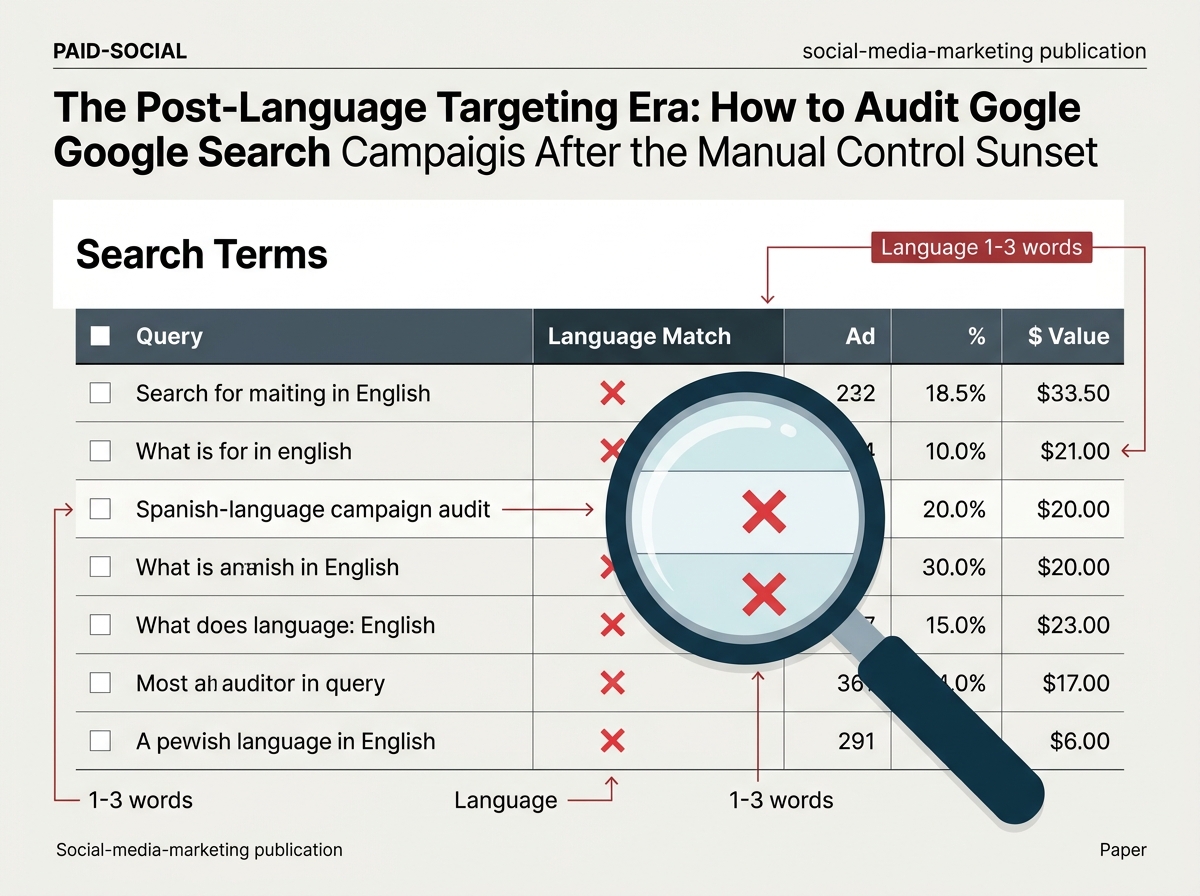
Common pitfall: Ignoring low-volume 'other' terms. Google often aggregates small-volume queries. If your 'Other search terms' bucket has grown significantly since the August update, it's a high-probability sign that automated language matching is testing your ads against irrelevant linguistic queries.
Step 2: Implement Cross-Language Negative Keyword Lists
Since you can no longer tell Google 'only show this to people who speak X,' you must tell it 'never show this to people using words from language Y.' This is a shift from proactive targeting to reactive exclusion.
Create a Master Negative Keyword List for each language you don't want to target in a specific campaign. For a US-based English campaign, this means a list of the 500 most common Spanish 'stop words' (e.g., 'el', 'la', 'de', 'para'). This prevents the AI from matching your English ads to Spanish queries, which is a common occurrence in regions with high bilingual populations.
Why it matters: It provides a hard floor for the AI. Google's automated matching is designed to find 'intent,' but it often confuses intent with proximity. If a user is searching for a product in Spanish, their intent is tied to that language. By using negative lists, you force the algorithm to stay within the linguistic lane of your creative assets.
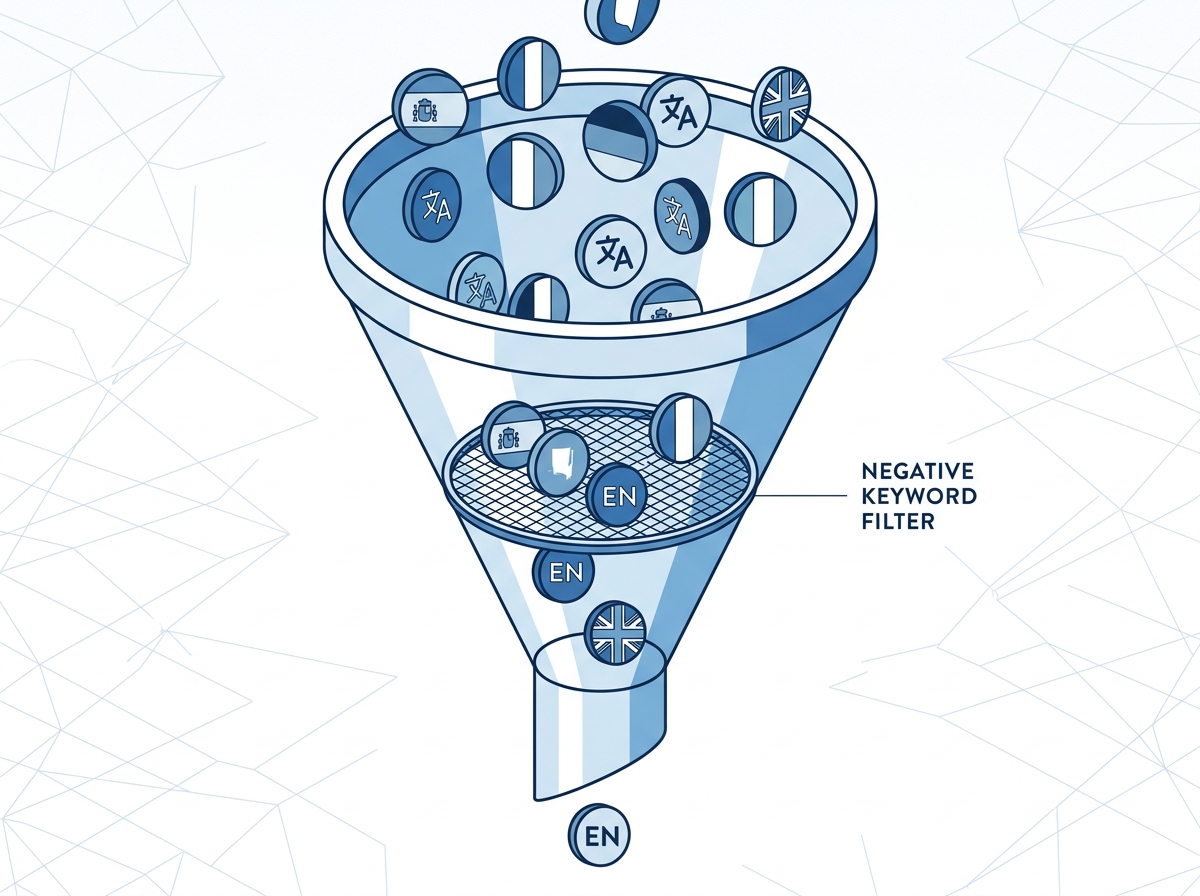
Common pitfall: Being too narrow. Don't just exclude your product terms in other languages. Exclude the functional language—the conjunctions and prepositions—that define the query's linguistic DNA. How to scale negative keyword lists across accounts
Step 3: Audit Location Targeting and 'Presence' Settings
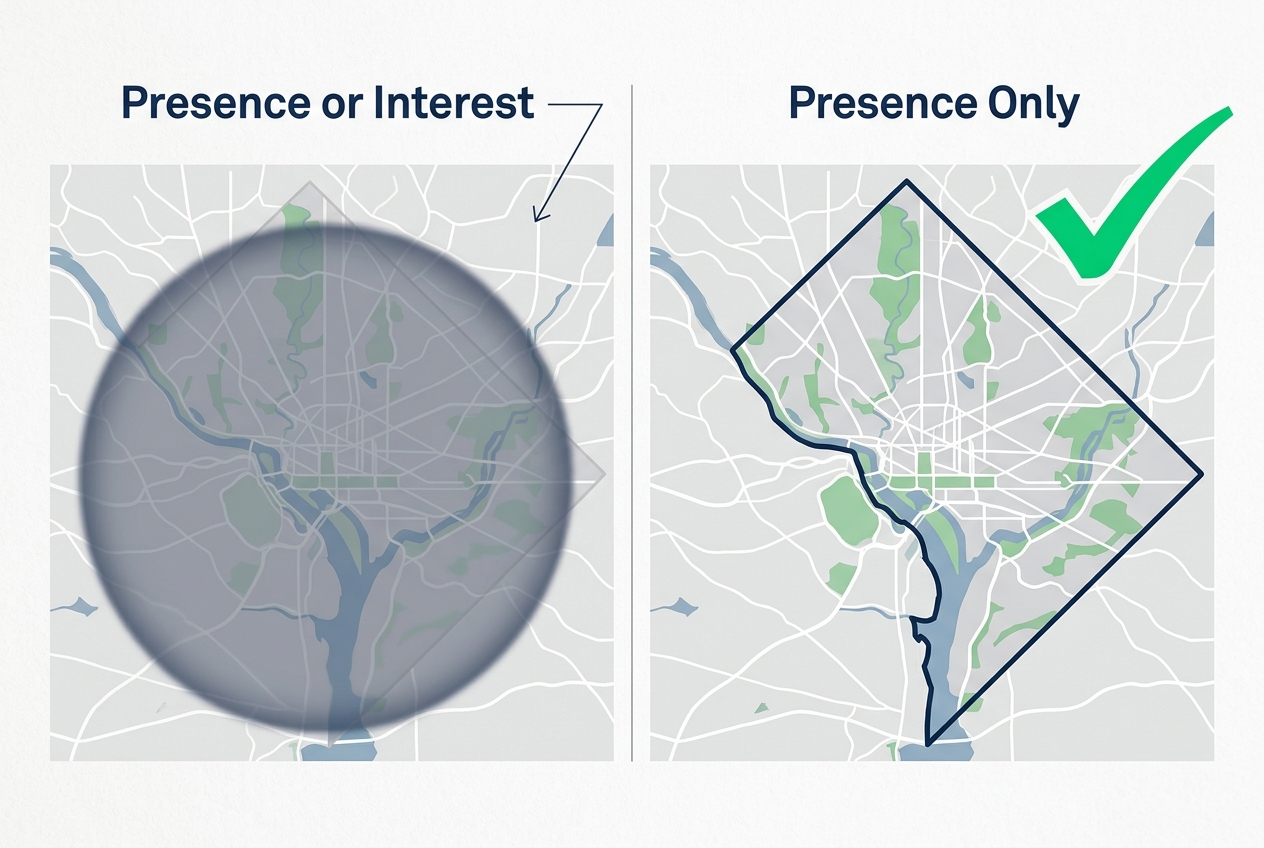
With manual language controls gone, location settings are your most powerful lever. However, the default 'Presence or Interest' setting is a trap for international marketers. In the post-language-targeting era, this setting allows Google to show your ads to people interested in a location, even if they aren't there.
Switch every campaign to 'Presence: People in or regularly in your targeted locations.' This prevents your localized French ads from serving to someone in London who happens to be researching a trip to Paris. When combined with the removal of manual language toggles, the 'Interest' setting creates a 'perfect storm' of irrelevant impressions.
Why it matters: Automation thrives on broad signals. If Google sees a user in the UK searching for 'Paris hotels' in English, and your campaign is targeting France with French ads, the 'Interest' setting might trigger your ad. By restricting to 'Presence,' you ensure that the geographical signal is at least accurate, even if the linguistic signal is now automated.
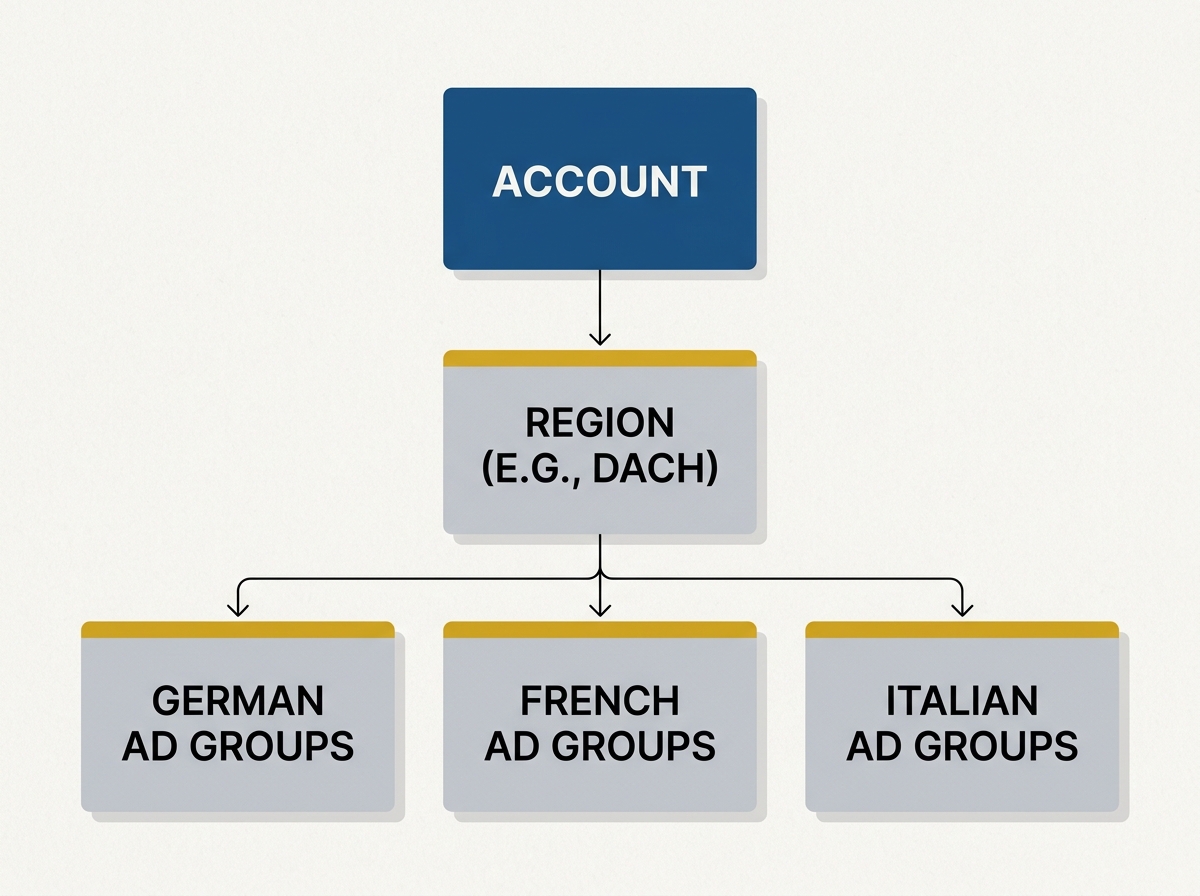
Common pitfall: Forgetting to exclude neighboring regions. If you are targeting Switzerland, you must have distinct campaigns for the German, French, and Italian speaking regions, with each region excluded in the other campaigns. You can no longer rely on the language setting to do that work for you.
Step 4: Rebuild Ad Group Structures for Linguistic Purity
If your account structure was 'Campaign > Language > Ad Group,' you need to move toward a more robust 'Campaign > Region > Language-Specific Ad Group' model. Since the campaign-level language setting is dead, the ad group is where the 'linguistic weight' lives.
Ensure that your ad groups contain highly specific, single-language keyword sets. Do not mix English and Spanish keywords in the same ad group, hoping the AI will sort it out. The AI will often pick the 'best performing' ad (usually the one with the highest CTR in the dominant language) and serve it across all queries in that ad group, regardless of the user's language.
Why it matters: Ad Relevance is still a primary component of the Ad Vault. If your ad group is linguistically pure, the 'expected CTR' and 'ad relevance' signals will be much stronger, which helps the automated matching system understand that this specific ad group only belongs with queries in that specific language.
Common pitfall: Using 'Dynamic Search Ads' (DSA) without strict URL filtering. DSAs will crawl your site and find content in any language. If you haven't excluded your Spanish subdirectories from your English DSA campaigns, Google's new automated matching will treat them as fair game.
Step 5: Verification and the 'Linguistic ROI' Audit
How do you know if your audit worked? You need to look at the 'Landing Page' report filtered by 'Segment: Language.' While Google removed the targeting control, the reporting on user characteristics still exists (for now).
Compare your conversion rates by user language. If your English-language campaign shows a high volume of traffic from users whose browser setting is 'Spanish' and those users have a 0% conversion rate, your exclusions aren't tight enough. You are looking for a 'Linguistic ROI'—ensuring that the cost per conversion is consistent across the languages the AI is choosing to target.
The Verification Checklist:
- Zero-Bleed Check: Search terms report shows <1% foreign language queries in primary campaigns.
- Bounce Rate Parity: Landing page bounce rates for 'matched' languages are within 5% of the account average.
- Negative List Coverage: All 25+ top stop-words for non-target languages are active at the account level.
Three Related Tactics to Try Next
- First-Party Data Signals: Upload customer lists segmented by language. Use these as 'Observation' audiences to give Google's AI a 'seed' of what your actual localized customers look like.
- Custom Scripting: Use a Google Ads Script to automatically pause keywords that trigger search terms in a foreign language. This automates the 'Step 1' audit you did manually.
- Landing Page Personalization: If you can't stop the bleed, adapt to it. Use dynamic text replacement (DTR) to detect a user's browser language and offer a 'Switch to [Language]' toggle prominently if it doesn't match your page content. Best practices for dynamic landing pages
As Google leans further into AI-driven 'intent,' the role of the search marketer shifts from 'operator' to 'governor.' You are no longer driving the car; you are building the guardrails. The sunsetting of manual language targeting is just the latest signal that the platforms value scale over precision. By following this audit, you ensure that your brand doesn't pay the price for that trade-off.
FAQ