

For local businesses, a Google Business Profile (GBP) isn't just a directory listing; it’s the primary driver of foot traffic, phone calls, and digital trust. Yet, most brands treat it like a 'set it and forget it' asset. This is a dangerous gamble. Google’s automated suspension triggers are increasingly aggressive, often sweeping up legitimate businesses in a quest to purge spam. If your profile disappears tomorrow, you don't just lose a map pin—you lose years of accumulated reviews, local ranking authority, and customer photos.
You need a continuity plan. This guide will walk you through the 'insurance' steps required to protect your local presence against platform volatility, accidental deletions, and malicious reporting. By the end of this process, you will have a redundant system that ensures your business remains visible even if your primary account hits a wall.
What you need before starting
- Primary Owner access to all Google Business Profiles.
- A secondary, clean Google Workspace account (not linked to your personal email).
- A third-party reputation management tool or a structured spreadsheet for data export.
- Access to your business registration documents (utility bills, LLC filings) in digital format.
Step 1: Establish a Redundant Ownership Hierarchy
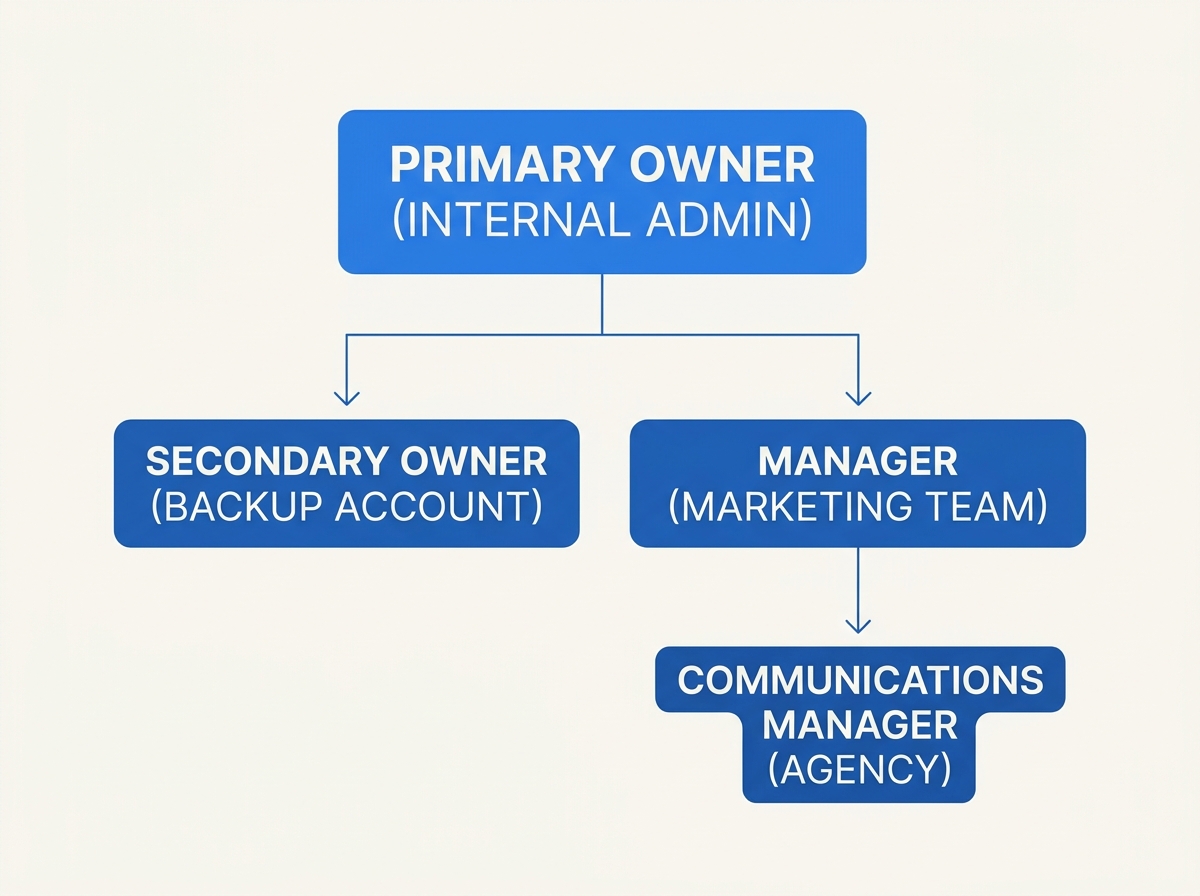
The most common point of failure for a GBP is the single-point-of-failure owner. If a marketing manager leaves the company and their email is deactivated, or if a primary owner's personal account is flagged for unrelated activity, your business profile can become an orphan.
What to do:
You must establish a 'clean' secondary owner account. This should be a dedicated email address—something like gbp-admin@yourbrand.com—that is not used for day-to-day browsing, YouTube uploads, or Google Ads management. Invite this account as a 'Primary Owner' or 'Owner' (depending on your current structure).
Why it matters: Google often applies 'account-level' suspensions. If your main account is flagged for a policy violation on a different platform (like a YouTube copyright strike or a Google Ads payment failure), it can trigger a review of all associated GBPs. Having a secondary owner with a clean history provides a backdoor to manage the profile and file appeals while the primary account is in limbo.
Common Pitfall: Adding an agency as the only other owner. Never let an outside vendor be the sole Primary Owner. If the relationship sours or the agency goes under, you may lose the legal right to your own digital storefront. Always maintain at least one internal backup owner.
Step 2: Implement a Periodic Review and Media Backup
Google does not offer a 'Restore' button for deleted reviews or photos. If a profile is permanently suspended, that social proof is gone. While you can't re-upload reviews to a new profile (Google’s TOS forbids it), having a record of them is vital for reputation recovery and legal proof of business history.
What to do: Use the Google Takeout tool specifically for Business Profile data, or better yet, use a tool like BrightLocal or Whitespark to export your reviews monthly. You should also maintain a local folder containing every photo and video uploaded to your profile, organized by location.
Why it matters: In the event of a suspension, you will need to prove to Google’s support team that your business is legitimate. A comprehensive log of your historical activity—including timestamps of reviews and original photo files with EXIF data—serves as a powerful evidence locker. Furthermore, if you are forced to start a new profile, you can use these archived reviews as testimonials on your website to bridge the trust gap.
Common Pitfall: Relying on Google to store your only copies of store photos. Many brands lose high-quality professional photography because they uploaded it directly to GBP and deleted the local files. Treat GBP as a distribution channel, not a storage locker.
Step 3: Document Your 'Proof of Life' Dossier
When a suspension happens, Google will ask for specific documentation to reinstate the listing. Scrambling to find a utility bill from three months ago while your phone stops ringing is a recipe for a botched appeal.
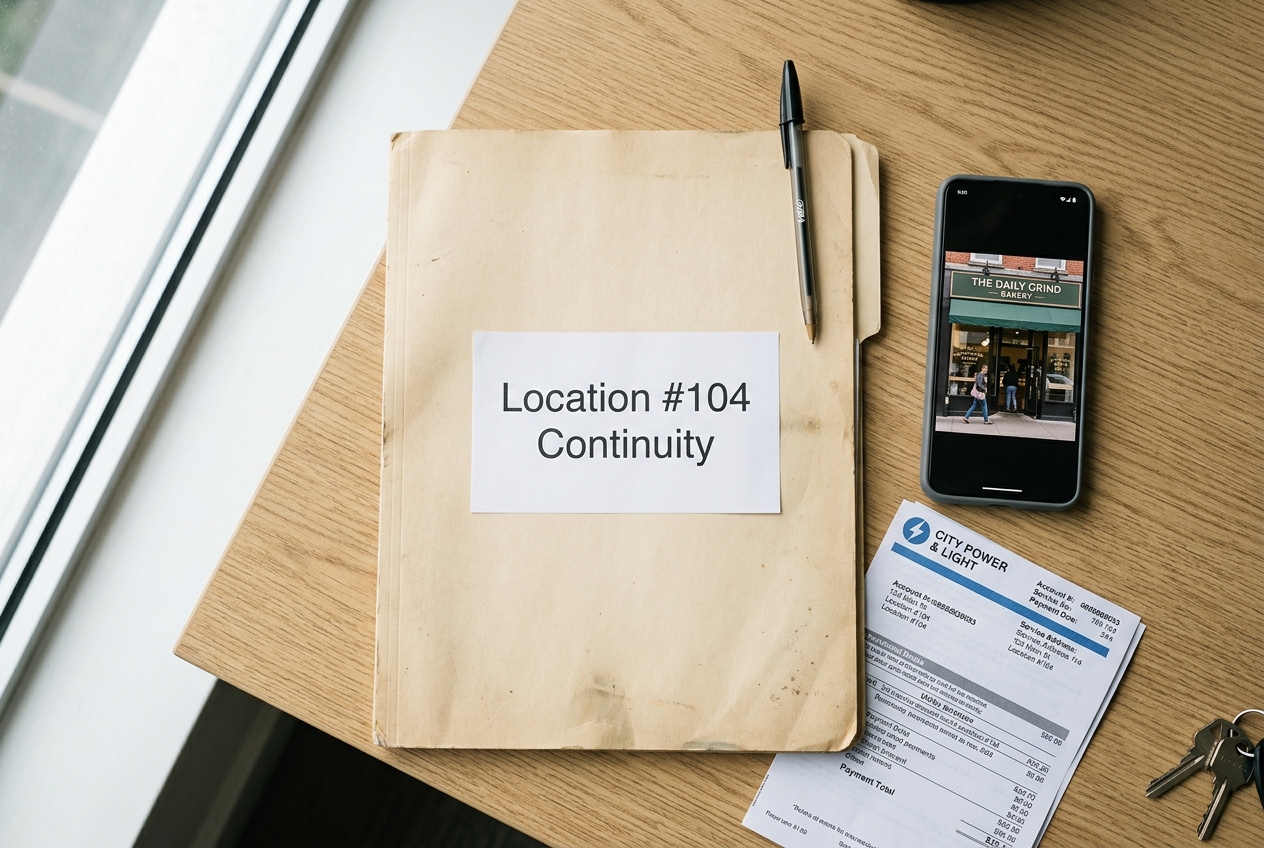
What to do: Create a digital 'Continuity Folder' for every location. This folder must contain:
- A high-resolution scan of a current utility bill (water, electric, or internet) showing the exact business name and address as it appears on the profile.
- A photo of the business signage from the street.
- A video walk-through of the premises, starting from the street and moving into the office/retail space, showing staff or equipment.
- A copy of your business license or LLC registration.
Why it matters: Google’s reinstatement team is notoriously rigid. If your utility bill says 'Suite A' but your GBP says 'Ste A', they may reject the appeal. By auditing these documents against your live profile now, you can correct discrepancies before they become a reason for a permanent ban.
Common Pitfall: Using a P.O. Box or a virtual office address. Google has been aggressively purging these. If your documentation doesn't show a physical, branded presence, your continuity plan is already dead. Ensure your 'Proof of Life' dossier reflects a physical location that meets Google's guidelines.
Step 4: Monitor for 'Suggested Edits' and Competitor Sabotage
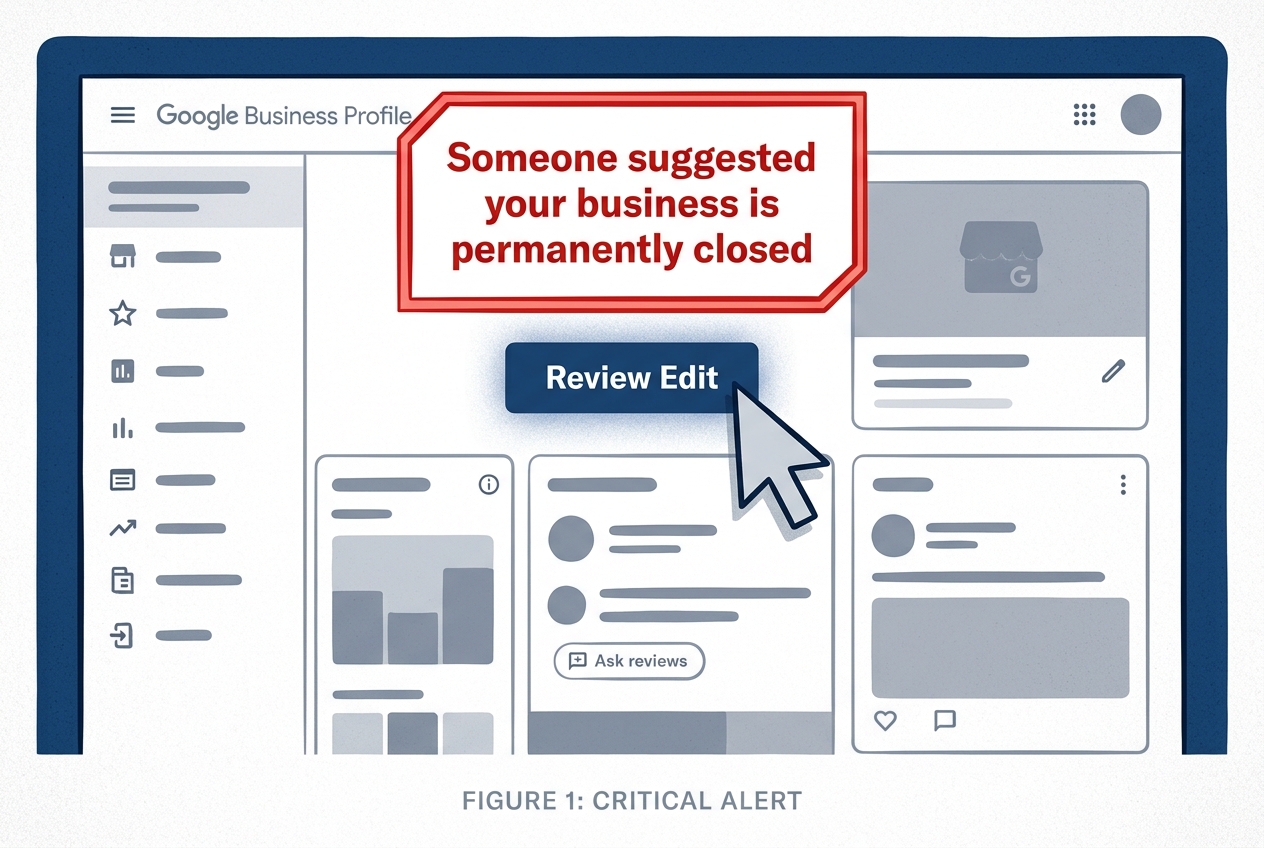
Local SEO is a zero-sum game, and unfortunately, 'suggested edits' are a common tool for competitor sabotage. A competitor can suggest your business is 'Permanently Closed,' and if you don't reject that edit within a short window, Google may accept it, nuking your rankings instantly.
What to do: Enable all email notifications for your GBP accounts, but don't rely on them. Set a weekly task to log into the dashboard and check the 'Updates from Google' section. For multi-location brands, use an API-based management tool like Sprout Social's reputation suite to flag unauthorized changes across hundreds of listings simultaneously.
Why it matters: Speed is the only defense against malicious edits. The longer a 'Permanently Closed' status sits on your profile, the more Google's algorithm assumes it is true, making it harder to reclaim your original ranking position once you do fix it.
Common Pitfall: Ignoring the 'Someone suggested a change' emails. Many managers mistake these for automated marketing fluff. They are actually critical alerts that someone—or an AI crawler—is attempting to rewrite your business data. Per recent Pew research [S1], 10% of webpages now show signs of AI authorship; these crawlers often feed incorrect data into Google's ecosystem, triggering automated 'corrections' to your profile.
Step 5: Diversify Your Local Social Signals
If Google Business Profile is your only source of local leads, you aren't running a business; you're a tenant on Google's land. A true continuity plan involves building 'Signal Redundancy'—ensuring that if Google goes dark, your customers can still find you via other local social proof points.
What to do: Actively maintain your Apple Business Connect and Bing Places profiles. These are the primary data sources for Siri and DuckDuckGo. Additionally, ensure your Yelp and Facebook Local pages have synchronized NAP (Name, Address, Phone) data.
Why it matters: Google’s algorithm looks for 'consensus.' If it sees the same data across Apple, Bing, and Facebook, it is less likely to suspend your profile for 'suspicious activity.' If a suspension does occur, having these secondary channels optimized ensures your brand doesn't vanish from the internet entirely. Agencies like True North Social [S4] emphasize that a comprehensive digital presence requires these cross-platform reinforcements to maintain stability.
Common Pitfall: Setting up Bing Places once and never looking at it again. Bing often imports data from third-party aggregators that might be outdated. If your Bing profile says you’re closed on Sundays but your Google profile says you’re open, Google may flag the inconsistency as a trust issue.
Step 6: The Verification Audit
How do you know your continuity plan actually works? You must perform a 'Ghost Audit.'
What to do: Log in using your secondary 'clean' owner account. Attempt to make a minor edit (like updating your business description). If the edit goes through and you receive a notification on your primary account, your redundancy is functional. Check your backup folder—can you find the utility bill for Location #4 in under 60 seconds? If not, your dossier isn't ready for a crisis.
Why it matters: A plan that hasn't been tested is just a document. In the heat of a 'Profile Suspended' notification, you will not have the mental bandwidth to troubleshoot access issues or search through old emails for a PDF of a lease agreement.
Three Related Tactics to Try Next
Once your continuity plan is in place, you can shift from defense to offense.
- Local Schema Markup: Implement 'LocalBusiness' structured data on your website. This acts as a 'canonical' source of truth that Google's bots reference when deciding whether to trust a profile edit.
- Review Generation Automation: Don't just back up reviews; accelerate them. Use a platform to send SMS review requests immediately after a transaction. A high volume of recent, positive reviews is a strong signal of legitimacy that can protect against 'low activity' flags.
- Google Posts as Social Feed: Treat your GBP like a social network. Post weekly updates with original photos. This keeps the profile 'warm' in the algorithm and demonstrates consistent, human management, which reduces the likelihood of automated bot-driven suspensions.
Building a Google Business Profile continuity plan is not a one-time task; it is an ongoing discipline of reputation management. In a landscape where platform volatility is the new constant, the brands that survive are the ones that prepared for the outage before it happened. Protect your local SEO, secure your social proof, and ensure that one algorithm sweep doesn't end your business's digital life.
FAQ